A popup or landing page can run an audit for each person who submits it. They type their website address, and a few minutes later their own report arrives by email, branded as yours. It's a strong lead magnet for agencies and consultants.
Switch It On
Open the funnel's settings
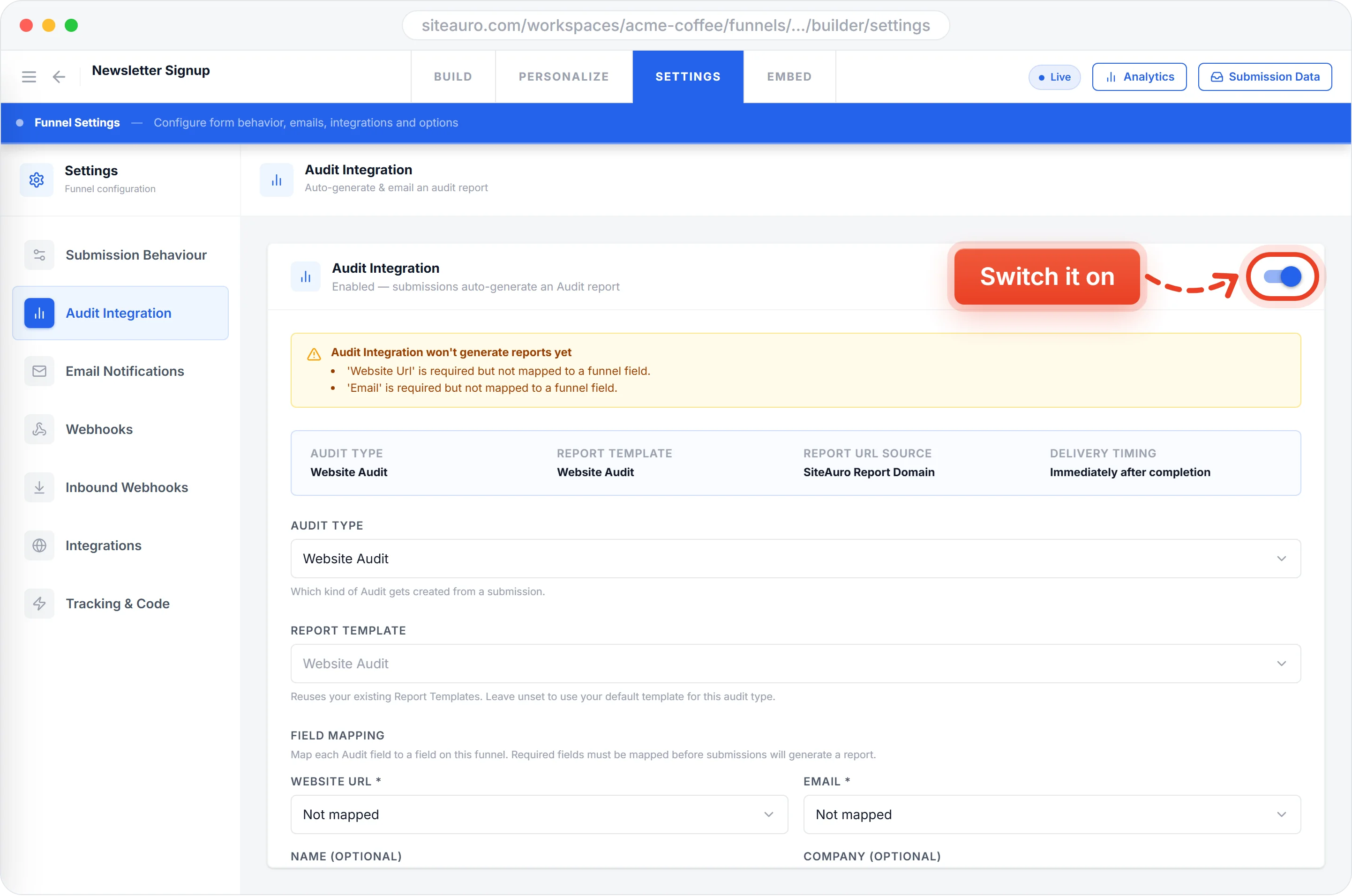
Open the funnel in the builder, click SETTINGS, then Audit Integration. Switch it on at the top.
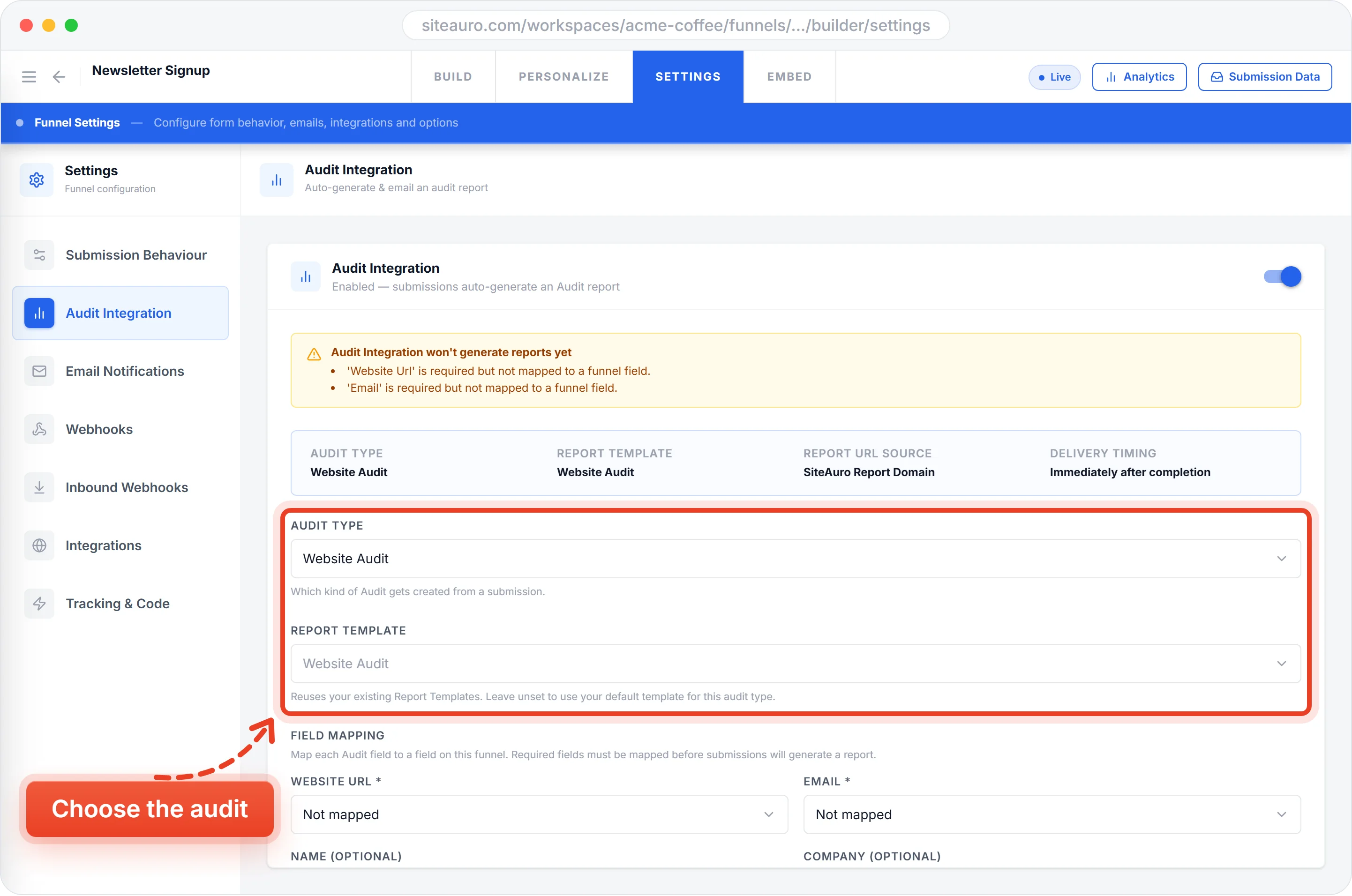
Audit Integration. Choose the audit
Audit Type is Website Audit or Landing Page Audit. Report Template is the template the reports are built from: leave it empty to use your default.
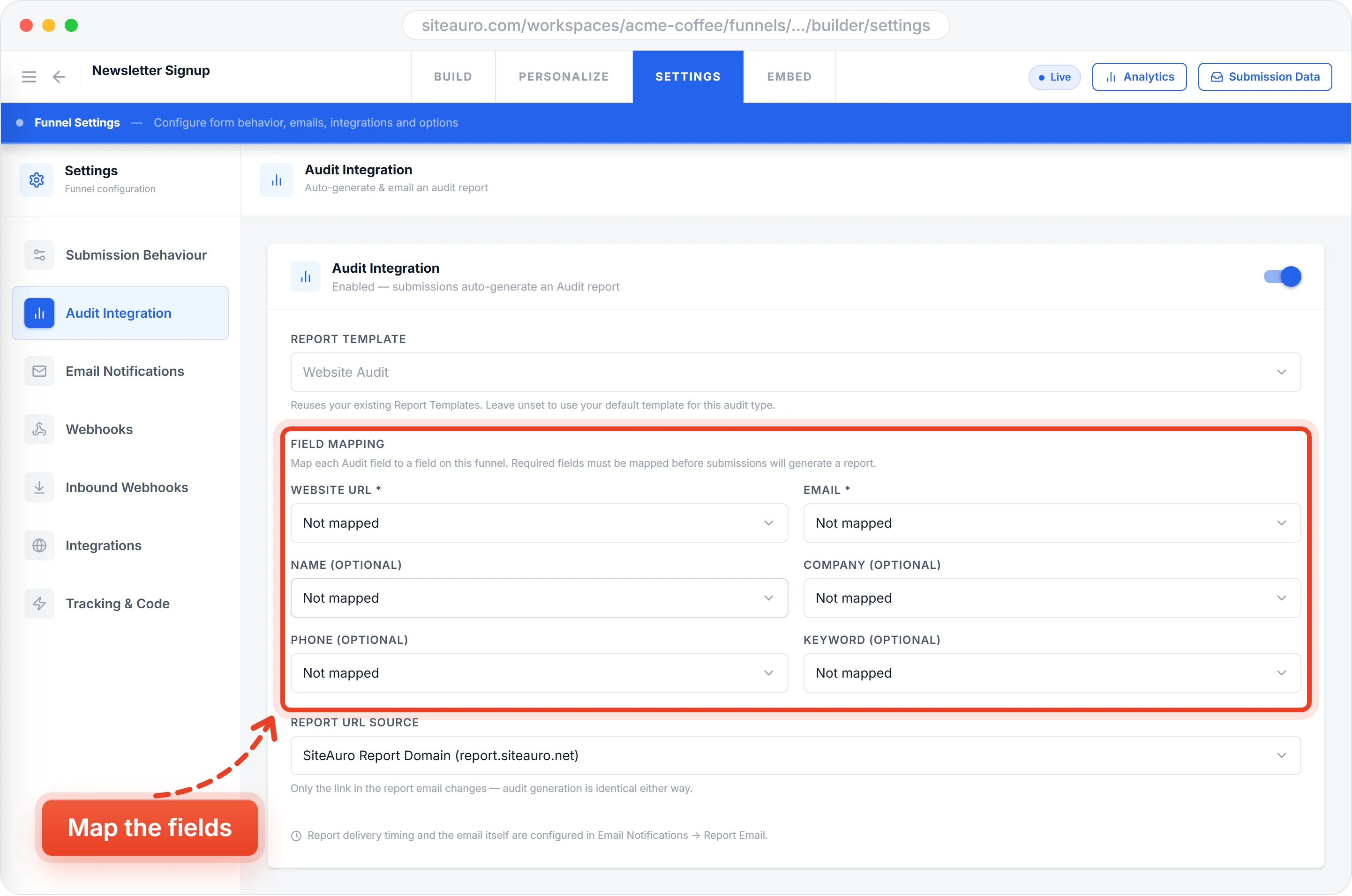
Choose the audit. Map the fields
Under Field Mapping, choose which field in your form holds each detail. Website URL and Email are required: the email address is where the report goes. Name and Company are optional and appear in the report. For a website audit, you can also map Keyword.
Field Mapping. Choose the report's link
Report URL Source sets the address of the link in the report email: the SiteAuro report domain, or your workspace's custom domain.
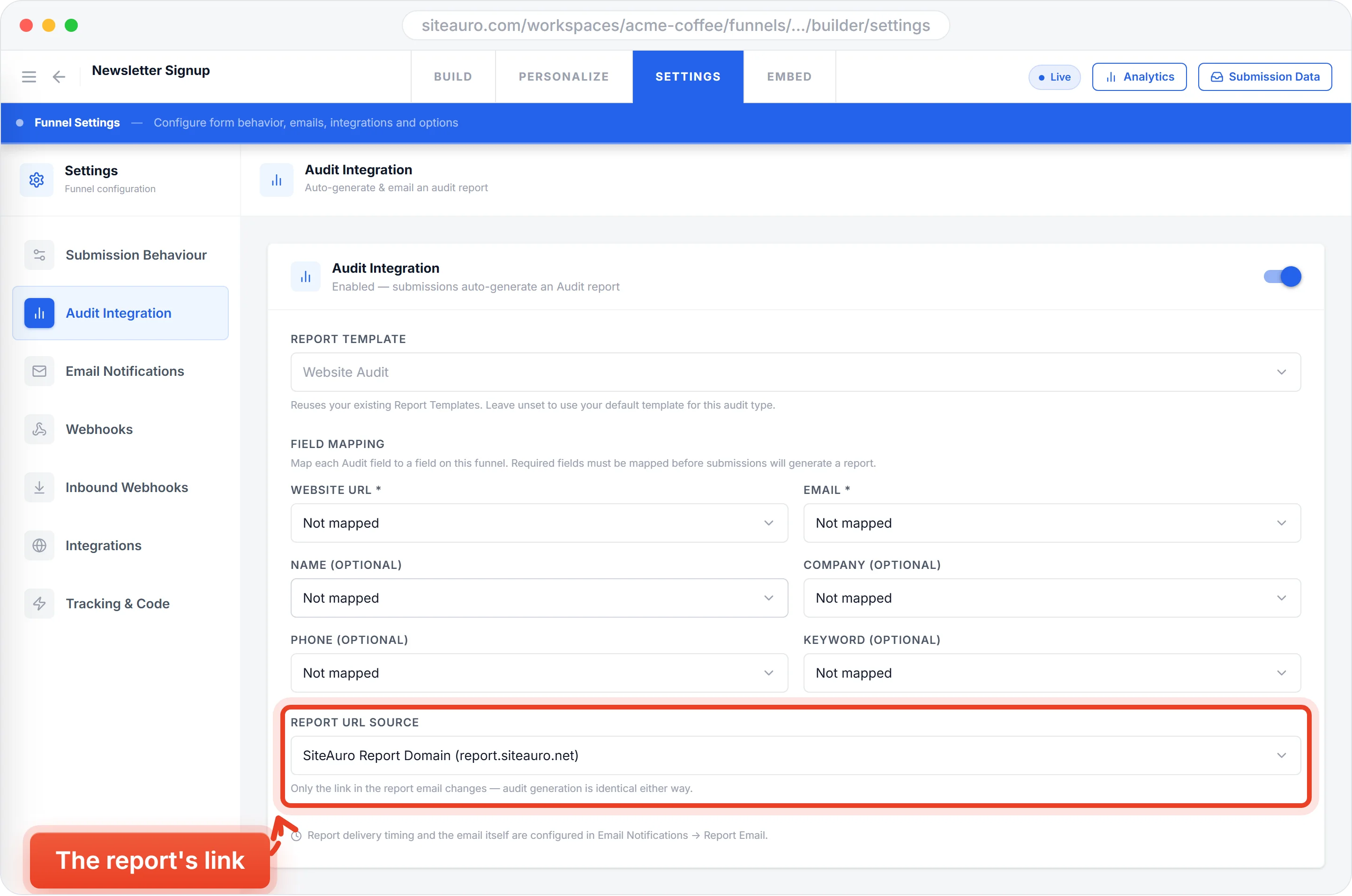
Report URL Source. Set when the email goes
Under Email Notifications, open Report Email. Choose Immediately after completion, or After a delay and how long. Send Test Email sends you a sample. Click Save.
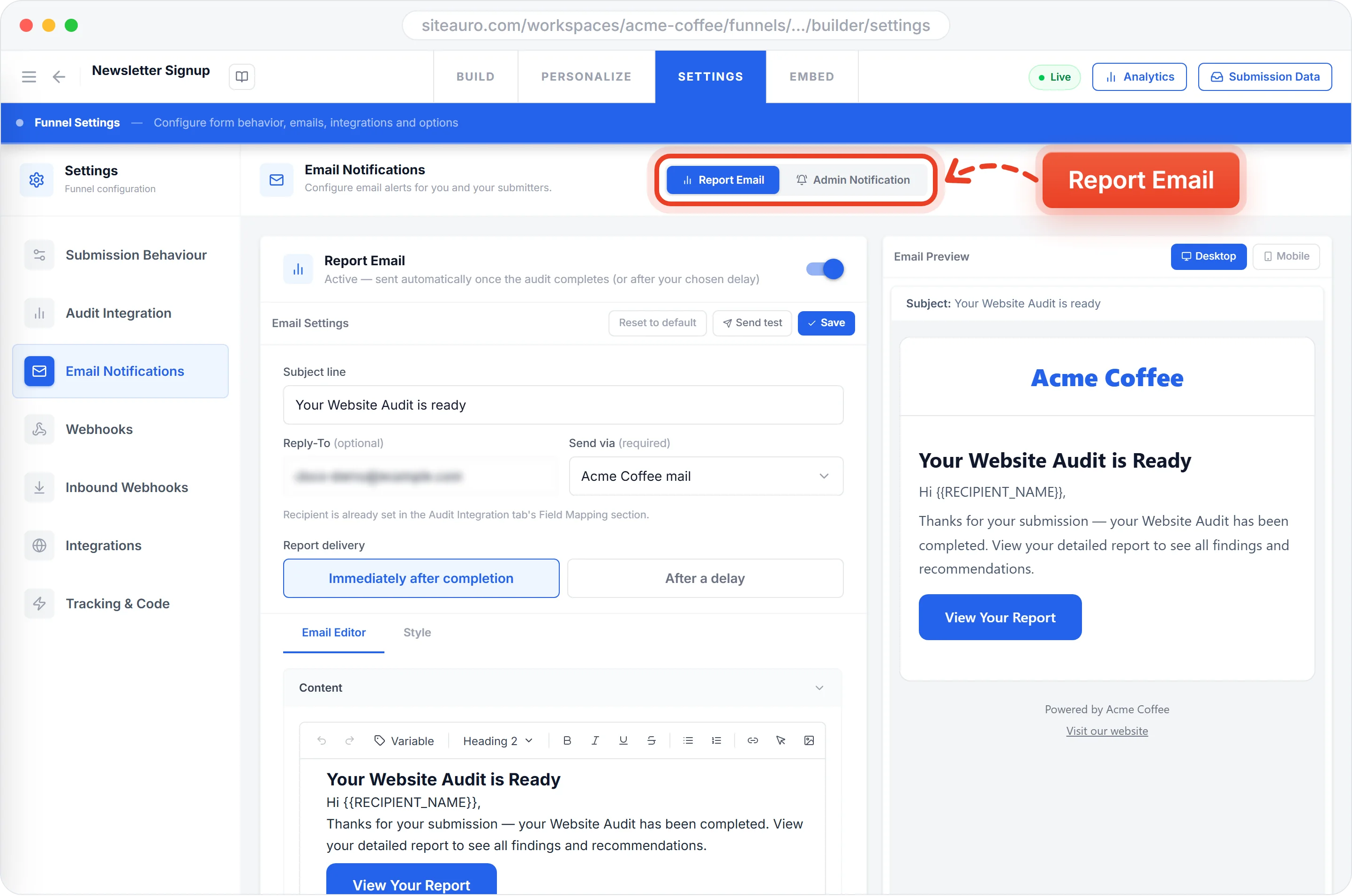
Report Email.
Changes apply from the next submission: there's nothing to publish.
If something is missing, Audit Integration won't generate reports yet lists what to fix, for example a required field that isn't mapped.
When the audit integration is on, the report email takes the place of the funnel's usual autoresponder. If Report Email is off, the audit still runs, but no email is sent.
AI Analysis for Landing Pages
For a Landing Page Audit, AI Lift Analysis adds the AI review of each page, using a model from your workspace's AI Settings. Edit AI Prompt changes the instructions the AI is given.
Follow Each Audit
Each audit a funnel makes appears in Audit Reports, marked Funnel with a link to the funnel. In the funnel's responses, a submission's Audit tab shows whether its audit is pending, running, completed or failed, with View Report, Retry Audit and Audit History. A retry uses the settings the audit first ran with.
Lock Part of a Report Behind a Popup
A report template can hide part of the report until the reader fills in one of your popups. In the template's Report Settings, open Lock and set Locked Content Action to Show Funnel Popup. See Report Templates and Branding.