
Skip to content
SiteAuro

Delete Your Account

Close your account and everything in it, with seven days to change your mind.

Table of Contents
  1. What Is Deleted
  2. Delete It
  3. Change Your Mind
  4. Next Step

Deleting your account removes everything in it. It doesn't happen straight away: you have seven days to change your mind, and we email you a link that brings it back.

Click your initial at the top right, choose Profile, then the Delete Account tab.
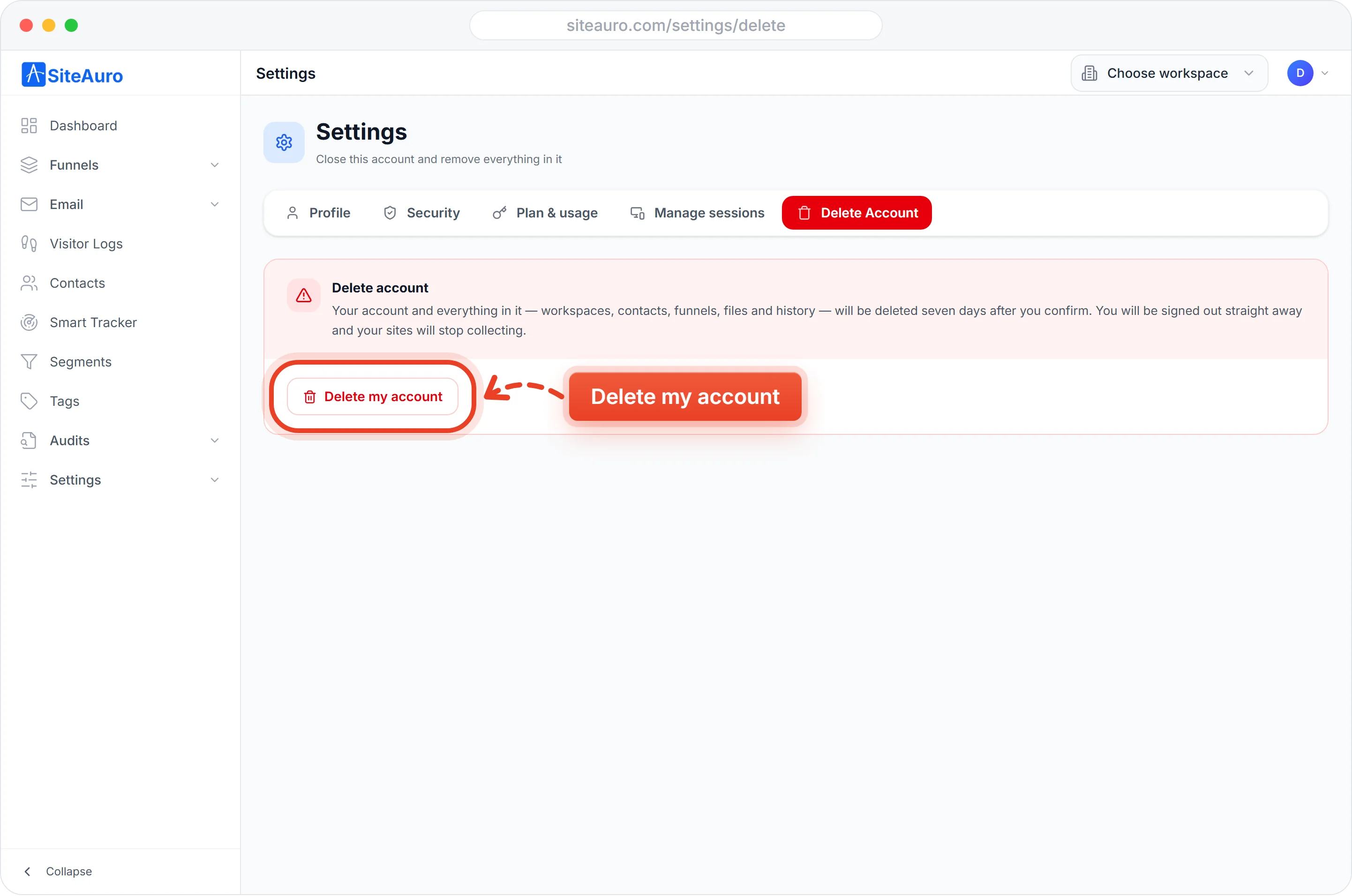
Settings with Delete Account chosen, in a browser window: a red Delete account card saying your account and everything in it will be deleted seven days after you confirm, that you will be signed out straight away and your sites will stop collecting, with a Delete my account button. Delete my account is outlined in red, with the label "Delete my account" and a dashed arrow pointing to it.
Delete account.

What Is Deleted

  • Every workspace you own, and everything inside it.
  • Your contacts, visitors and their history.
  • Your funnels, popups, widgets and landing pages.
  • Uploaded files, and any audits you have run.

Delete It

  1. Click Delete my account

  2. Confirm it's you

    Type Your password, and type DELETE in capitals. If you sign in with two-factor, we email you a code: type it in The code we emailed you.
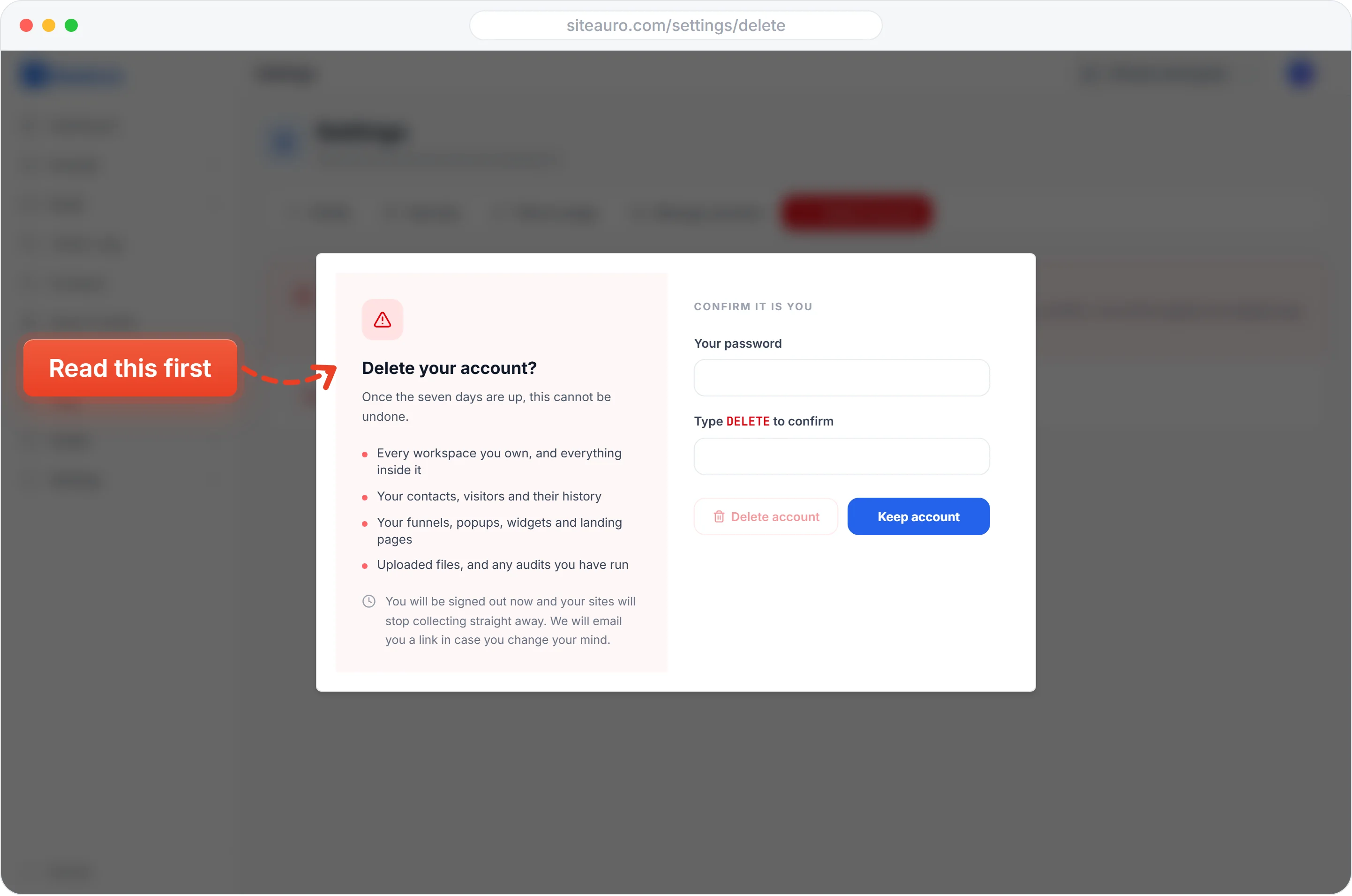
    The Delete your account? window over the page: on the left, the list of what is deleted (every workspace you own, your contacts and visitors, your funnels, popups, widgets and landing pages, uploaded files and audits) and a note that you will be signed out and sent a link in case you change your mind; on the right, Confirm it is you, with Your password, Type DELETE to confirm, Delete account (greyed out) and Keep account. A red label "Read this first" has a dashed arrow pointing to Delete your account?.
    Delete your account?
  3. Click Delete account

    You're signed out everywhere. Your pixel, funnels and emails stop straight away, and the page tells you the date everything will be deleted.

Change Your Mind

We email you a link when you delete your account. Open it any time before the date, without signing in, and your account is active again: your sites start collecting again, and anything waiting to be sent goes out as planned.

After the seven days, the account and everything in it is gone for good, and we email you to say so.

Next Step

Emails SiteAuro Sends You.

Last updated