Skip to content
SiteAuro

Plan and Usage

See what your plan includes, and how much of it each workspace is using.

Table of Contents
  1. Plan
  2. Usage
  3. Next Step

Plan & usage shows the plan your account is on, what it includes, and how much of it you have used.

Click your initial at the top right and choose Plan & usage.

Plan
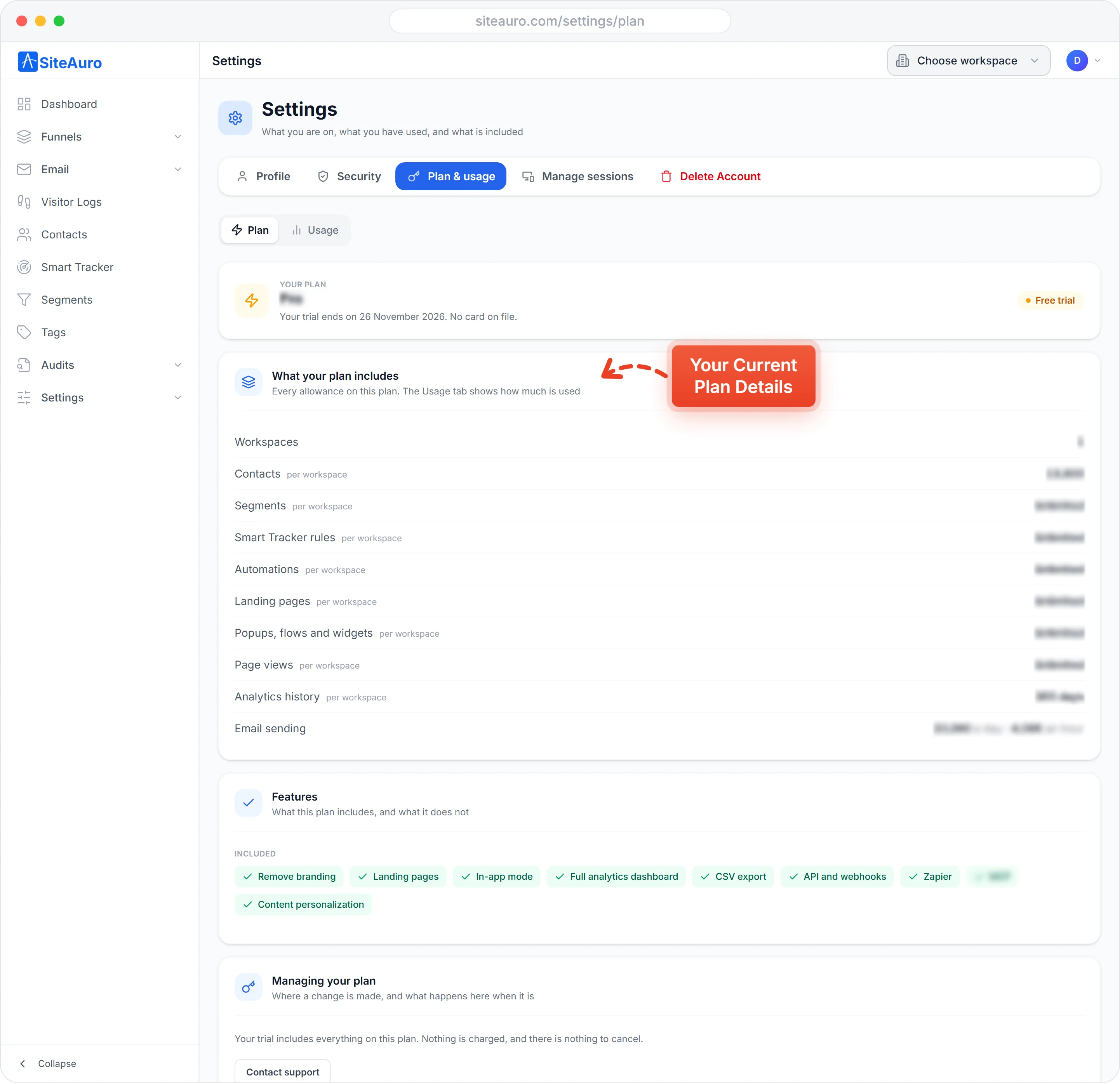
Settings with Plan & usage chosen and its Plan tab open, in a browser window, the whole tab: Your plan (its name blurred), marked Free trial, reading Your trial ends on 26 November 2026. No card on file; What your plan includes, listing Workspaces, Contacts, Segments, Smart Tracker rules, Automations, Landing pages, Popups, flows and widgets, Page views, Analytics history and Email sending, their figures blurred; Features, with what is Included; and Managing your plan, with Contact support. A red label "Your Current Plan Details" has a dashed arrow pointing to What your plan includes.
Plan & usage, Plan.
  • Your plan: the plan's name, how you pay for it, and whether it's Active, a Free trial or Inactive. If you came from AppSumo, your licence is shown here, with Copy.
  • What your plan includes: each allowance, and whether it counts per workspace or across your account.
  • Features: what's Included, what's included but Coming soon (it's switched on for you when it's ready, and you won't pay again), and what's on larger plans.
  • Managing your plan: how to change your plan, with a link to support.

Usage

The Usage tab shows how much you have used:

  • Across your whole account: how many workspaces you have.
  • Usage in this workspace: contacts, segments, Smart Tracker rules, automations, landing pages, popups and widgets, page views, analytics history and email sending, each as a count of the allowance with a bar. With more than one workspace, choose which one under Workspace.
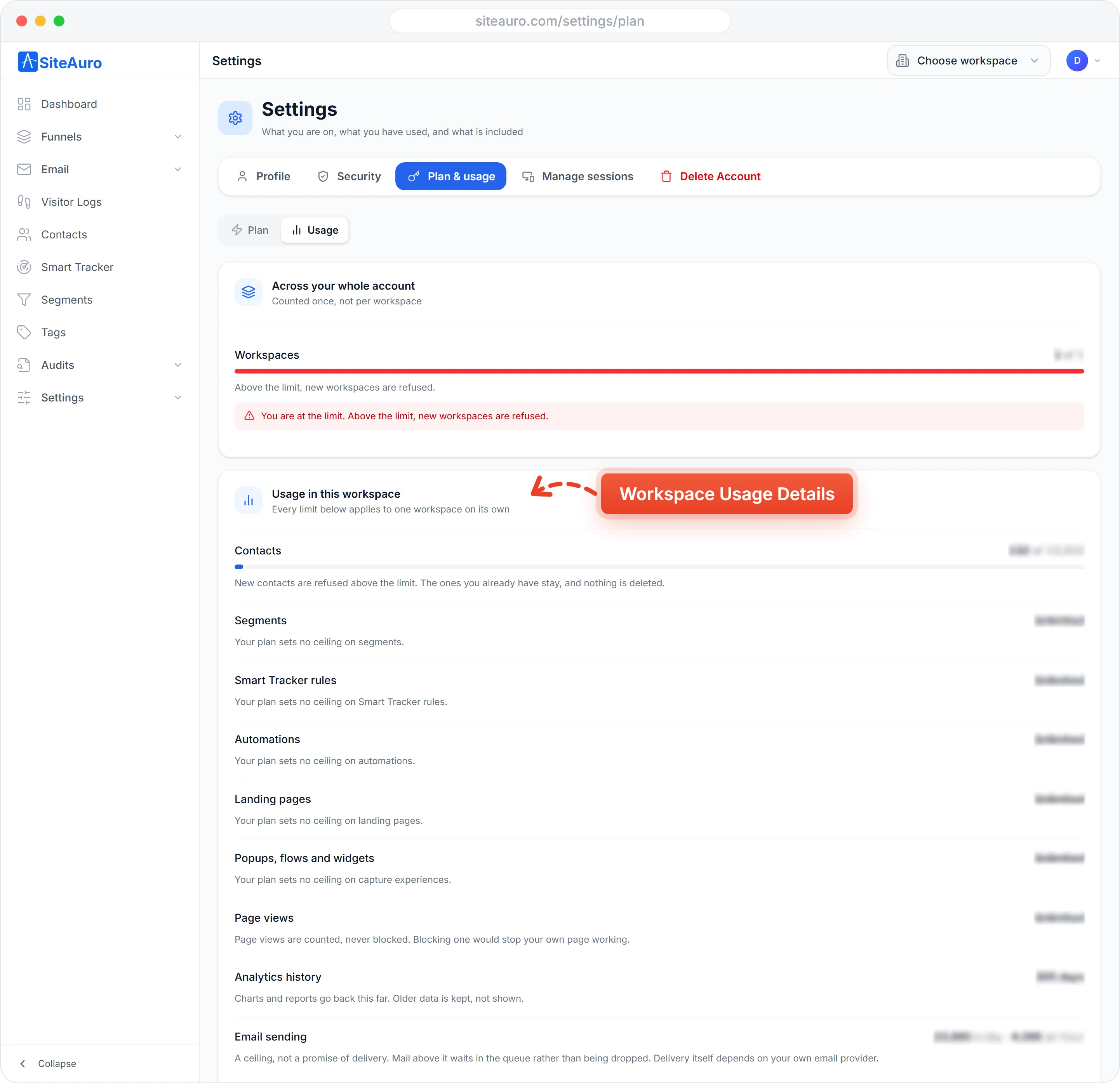
The Usage tab of Plan & usage, in a browser window, the whole tab: Across your whole account, with Workspaces and a red note, You are at the limit, above the limit new workspaces are refused; then Usage in this workspace, listing Contacts, Segments, Smart Tracker rules, Automations, Landing pages, Popups, flows and widgets, Page views, Analytics history and Email sending, each with a line on what happens at its limit and its figures blurred. A red label "Workspace Usage Details" has a dashed arrow pointing to Usage in this workspace.
Plan & usage, Usage.

Page views are counted, never blocked: your site keeps tracking whatever the count says.

Next Step

Activate an AppSumo Deal.

Last updated