Your profile holds your own details: your name and picture, your timezone, and your business. They appear on reports and on emails you send from SiteAuro.
To open it, click your initial at the top right and choose Profile.
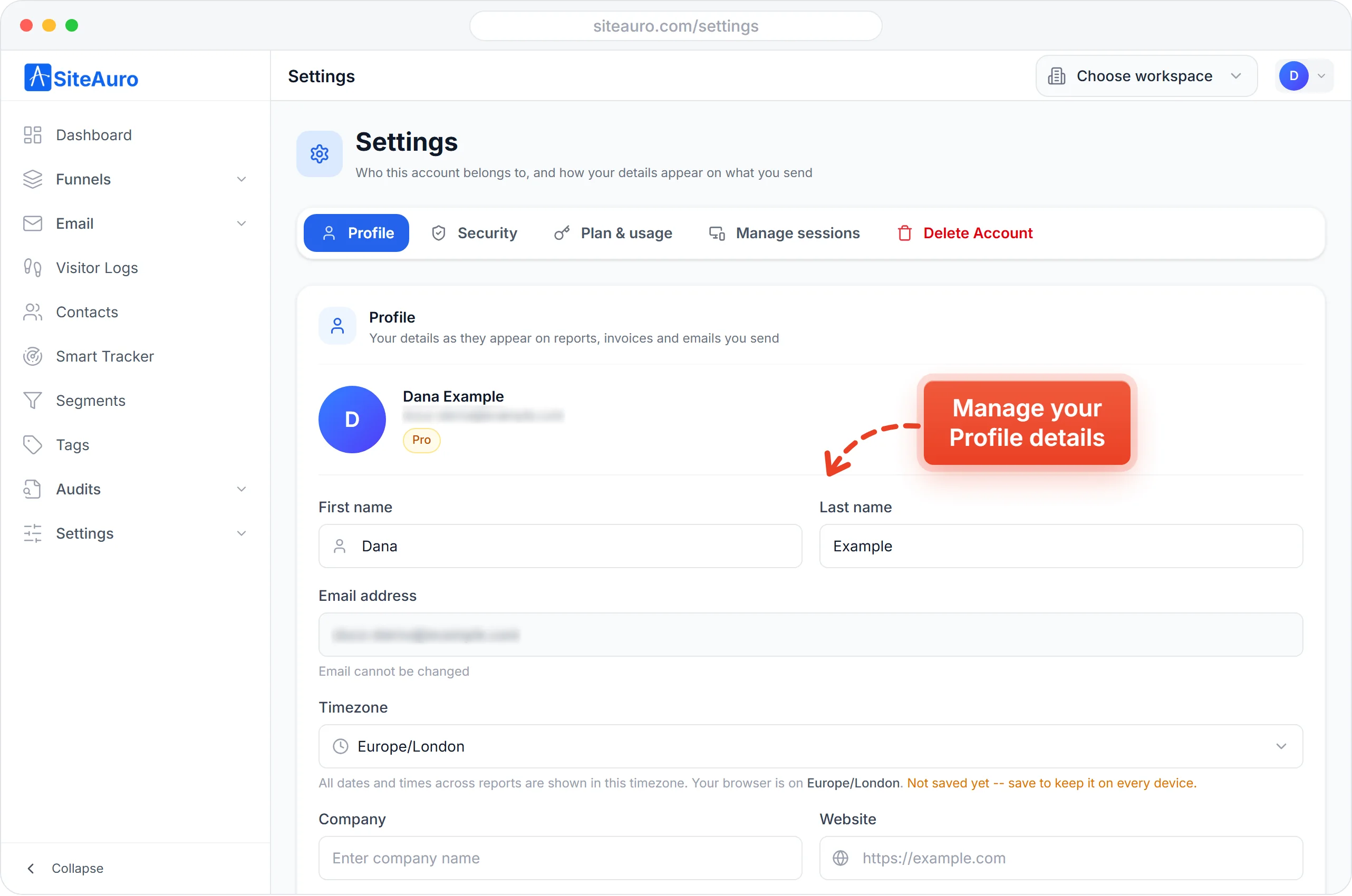
Change Your Details
- Change any of these:
- First name (required) and Last name.
- Timezone: see Your Timezone below.
- Company and Website.
- Address, State / Province / Region, City and Zip / Postal code.
- What best describes your business? and Country (both required).
- Click Save changes at the bottom of the page.
You see Profile updated successfully.
Your Email address is the one you sign in with, and it can't be changed here.
Your Timezone
SiteAuro shows dates and times in your timezone: when a visitor was last seen, when a contact was added, when an audit ran. Your timezone belongs to you, not to a workspace, and it follows you to every device you sign in on.
Open the Timezone box
Click the box under Timezone. A list of every timezone opens, each with its short name or offset beside it, such as GMT+1.
Find your timezone and click it
Type part of its name in Search timezone..., such as
London,New_YorkorKolkata, and click it. Timezones are named by region and city, so search for the largest city in your timezone.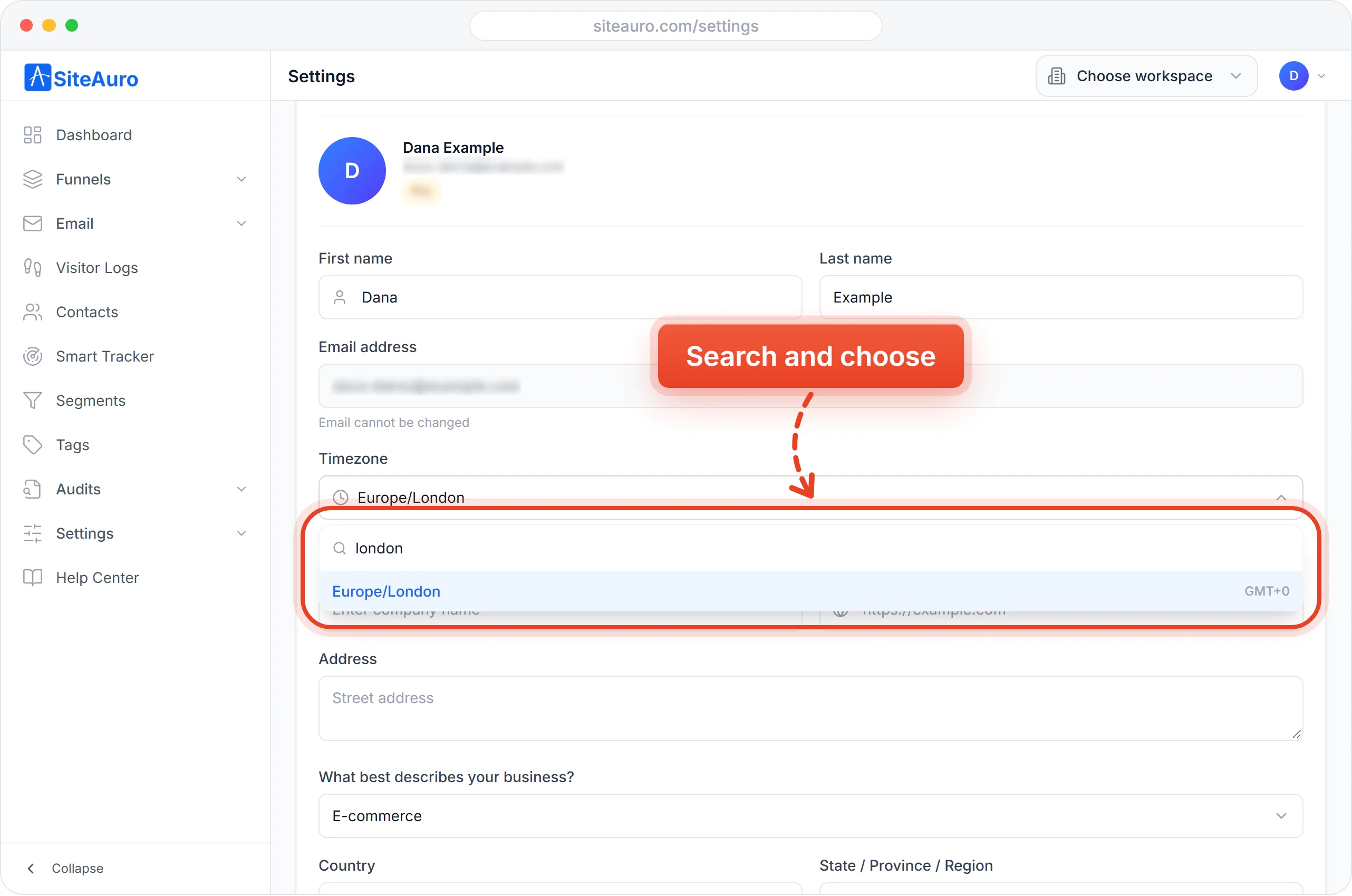
Choose your timezone. Click Save changes
You see Profile updated successfully.
Dates on your screen change as soon as you pick a timezone, before you save. Save it, or the next device you sign in on won't know it.
Under the box, Your browser is on shows the timezone your computer is set to. If you have never saved a timezone, a note beside it reminds you to save it, so it's kept on every device. Until you save one, SiteAuro uses your browser's timezone.
If you haven't chosen a time zone, we estimate it from your IP address — see our Privacy Policy.
What it changes: the dates and times SiteAuro shows you across the app, such as Visitor Logs, Contacts and your import history, audits and reports, funnels, Smart Tracker rules and Automations, and Excluded IP addresses.
What it doesn't change:
- Appointments use the Business timezone set on the Appointment element. See Appointments.
- Each day on a funnel's or widget's Activity chart is a day in UTC, so a day may start and end at a different hour from yours.
- When emails are sent, and the times written in them.
- Shared reports: anyone who opens a report you share sees its times in their own timezone, not yours.
The Sending Window has its own Timezone box, so your timezone doesn't change it either. See Sending Window.
Add or Change Your Picture
Click your picture, or the initial in its place, and choose an image: JPG, PNG, WebP or GIF, up to 5 MB. To remove it, use the remove button beside it.
The "Tell Us What Your Business Does" Bar
If your profile has no business type or country yet, a bar at the top of every page says Tell us what your business does and where it is, so we can set SiteAuro up for you. Click Answer now, fill in What best describes your business? and Country, and click Save changes. The bar goes away.
Next Step
Keep your account safe: Sign In, Sign Out, Passwords and Two-Factor.