
An AppSumo deal gives you a SiteAuro account for life, paid once on AppSumo, with no subscription. You activate it from AppSumo: there's no code to copy or type.
Activate It
Start on AppSumo
In your AppSumo account, open your SiteAuro purchase and activate it. AppSumo opens SiteAuro's Activate your AppSumo deal page.
Wait for the check
SiteAuro checks your purchase with AppSumo. You see Your AppSumo purchase is confirmed, with your tier.
Create your account
Fill in your Full name, Email, What best describes your business?, Country, and a Password of at least 8 characters with an uppercase letter and a number, then Confirm password.
Click Activate my account
You're signed in and taken to your dashboard. We send you a welcome email.
Already Have a SiteAuro Account?
Use the same page: type your existing account's email address and its password, and click Activate my account. The deal is added to that account.
An account on a paid subscription can't also hold an AppSumo deal. Contact support and we'll sort it out.
If It Doesn't Work
The page says We could not activate this yet, with the reason:
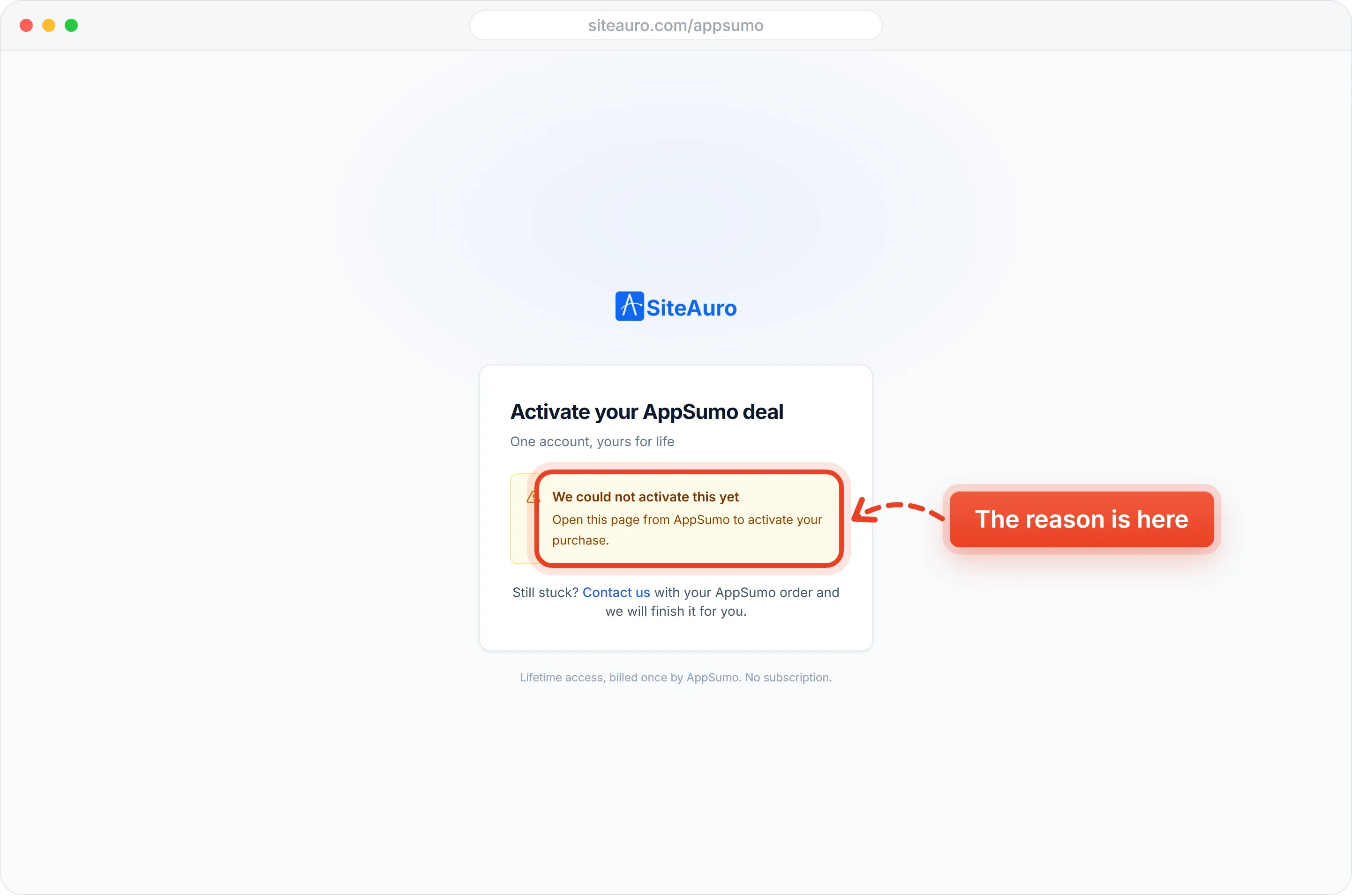
- Open this page from AppSumo to activate your purchase.: start again from your AppSumo account.
- That activation link has already been used.: start the activation again from AppSumo.
- This purchase has already been activated.: sign in instead.
- We could not reach AppSumo just now.: wait a minute and try again.
If you're still stuck, email support@siteauro.com with your AppSumo order details.
After Activating
Plan & usage shows your plan, your AppSumo licence, and Change tier on AppSumo. A tier change on AppSumo reaches your account on its own, usually within a minute.