
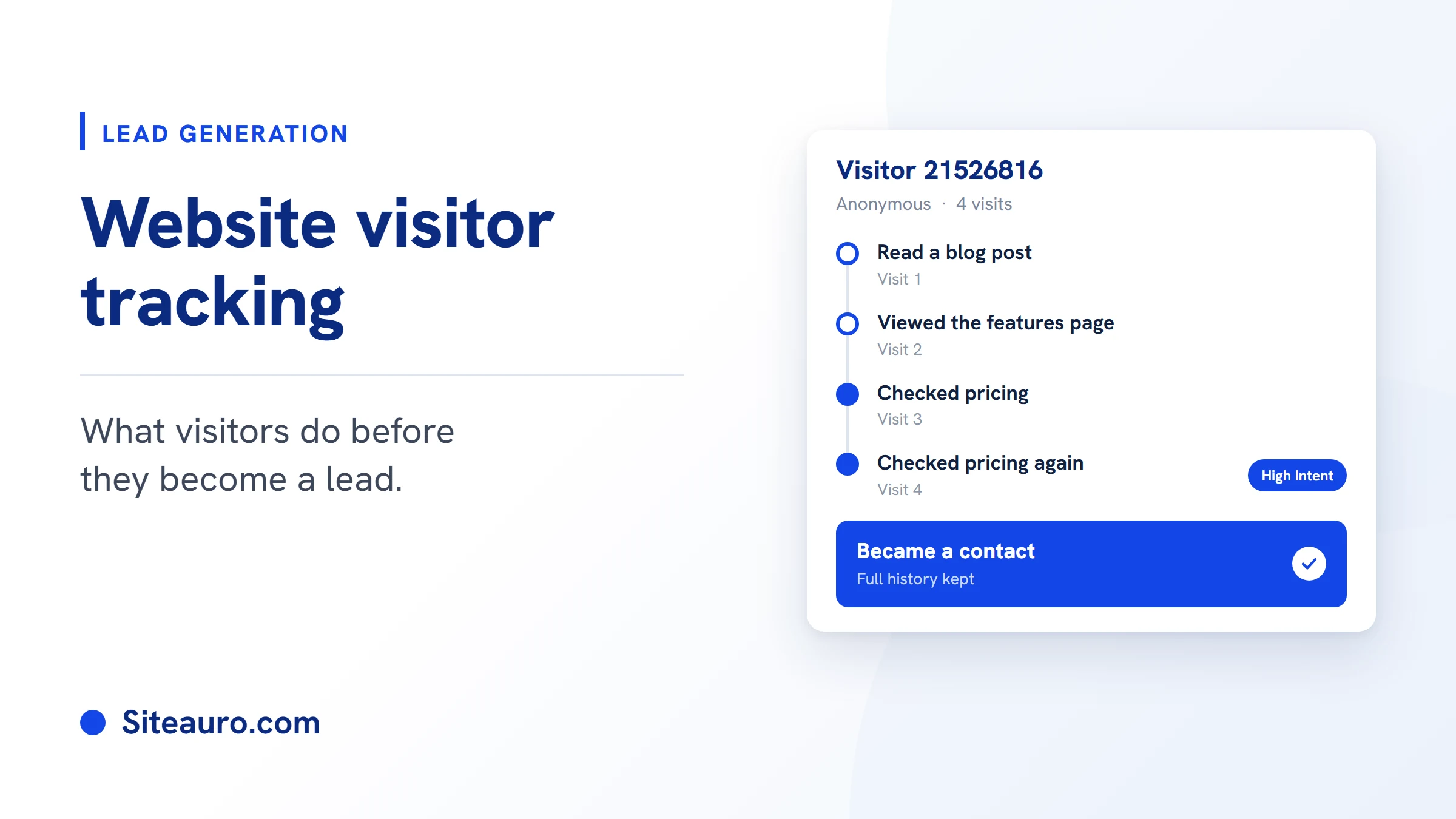
Website visitor tracking shows you what people do on your site before they ever fill out a form. Which pages they read. How often they come back. Where they came from.
Most tools stop there. They show you the data and leave the rest to you.
This guide covers what website visitor tracking is, the two main types of tools, and the step most of them skip: deciding what to show each visitor next.
What Is Website Visitor Tracking?
Website visitor tracking is the process of recording what people do on your website. It captures pages viewed, visit count, time on site, and traffic source.
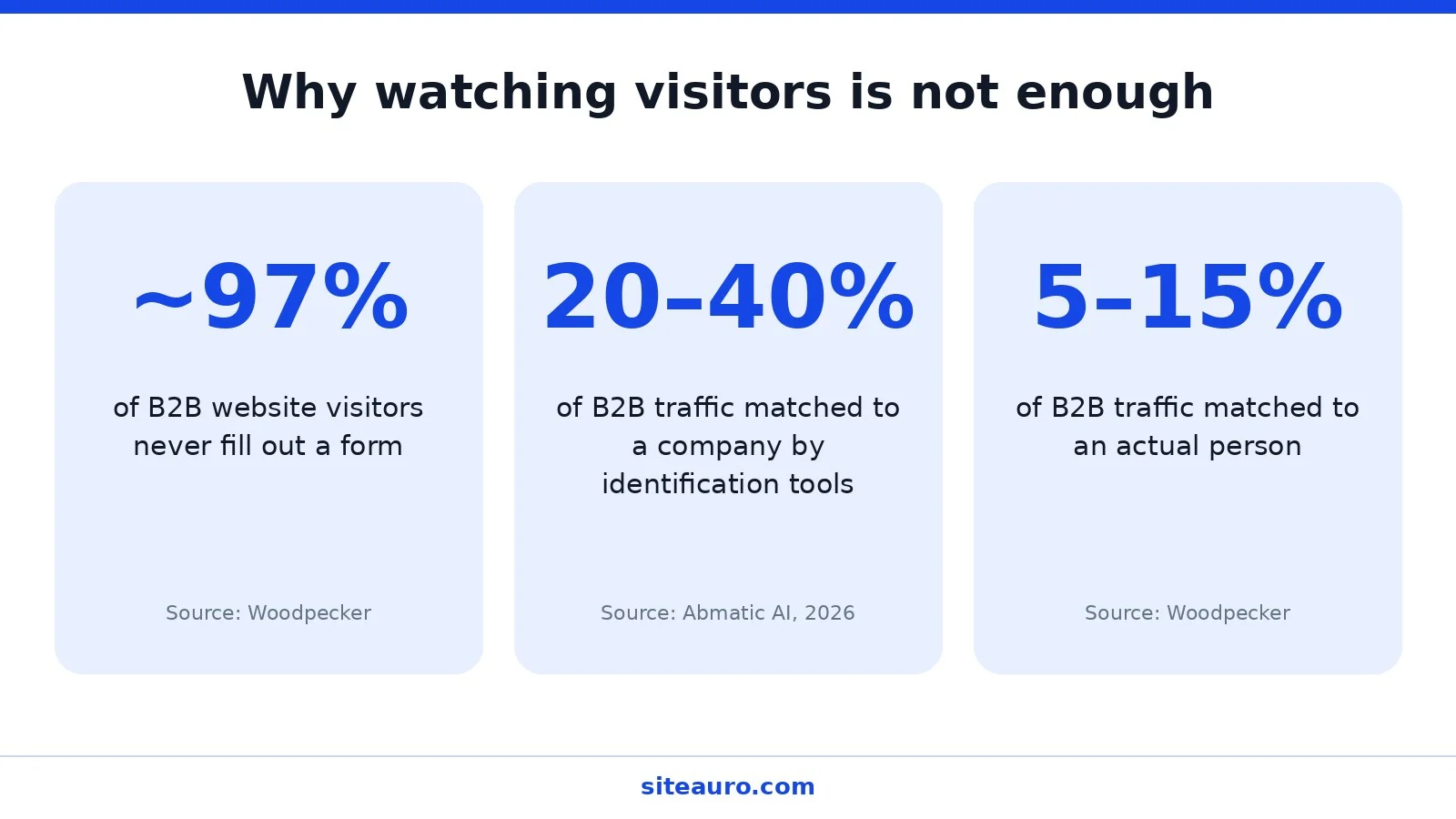
This matters because most visitors never tell you they were there. Woodpecker estimates that roughly 97% of B2B website visitors don’t fill out a form. Without tracking, those visits vanish.
Tracking gives you a record. What you do with that record is where the real value sits.
Two Types of Visitor Tracking Tools
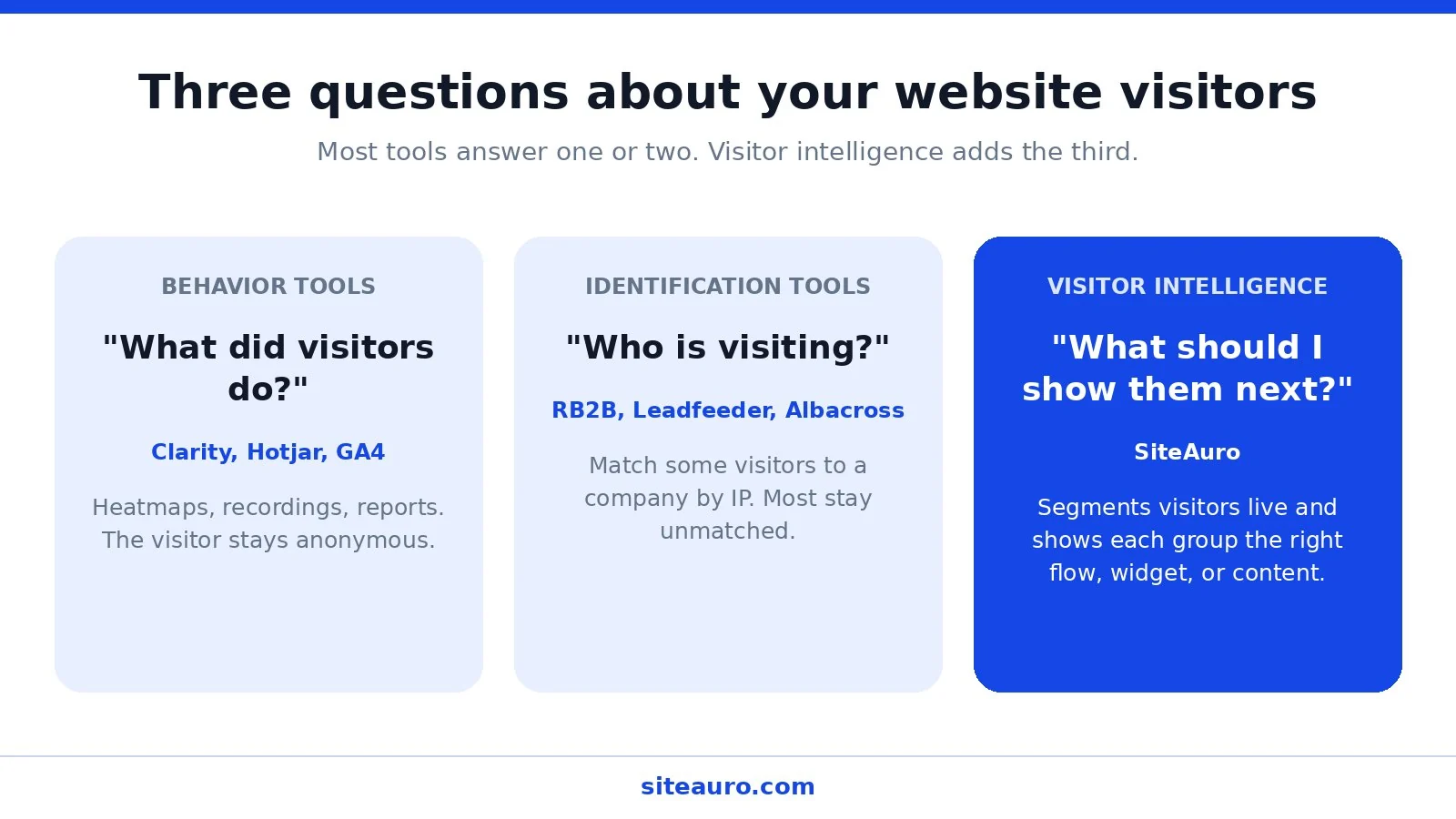
Most tools fall into one of two camps. Each answers a different question.
| Type | Question it answers | Examples |
|---|---|---|
| Behavior tools | “What did visitors do?” | Microsoft Clarity, Hotjar, GA4 |
| Identification tools | “Who is visiting my website?” | RB2B, Leadfeeder, Albacross |
Behavior tools
Behavior tools show clicks, scrolls, heatmaps, and session recordings. They’re great for spotting where people get stuck. But the visitor stays anonymous, and nothing happens in real time.
Identification tools
Identification tools try to match a visitor’s IP address to a company. This is often called reverse-IP lookup.
The catch is coverage. Independent guidance puts realistic company-level matching at roughly 20% to 40% of B2B traffic. Person-level matching is lower still, often 5% to 15% of B2B traffic.
So even the best case leaves most of your visitors unnamed. And a company name alone doesn’t tell you what to say to them.
The question both camps skip
Both types of tools stop at watching. Neither one acts on what it sees.
There’s a third question worth asking: “What should I show this visitor next?”
That’s the idea behind visitor intelligence. You don’t just record behavior. You respond to it while the visitor is still on your site.
What Website Visitor Tracking Shows You in a Visitor Log
A visitor log is a timeline of one visitor’s activity on your site. It shows each page they viewed, when they came, and how they arrived.
In SiteAuro, every visitor shows up in Visitor Logs. Each row shows where they came from, their device and rough location, how many pages they viewed, how long they stayed, and when they were last seen.
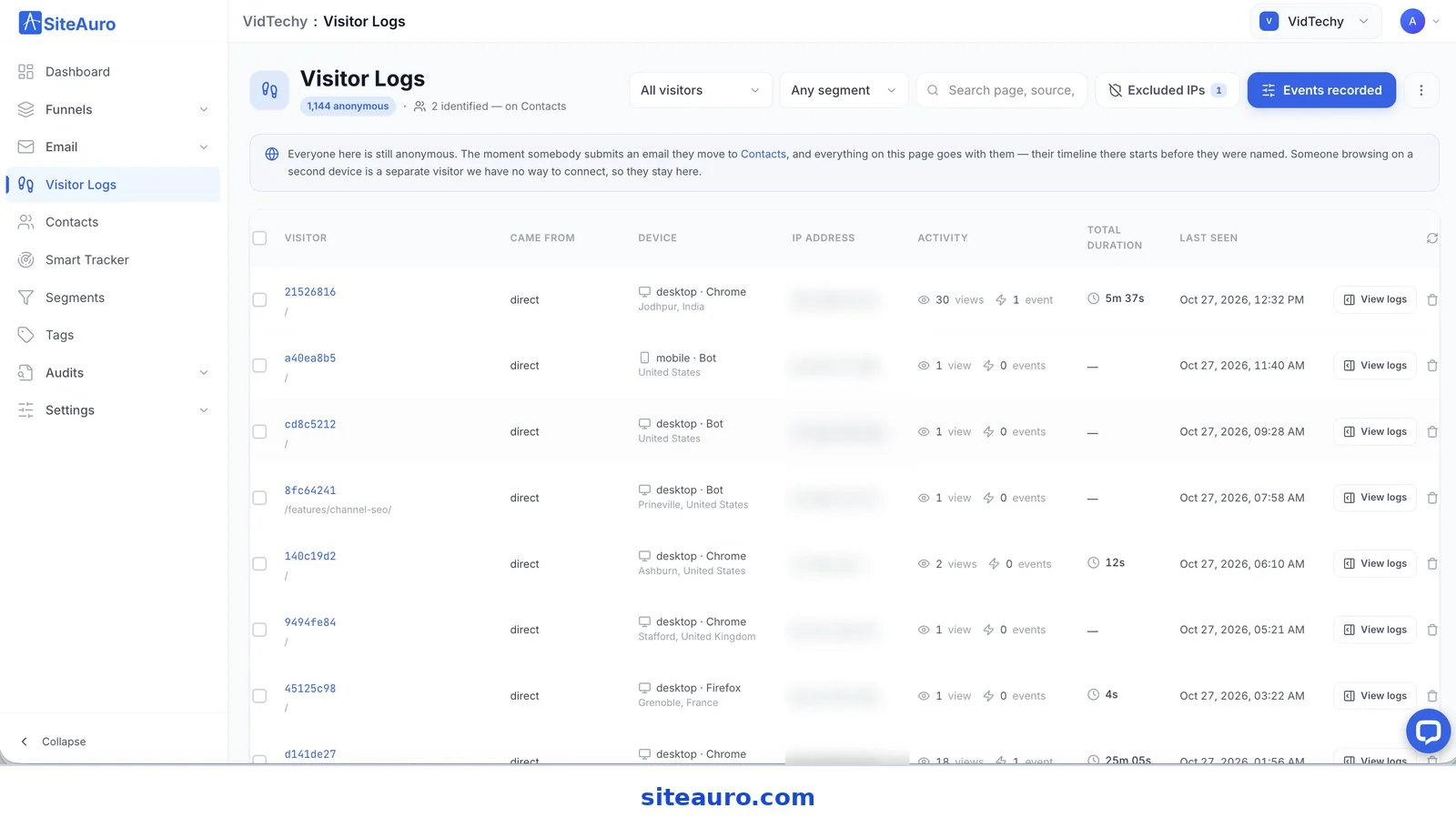
Open any visitor and you get the full picture:
- Pages, page views, events, and sessions at a glance
- How they arrived, including source and landing page
- Consent status, so you know if they’ve answered your cookie banner
- Segments they’re in right now, updated on every visit
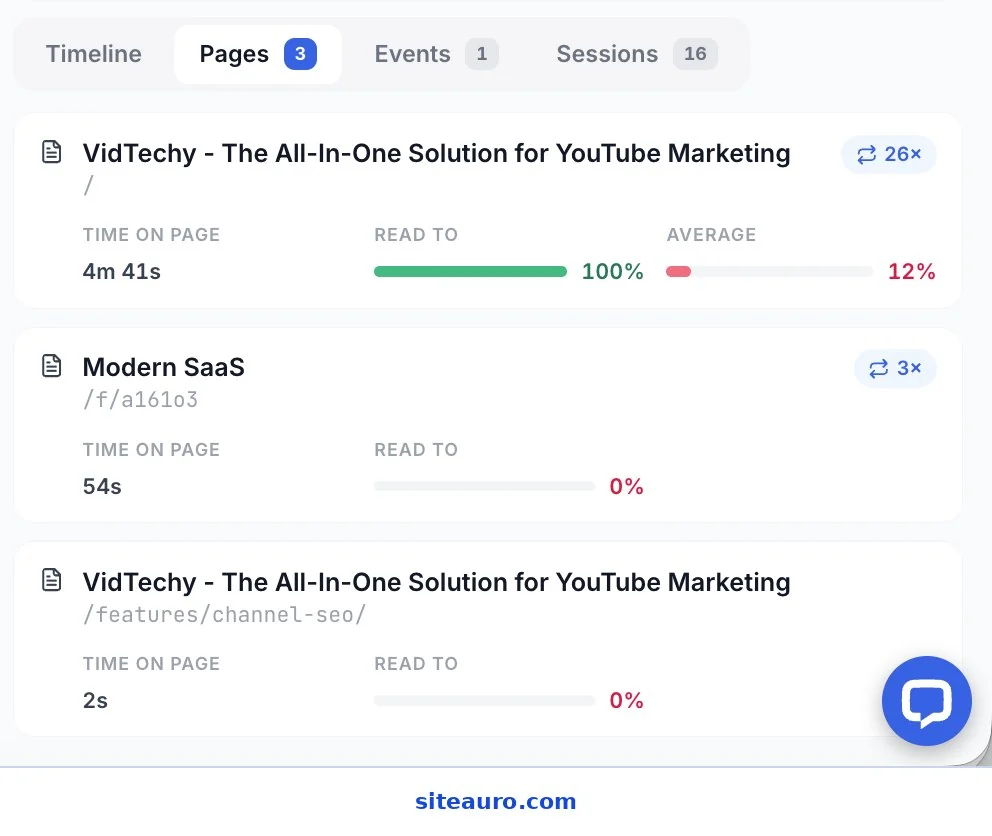
- How far they read each page, not just whether they opened it
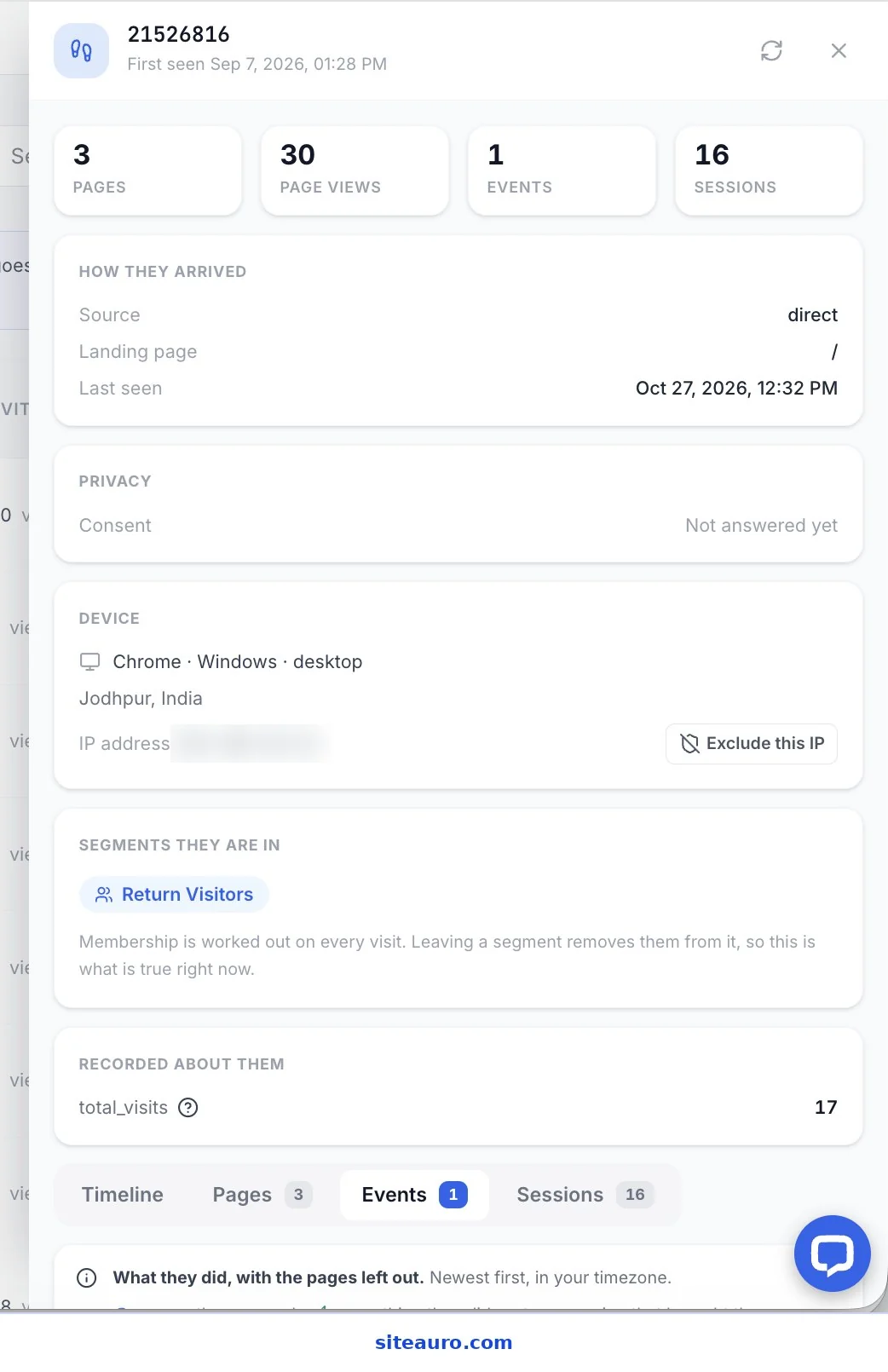
Here’s what that looks like in practice. The visitor above came back 16 times and viewed 30 pages. They read the homepage all the way to the bottom. They still haven’t filled out anything. But their log already tells you they’re interested.
The tracking uses a first-party cookie on your own domain. That keeps it tied to your site, not a third-party server.
Turning Visitor Logs Into Segments
A segment is a group of visitors who share the same behavior. Segments let you act on many visitors at once instead of reading logs one by one.
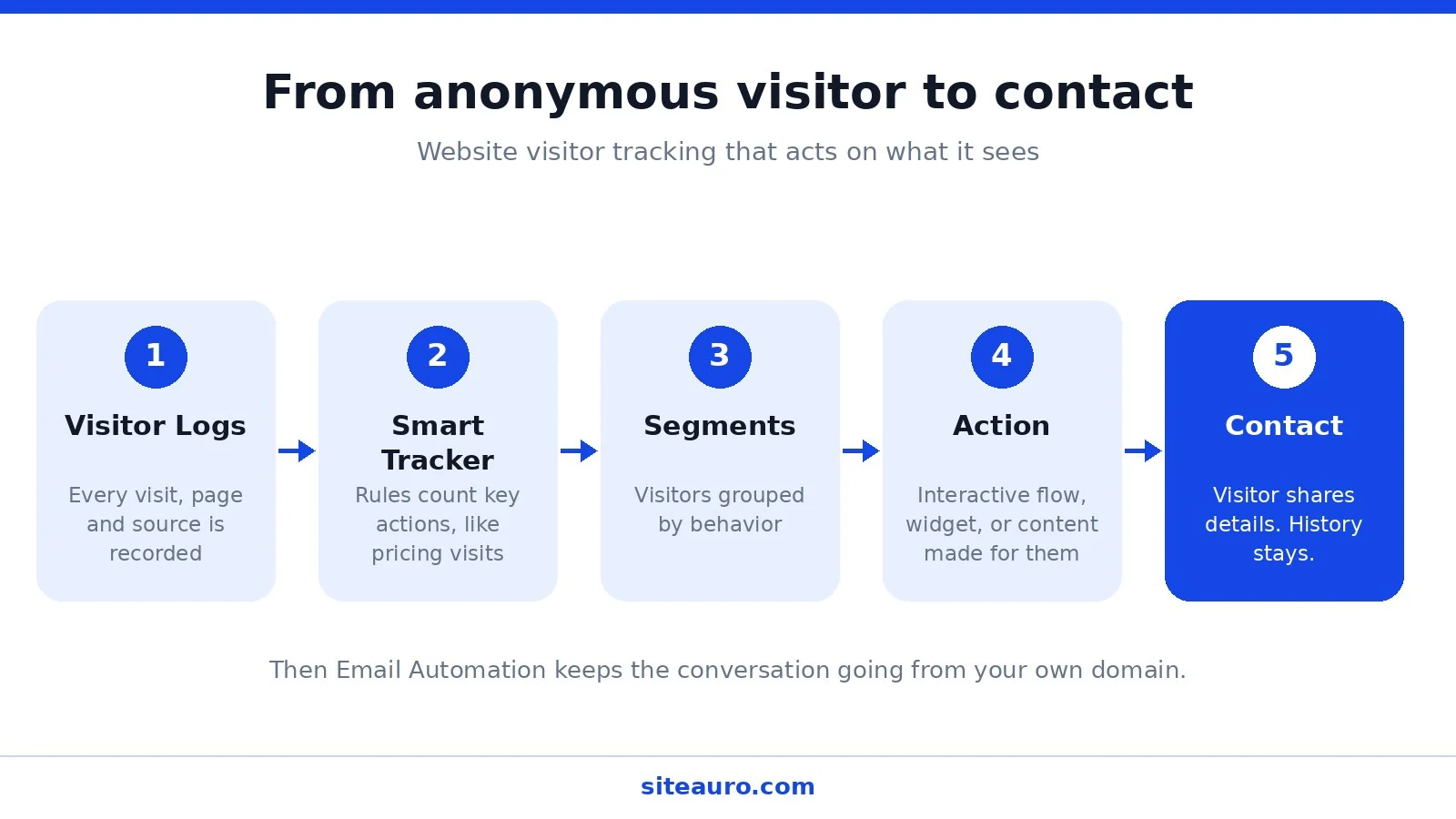
Step 1: Smart Tracker counts what matters
The Smart Tracker watches for the actions you care about and writes them down. Each rule has three parts:
- When: what has to happen, such as “a page is viewed that contains /pricing”
- And: an optional condition to narrow it to certain people
- Then: what gets recorded, such as “count up Pricing Visits by 1”
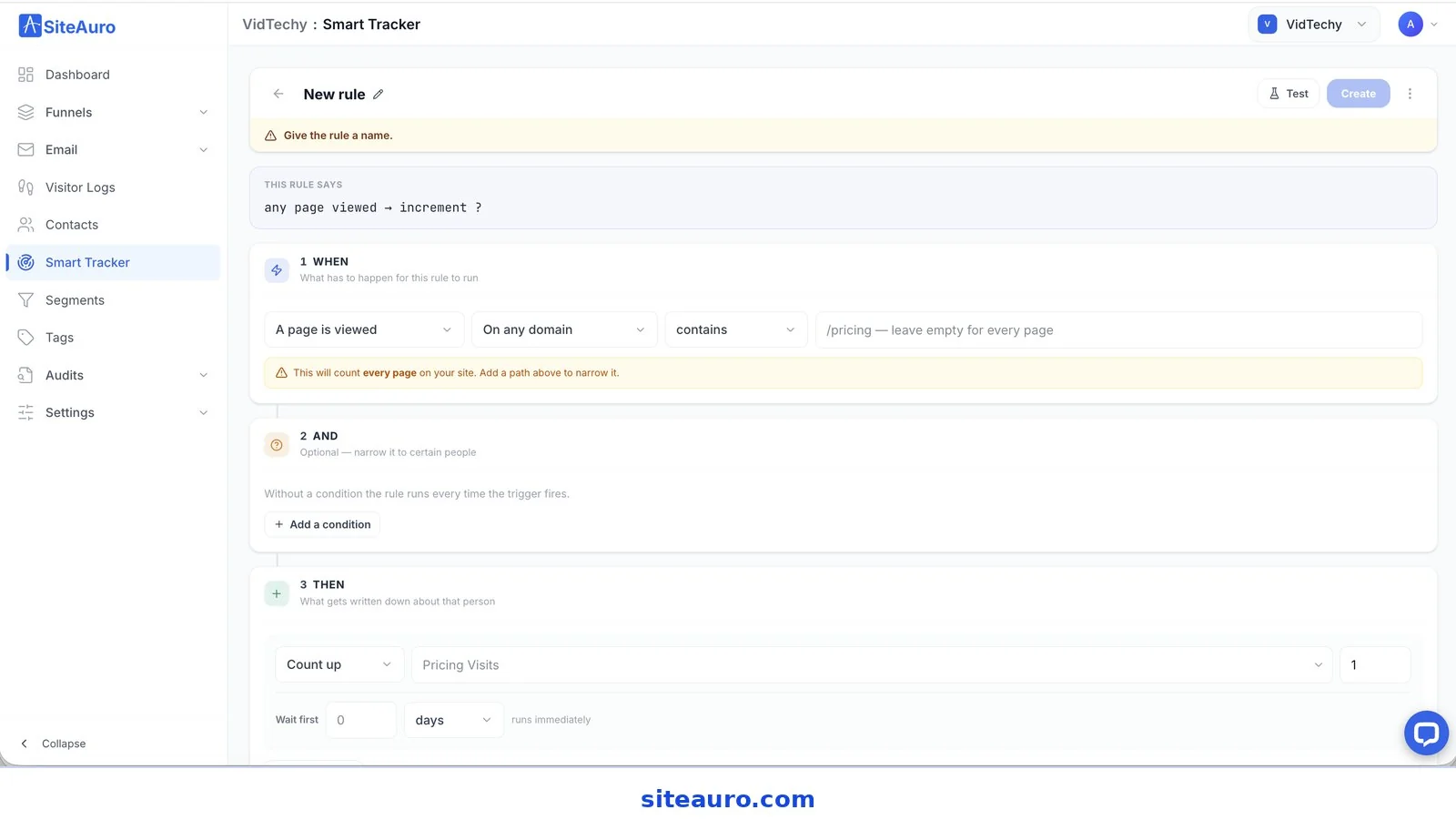
Step 2: Segments group visitors by those counts
SiteAuro comes with nine built-in segments. Three of them work on anonymous visitors, before anyone shares an email:
| Built-in segment | Default rule |
|---|---|
| Return Visitors | Total visits is more than 2 |
| High Intent | Pricing visits is more than 1 |
| From Paid Traffic | UTM medium is paid |
The other six, like Hot Leads, Warm Leads, and Email Engaged, are for contacts. They use things like lead score and email opens.
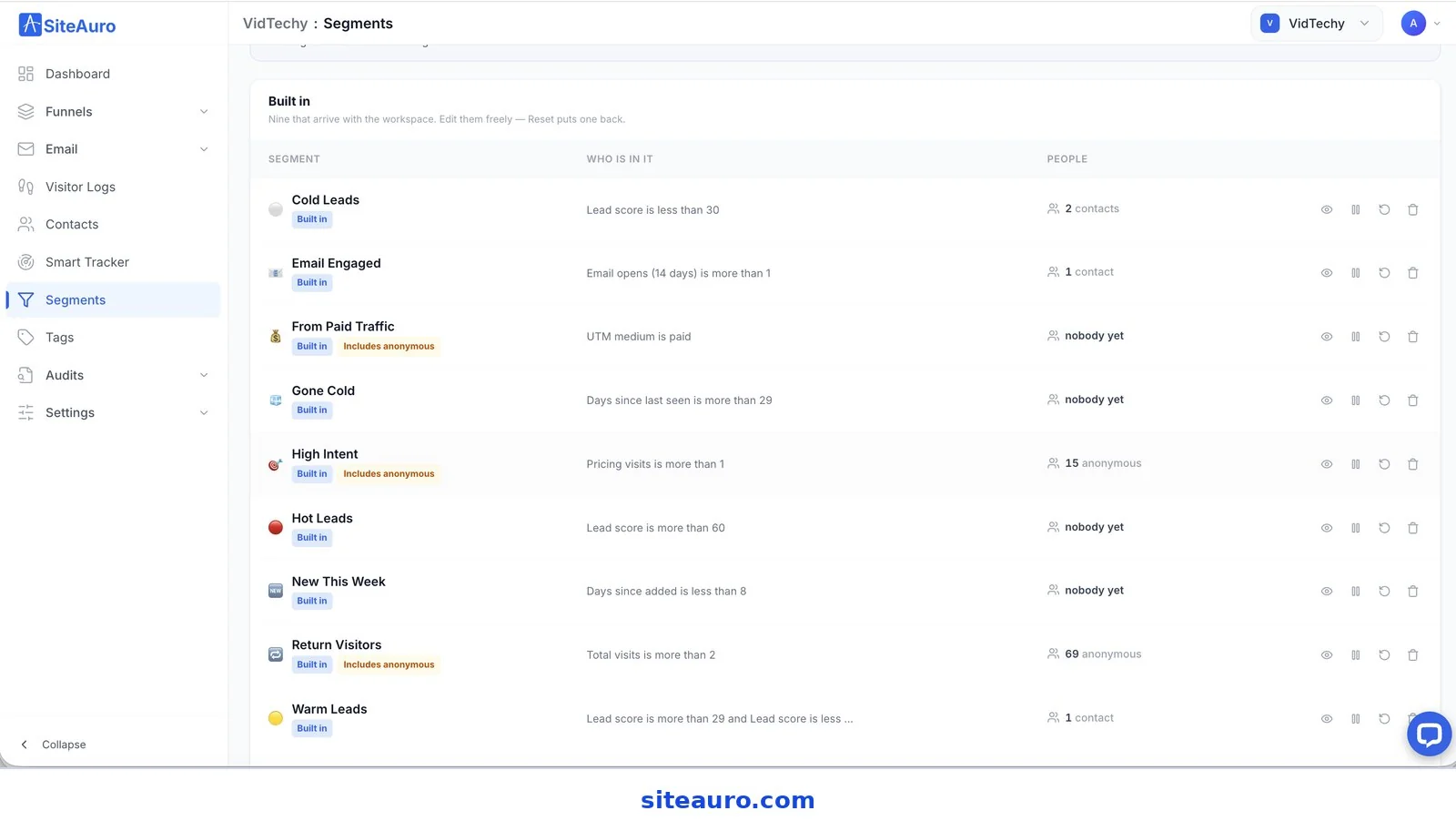
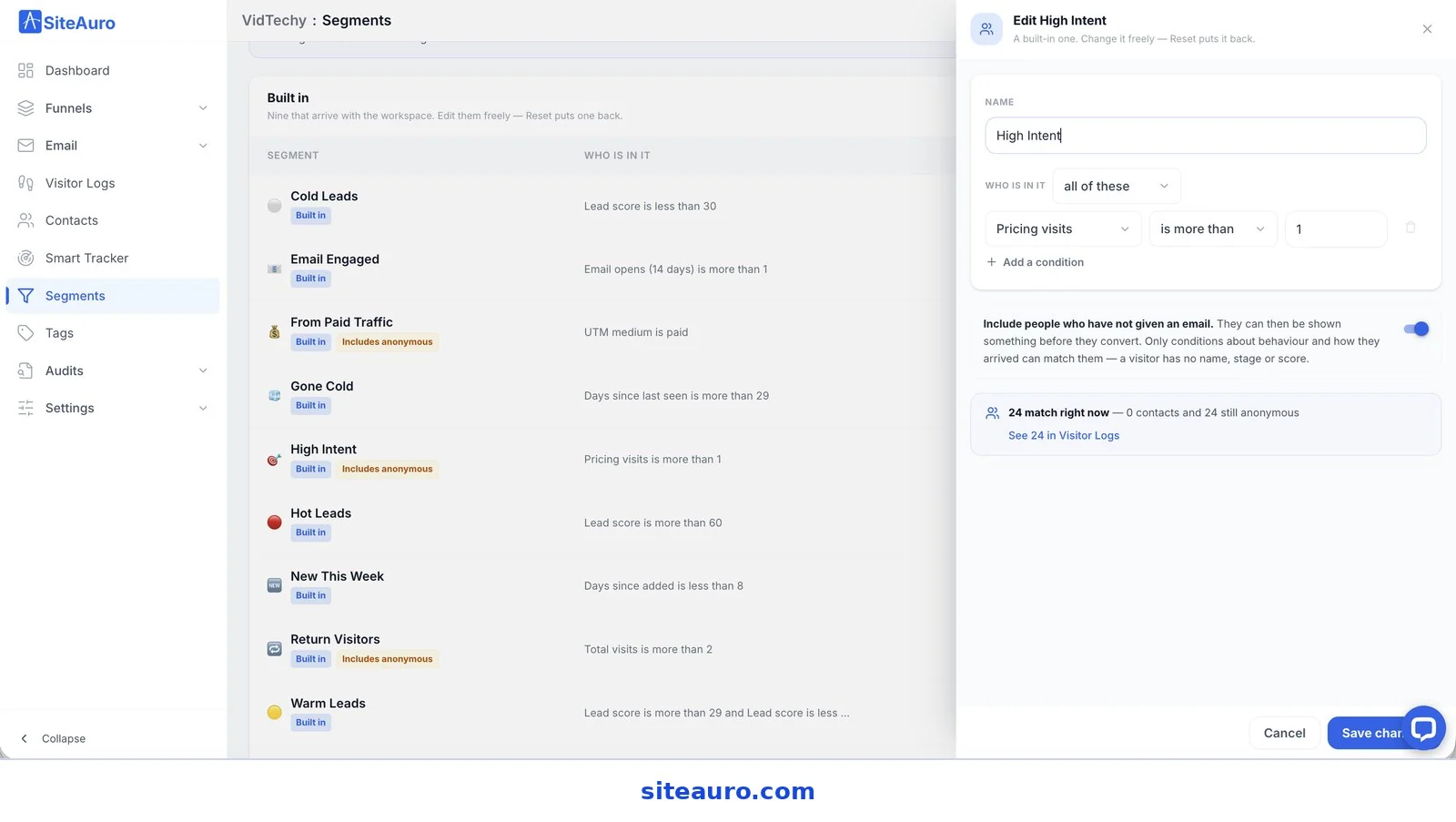
Every built-in segment can be edited. A SaaS founder might count demo page visits as high intent. An SEO agency might count case study visits instead. You can also build your own segments from scratch.
One switch matters a lot here: “Include people who have not given an email.” Turn it on, and the segment can match anonymous visitors. That’s what lets you show them something before they convert.
Turning Segments Into Action
Segments are only useful if they trigger something. In SiteAuro, each segment can trigger one or more actions at the same time.
Here are the main options:
- Interactive flows. These range from a single question to a full multi-step flow with branching. They’re how most visitors become leads.
- On-page widgets. Show social proof, reviews, live counters, or a short survey to the right segment.
- Personalized content. Change what a visitor sees on the page based on their behavior.
- Email automation. Once a visitor becomes a contact, send email sequences from your own domain, based on what they do.
The key point: each segment sees something made for them. A first-time reader doesn’t need a sales push. A visitor on your pricing page for the third time might.
How this works for SEO agencies
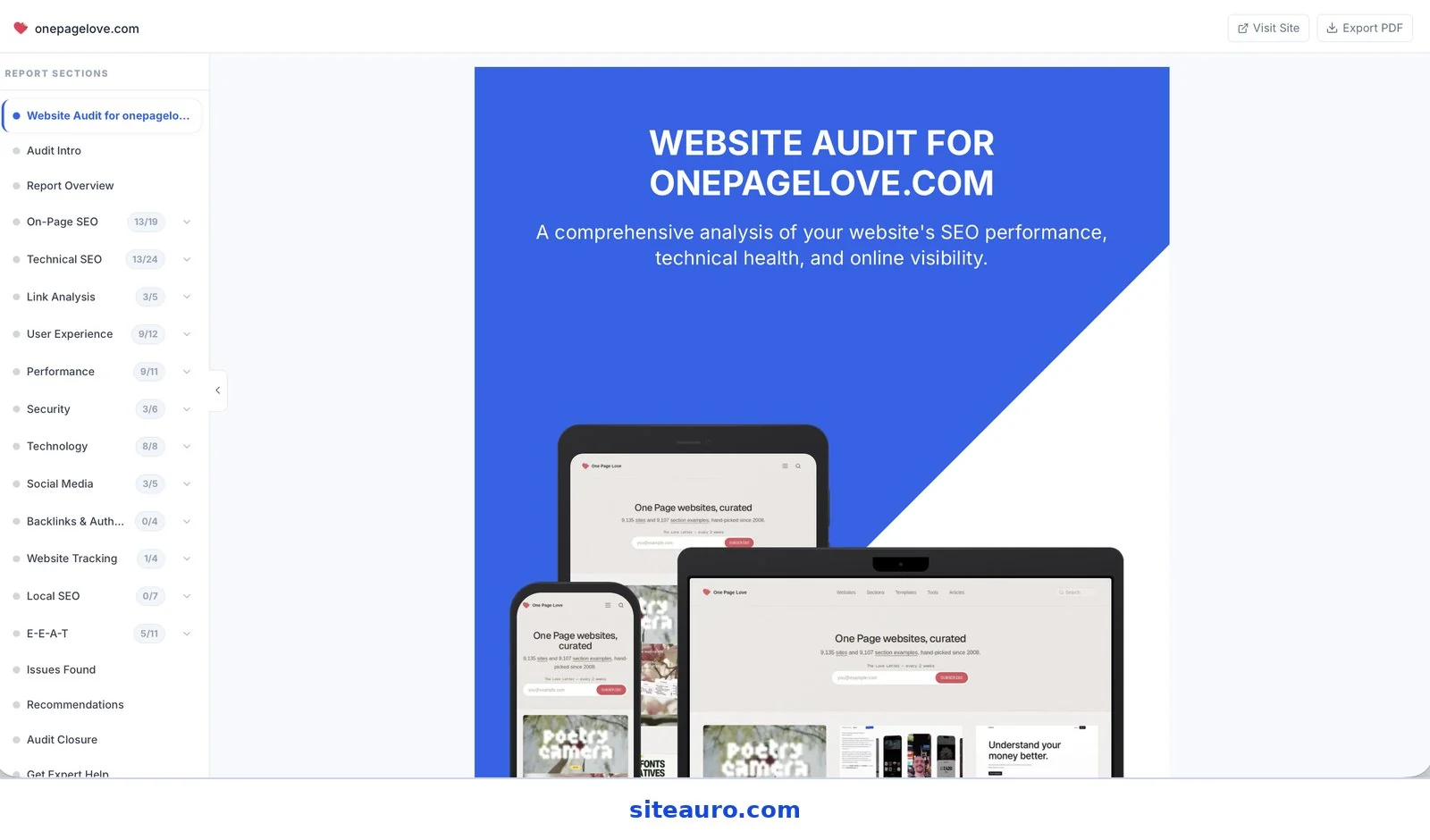
A High Intent visitor on your agency site sees an interactive flow offering a free SEO audit. They enter their website URL.
SiteAuro generates a full audit in minutes, covering on-page SEO, technical SEO, performance, security, and more. It shows on screen and lands in their inbox. That visitor is now a contact who already knows what’s wrong with their site.
How this works for SaaS founders
A Return Visitor on your SaaS site sees an interactive flow offering a free tool built for your niche. Think “LinkedIn Profile Audit” or “Website Audit.” They submit their details and get an AI-generated report under your brand.
They’re now a contact. From there, email automation can nurture them toward a product signup.
What Happens When a Visitor Becomes a Contact
When an anonymous visitor becomes a contact, their earlier history stays with them. You don’t start from zero.
Open their record in Contacts and look at the timeline. Everything they did shows up in order. A line marks the moment they shared their details. Anything below that line happened while they were still anonymous.
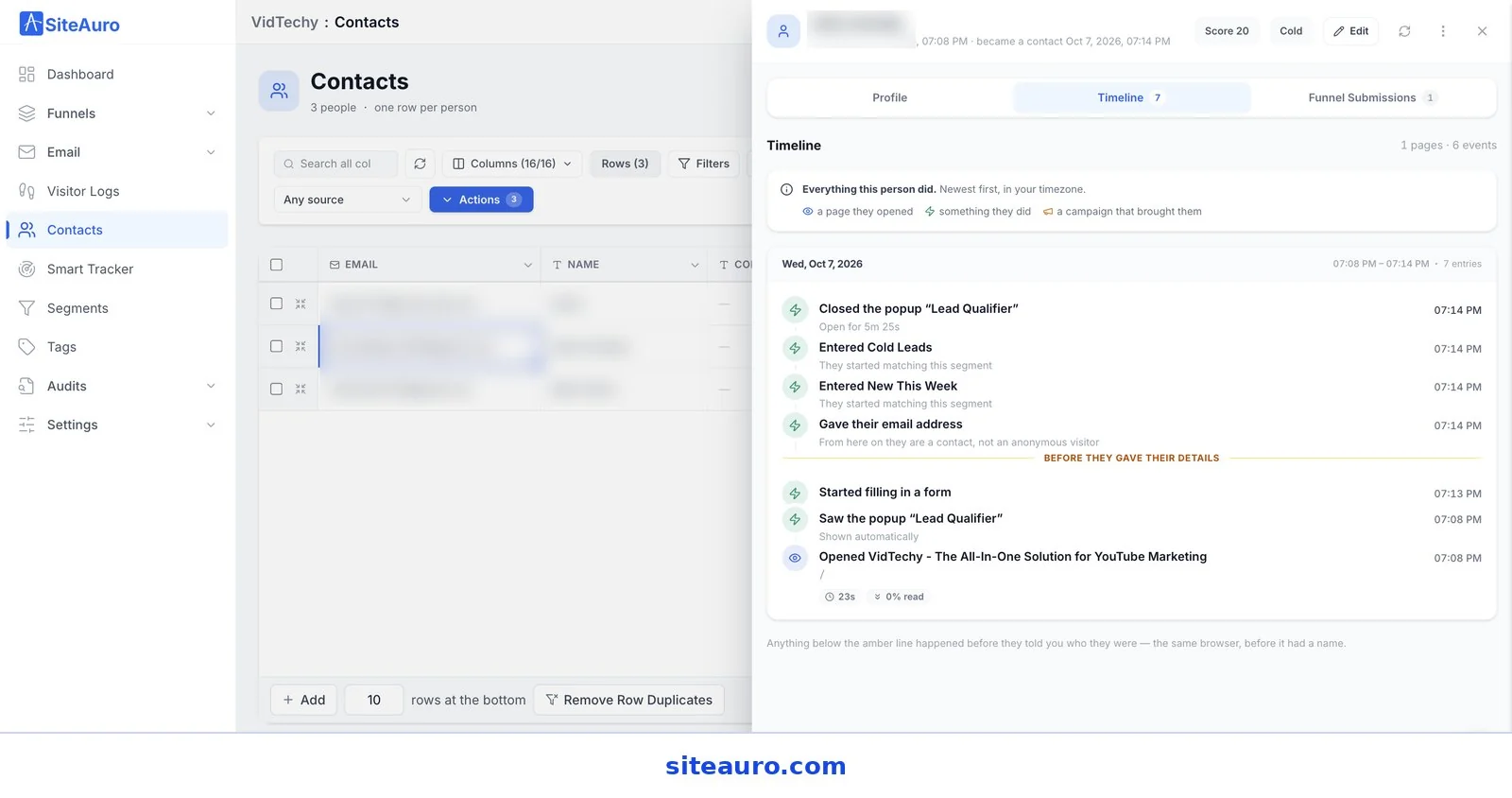
This changes how you follow up. You can see which pages they read, which flow they saw, and how long they took to decide. Each contact also gets a lead score, so you know who’s hot and who needs more time.
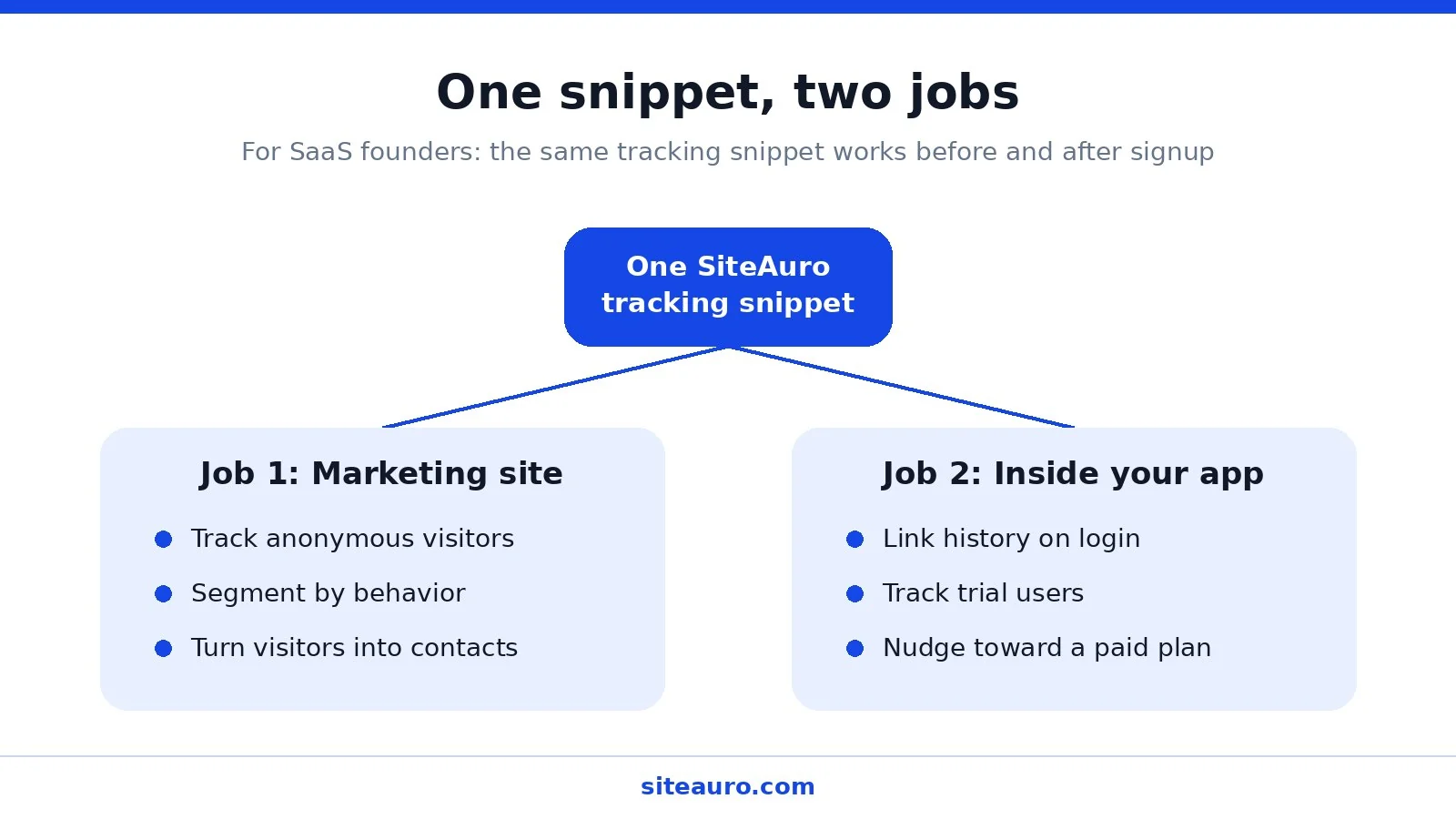
For SaaS: one snippet, two jobs
SaaS founders get one extra step. The same tracking snippet can also run inside your logged-in product. This is called In-App Mode.
When a user signs up and logs in, their pre-signup activity links to their account. So you can keep tracking them after signup and nudge trial users toward a paid plan with in-app messages and emails.
One snippet covers both the marketing site and the product. That’s what we mean by “one snippet, two jobs.”
Privacy and What You Can’t See
Good visitor tracking is honest about its limits. Here’s what to keep in mind.
You won’t know who an anonymous visitor is. SiteAuro doesn’t do reverse-IP company matching. Visitors tell you who they are when they choose to, usually in exchange for something useful like an audit or report.
A second device is a second visitor. If someone browses on their laptop, then on their phone, those show up as two separate visitors. There’s no honest way to connect them until they share their details on each device.
Some visitors won’t be tracked. People who decline cookies or use strict privacy settings may not show up fully in your logs.
Consent rules depend on where your visitors are. If you have visitors in the EU or UK, show a cookie consent banner and track only after they agree. Make sure your privacy policy explains what you collect. Check the rules for your own markets, as they vary.
In practice, the “earn the contact” approach also builds more trust. A visitor who chose to share their email expects to hear from you. A visitor identified from an IP lookup doesn’t.
Website Visitor Tracking: Common Questions
Can I see who visits my website?
You can see what every visitor does, but not always who they are. Identification tools match some visitors to companies, often 20% to 40% of B2B traffic. Visitor intelligence tools like SiteAuro take a different path. They get visitors to share their details through a useful offer, like an audit or report.
How do I track website visitors for free?
Tools like Google Analytics 4 and Microsoft Clarity track visitor behavior at no cost. They show what visitors did in aggregate or through recordings. They don’t segment visitors in real time or trigger personalized messages.
What is anonymous visitor tracking?
Anonymous visitor tracking records the behavior of visitors who haven’t shared their name or email. Each visitor gets a unique ID through a cookie, so you can follow their visits over time without knowing who they are.
What's the difference between a visitor, a lead, and a signup?
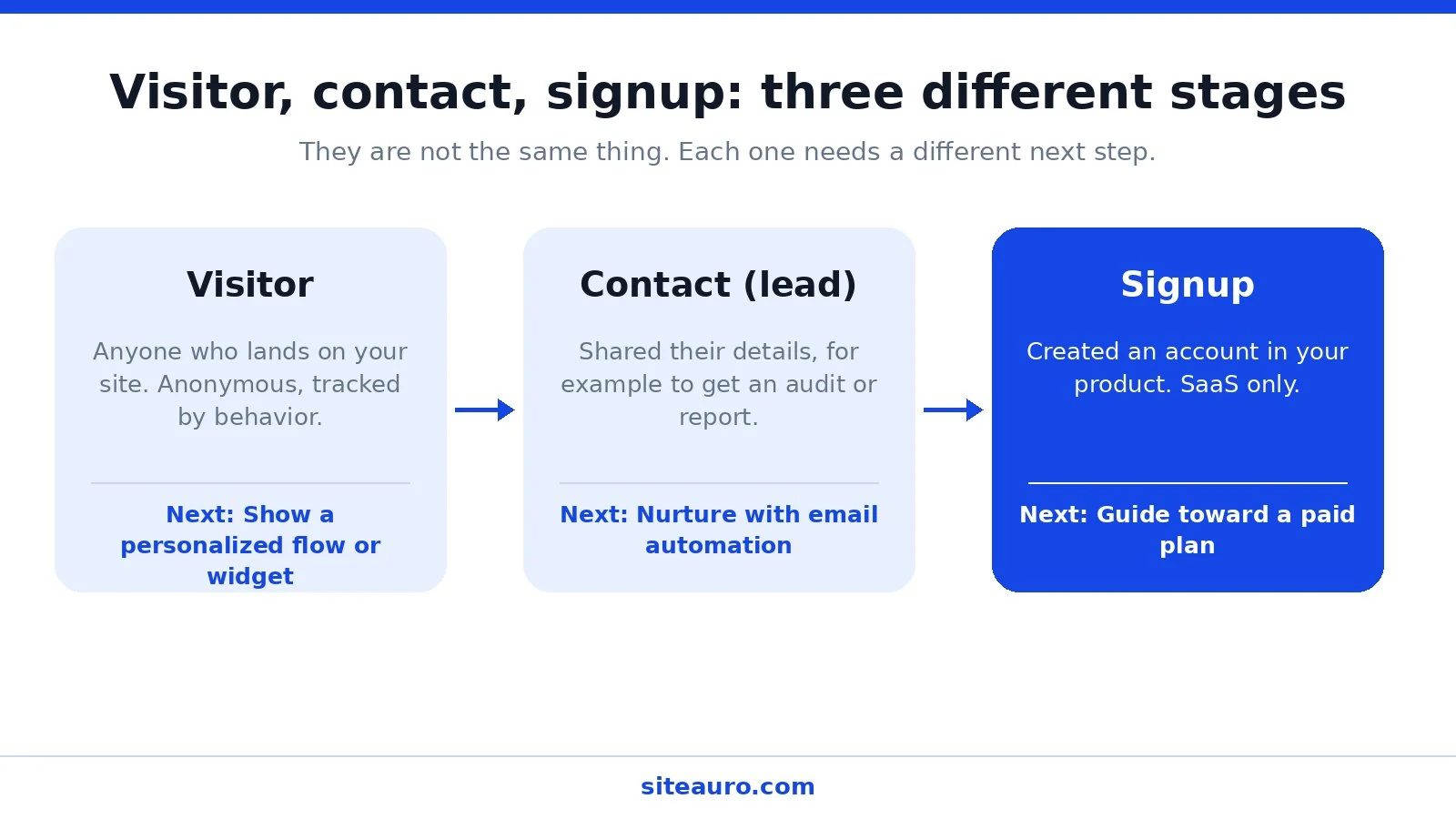
A visitor is anyone who lands on your site. A lead (or contact) is a visitor who has shared their details, such as through an audit request. A signup is a contact who has created an account in your product. These are separate stages, and email nurturing is often what moves a lead to a signup.
Does visitor history carry over when someone becomes a lead?
In SiteAuro, yes. When a visitor becomes a contact, their timeline still shows everything they did before they shared their details.
Is website visitor tracking legal?
Generally yes, but the rules depend on where your visitors are. Many regions, including the EU and UK, require consent before setting tracking cookies. Use a consent banner and a clear privacy policy, and check the laws in your markets.
Stop Watching. Start Responding.
Behavior tools tell you what visitors did. Identification tools try to tell you who they were. Both leave you with a report and a to-do list.
Website visitor tracking works best when it leads to action. Track what visitors do, group them by behavior, and show each group something worth responding to. That’s how anonymous traffic turns into contacts, and contacts turn into customers.
Get Your Free Lead Intelligence Map
Enter your website — see exactly how to turn more visitors into leads, and leads into customers.
Get My Free MapSources
- Woodpecker, How to Identify Anonymous Website Visitors: https://woodpecker.co/blog/identify-anonymous-website-visitors/
- Abmatic AI, B2B Website Visitor Statistics 2026: https://abmatic.ai/blog/b2b-website-visitor-statistics-2026

Karthick, Founder, SiteAuro
Building SaaS for Lead Generation & Conversion.