
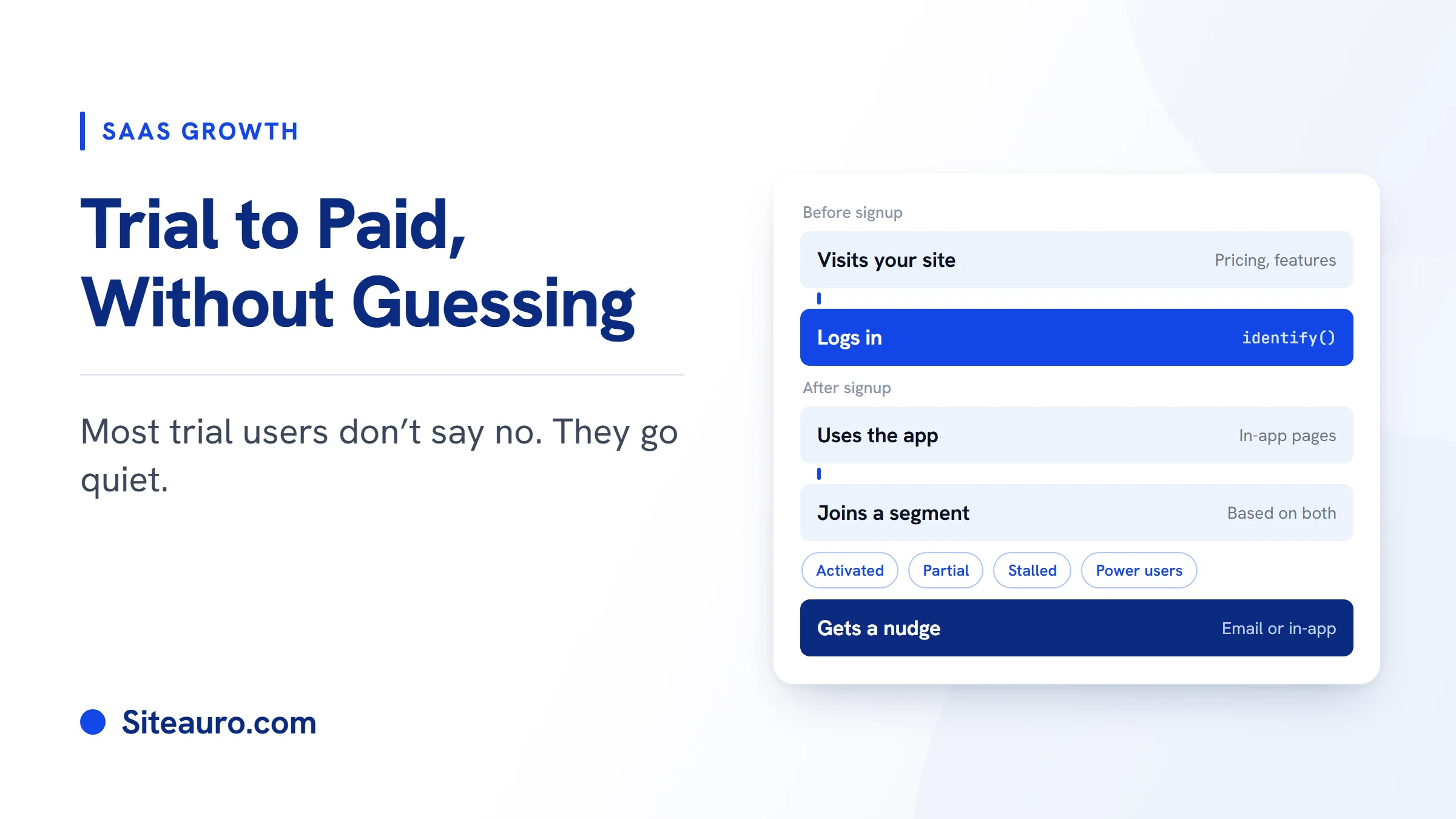
Most trial users don't say no. They just go quiet.
Trial to paid conversion is the share of free trial users who become paying customers. If yours is stuck, the fix usually isn't more signups. It's knowing what each trial user actually did, and responding to that.
This guide covers what a good rate looks like, why trials stall, which behaviors predict who will pay, and how to turn those behaviors into nudges that land.
What Is a Good Trial to Paid Conversion Rate?
A good benchmark is about 8%. That's the median free trial conversion rate for SaaS products.
Kyle Poyar puts the median at 8%, based on 200 B2B software products analyzed in January 2026 with ProductLed and ChartMogul (Userpilot).
Your sales model changes the number a lot (SaaS Hero):
| Sales model | Median trial to paid rate |
|---|---|
| All models | 8% |
| Pure self-serve | 4.6% |
| Sales-assisted | 17.4% |
Sales-assisted trials convert at almost four times the self-serve rate. The reason is simple. A salesperson notices when a user gets stuck. In a self-serve trial, nobody does.
Behavior tracking gives a self-serve trial some of that attention, without adding a sales team.
Why Free Trials Stall
Trials stall when users never reach the point where the product proves its value. It usually comes down to three things.
Users never reach the moment the product clicks
Every product has a key setup step. Until a user finishes it, they can't see what the product does for them.
We've seen this firsthand. At VidTechy, a YouTube growth tool we run, users need to connect their YouTube channel after signup. About 20 of every 100 signups don't. In practice, those users need follow-up emails, in-app notifications, and more than one reminder before they move.
Every user gets the same day-3 email
Most trial emails run on a timer. Day 1, day 3, day 7.
So a user who set everything up gets the same "Need help getting started?" email as one who never came back. For the first user, it's noise. For the second, it's often too late.
Your marketing data and product data live in separate tools
Before signup, a visitor might read your pricing page three times and study one feature page closely. That tells you what they care about.
But that history usually sits in a marketing tool. Once they log in, a product tool takes over and starts from zero. The best signal you had gets lost at the signup form.
The Behavior Signals That Predict Who Will Pay
The users most likely to pay are the ones who finish key setup steps early and keep coming back. Amplitude research lists five top signals that predict trial conversion (US Tech Automations):
- Activation milestones completed
- Login frequency in days 2 to 5
- Features explored
- Team invites
- Data import completion
How to see these signals with page tracking
You don't need custom event code to watch these signals. Each one leaves a trail of pages. SiteAuro tracks the pages each user views inside your app, so you can match every signal to the pages that show it.
A page visit is a strong hint, not proof. Someone who opened team settings may not have sent an invite yet. When you can, pick pages that only show up after a step is finished.
Don't ignore pre-signup signals
What a user did before signup matters too. SiteAuro's Smart Tracker records the pages each visitor views, how often they come back, and how long they stay. It also counts pricing page visits automatically.
A visitor who checked pricing four times before signing up is already thinking about cost. A visitor who read your integrations page twice cares about how you fit into their stack. That context should shape their trial.
How to Segment Trial Users by Behavior
Segment trial users by what they did, not by how many days ago they signed up. Userpilot recommends grouping trial users by feature usage, activation status, survey answers, and days left in the trial, then sending upgrade messages based on those groups (Userpilot).
One simple model splits trial users into four groups (US Tech Automations):
| Segment | What it means | What they need next |
|---|---|---|
| Fully activated | Finished the key setup steps | A clear reason to upgrade |
| Partially activated | Started setup but didn't finish | Help with the next step |
| Stalled | No progress after 48 hours | A short, direct nudge to start |
| Power users | Using the product heavily | An upgrade prompt that fits how they use it |
Building these segments in SiteAuro
SiteAuro's Segment Builder groups users automatically, based on rules you set. Here's how the four groups could look:
Use the page paths from your own app. The rules are yours. SiteAuro just watches for the pages.
What about days left in the trial?
SiteAuro tracks pages, not your billing system. So it doesn't know a user's trial end date on its own.
There's a simple workaround. If your app shows a page or banner page near the end of a trial, set up a Smart Tracker rule that marks users when they land on it. Now you have a "trial ending" segment, built from a page your app already shows.
Turning Segments Into Action: In-App Flows and Nudge Emails
A segment only helps when it triggers something. In SiteAuro, each segment can trigger one or more actions at once: an email sequence, an interactive flow, a popup or widget, or personalized content.
In-app flows for stuck users
An interactive flow can be a single question or a full multi-step, branching flow. You build it with drag and drop.
For a stalled user, that might be one question: "What do you want to set up first?" For a partially activated user, it might be a short guided flow through the next step.
You choose where each flow shows: your website, inside your app, or both. So a trial nudge never shows up for someone still browsing your marketing site.
Trial nudge emails that feel personal
SiteAuro's email sequences send through your own SMTP, from your own domain. They don't go out through a shared sending domain. That's why they read like a note from your team, not a mass email.
Sequences can start the moment a user enters a segment. A stalled user gets a short note about the one step they skipped. A user who keeps returning to pricing gets a message that answers cost questions. Nobody gets a generic day-3 email just because three days passed.
In-app upgrade prompts for power users
Power users don't need help. They need a reason to upgrade now.
Show them an upgrade prompt inside the app, tied to the features they use most. Because it only shows to that segment, new users never see it too early.
Track every trial user in Contacts
Contacts works like a mini CRM inside SiteAuro. Each trial user has a record with their status, so you can see who is moving toward paid and who has gone quiet.
Email Analytics shows how your nudge sequences perform. So you can see which messages move people and which ones don't.
One Snippet, Two Jobs: Connecting Pre-Signup and Post-Signup Data
"One snippet, two jobs" means the same SiteAuro tracking snippet works on your marketing site and inside your logged-in product. Most tools track one side or the other. SiteAuro tracks both and connects them.
The link happens at login. When you call Siteauro.identify() with the user's email, SiteAuro joins their anonymous visitor history to their account. Everything they did before signup is now tied to what they do in the trial.
Here's what that changes:
With and without the link
Without the link: A new trial user gets your standard onboarding emails. You have no idea what brought them in.
With the link: A visitor reads your team features page three times and checks pricing twice, then signs up. A week in, they still haven't opened team settings. Because SiteAuro knows what they read before signup, you can show them an in-app prompt about team features. That's the exact thing they came for.
How to set it up
- Add the SiteAuro snippet to your marketing site.
- Add the same snippet inside your logged-in app.
- Call
Siteauro.identify()with the user's email when they log in. - Build segments in Segment Builder, using the pages that matter in your app.
- Attach triggers to each segment: an email sequence, an in-app flow, or both.
Questions About Trial to Paid Conversion
What is a good free trial conversion rate for SaaS?
The median is about 8% across SaaS products. Pure self-serve trials sit closer to 4.6%, and sales-assisted trials closer to 17.4% (SaaS Hero). Compare yourself to your own sales model, not the overall number.
What's the difference between a lead and a signup?
A lead is someone who shared their contact details but hasn't created an account yet. A signup is someone who created an account and started a trial.
Many people go from visitor to lead, then get nurtured into a signup. Others skip the lead stage and sign up directly. This guide is about the next step: signup to paid user.
When should you send a trial nudge email?
Send it when a user's behavior calls for it, not on a fixed day. Good moments include:
- A user signs up but doesn't reach a setup page.
- A user finishes setup and is ready to see more value.
- A user keeps coming back to your pricing page.
- A user lands on your trial-ending page.
Does behavior tracking work on Safari and Firefox?
Yes. SiteAuro uses a first-party cookie, set through a CNAME record that points to SiteAuro's edge server. That keeps tracking working even with Safari and Firefox tracking limits.
Can SiteAuro track custom events like "invited a teammate"?
No. In-app tracking is page-based. Instead of tracking an event, track the page that shows the step happened, like a confirmation page after an invite is sent.
Do I need a developer to set up in-app tracking?
You need a little developer time. Someone adds the snippet to your app and one identify() line at login. After that, segments, rules, and triggers are all set up inside SiteAuro, using pages your app already has.
Get Your Free Lead Intelligence Map
Better trial conversion starts before signup, with what people do on your site. Enter your website — see exactly how to turn more visitors into leads, and leads into customers.
Get My Free MapSources
- Userpilot, "SaaS Average Conversion Rate": https://userpilot.com/blog/saas-average-conversion-rate/
- SaaS Hero, "B2B SaaS Conversion Benchmarks": https://www.saashero.net/strategy/b2b-saas-conversion-benchmarks-journey/
- US Tech Automations, "SaaS Trial-to-Paid Conversion ROI Analysis 2026": https://ustechautomations.com/resources/blog/saas-trial-to-paid-conversion-roi-analysis-2026

Karthick, Founder, SiteAuro
Building SaaS for Lead Generation & Conversion.