
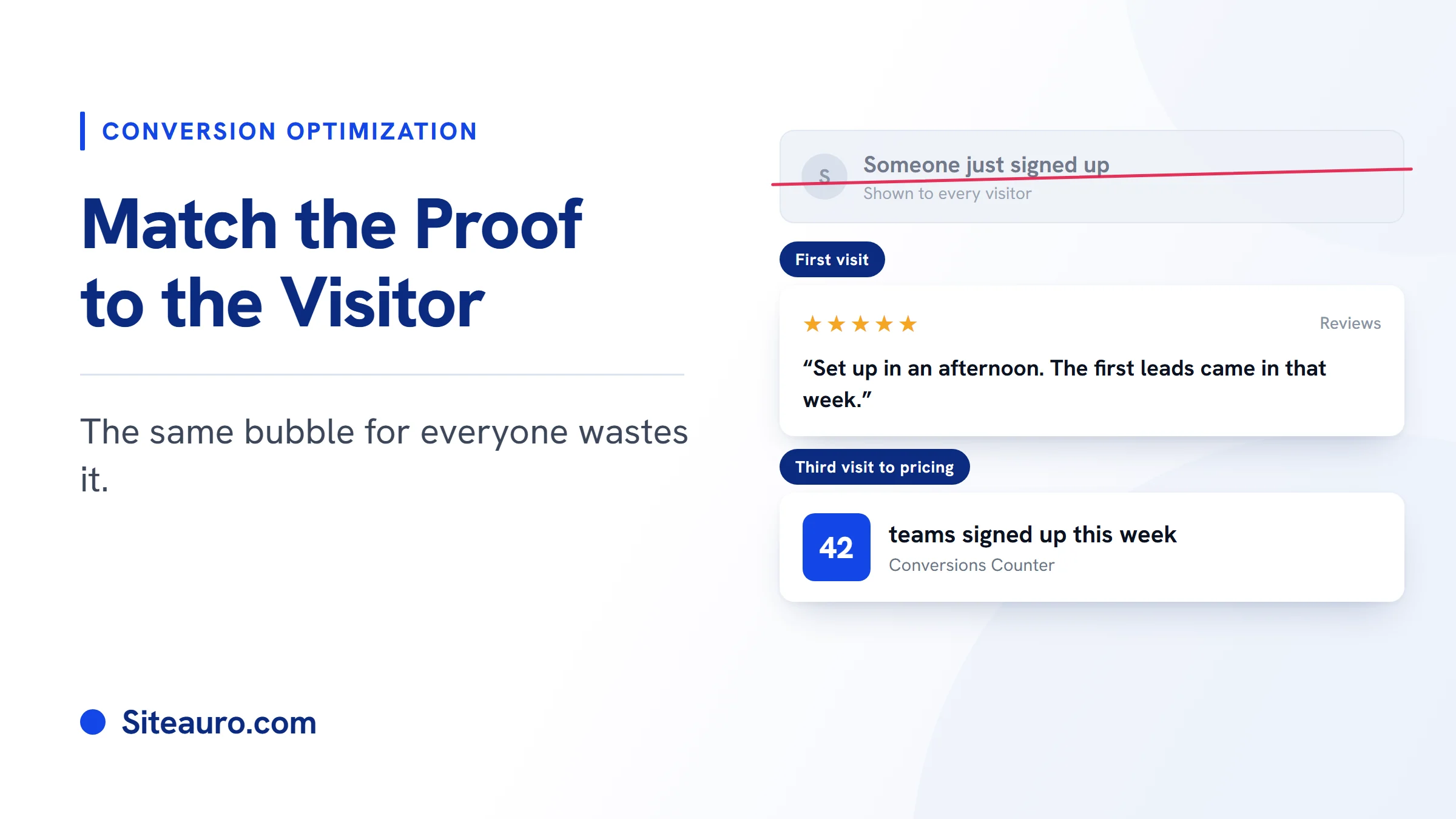
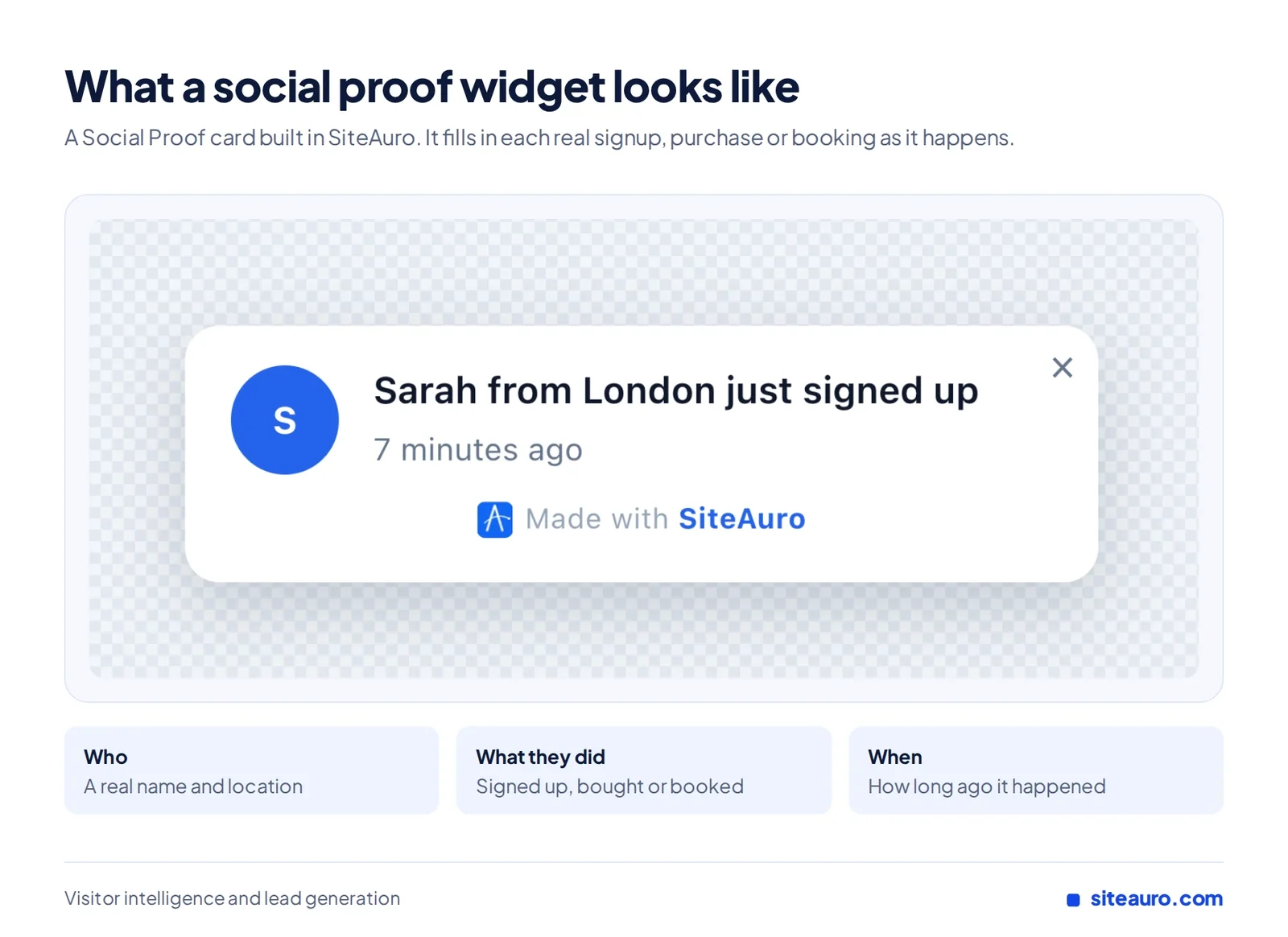
“Sarah from London just signed up.” You’ve seen this bubble on a lot of websites. A social proof widget like this can lift conversions, and independent tests back that up. But most sites show the same message to every visitor, whether it’s their first visit or their fifth.
That’s where a lot of its value gets lost. This guide covers what the tests actually show, which widget fits which moment, and how to match the proof to the person reading it.
What Is a Social Proof Widget?
A social proof widget is a small card on your website that shows what real people did. It might show a recent signup, a customer review, or how many people are on the page right now.
It works because people look to others when they’re unsure. If people like them already signed up, the choice feels safer.
Most widgets come in two shapes. Floating cards sit in a corner, over your page. Full-width bars stick to the top or bottom edge.
What Independent Tests Say About Social Proof
Independent tests show social proof can raise conversions by a lot. The strongest results come from proof that is specific, not generic.
Many social proof stats online come from the companies that sell widgets. We’ve left those out. Here are two from independent sources.
| Study | What changed | Result |
|---|---|---|
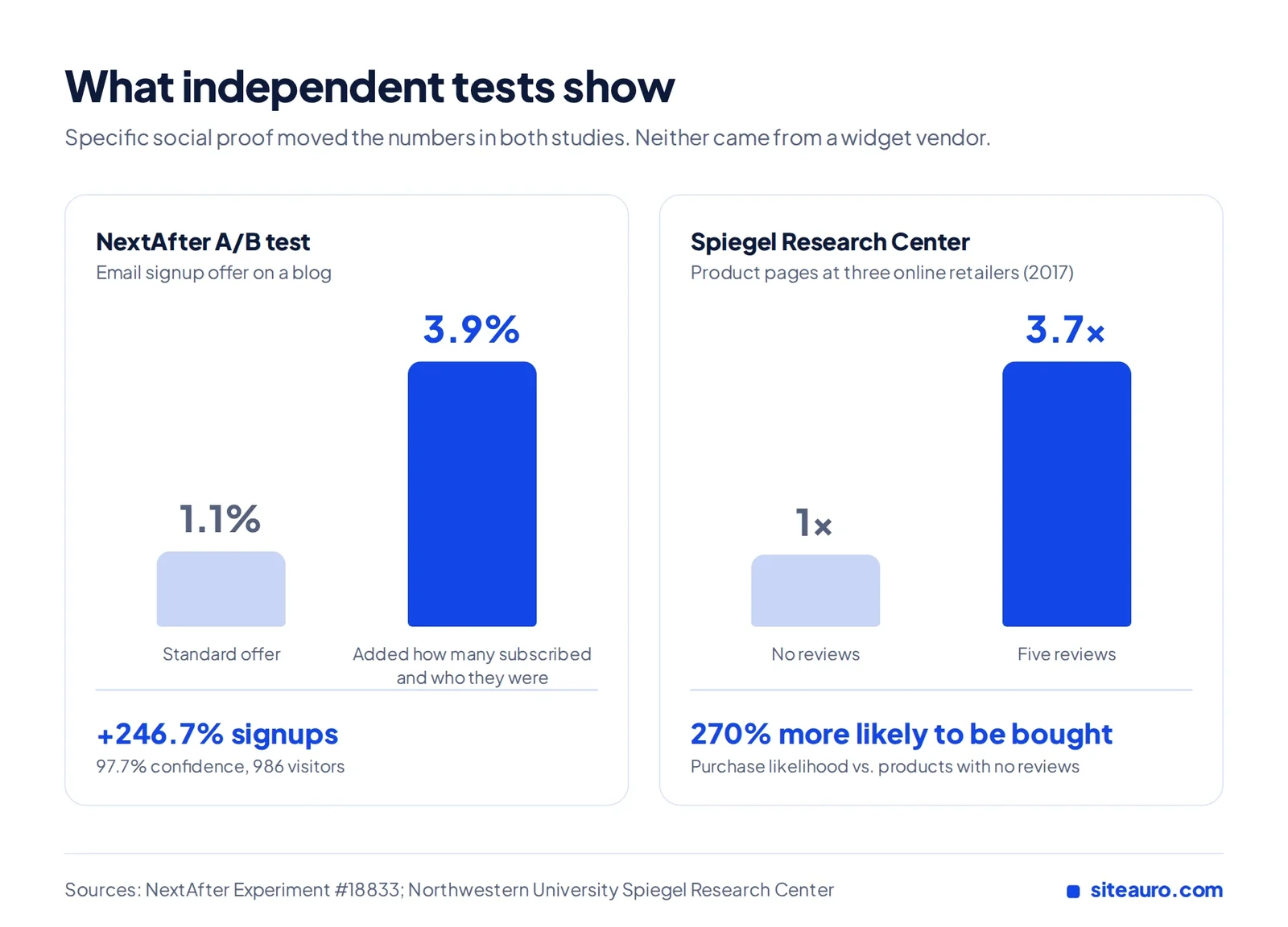
| NextAfter A/B test | Added subscriber count and who those subscribers were to a signup offer | Signups rose from 1.1% to 3.9% (246.7% lift, 97.7% confidence) |
| Spiegel Research Center, Northwestern University (2017) | Products with five reviews vs. products with none | 270% higher purchase likelihood |
NextAfter’s signup test
NextAfter tested two versions of an email signup offer on its blog. The control used its standard pitch. The test version added how many people subscribed and who they were: fundraisers and nonprofit marketers.
Signups rose from 1.1% to 3.9%. That’s a 246.7% lift at 97.7% confidence, across 986 visitors.
The key detail is in NextAfter’s own notes. Naming who subscribed may have helped as much as the number. Readers saw people like themselves.
Spiegel Research Center’s review study
Northwestern’s Spiegel Research Center studied reviews across three online retailers. Products with five reviews were 270% more likely to be bought than products with none. Most of that lift came from the first few reviews, and extra reviews after that added less.
The study also found that purchase likelihood peaked at ratings between 4.0 and 4.7 stars. As ratings got closer to a perfect 5, it dropped. Shoppers trust proof that looks real.
What these tests don’t show
Neither study tested showing different proof to different visitors. That part is our reasoning, not a proven stat.
But the NextAfter result points the same way. Proof lands better when the reader sees themselves in it.
Why One Message for Every Visitor Falls Short
Different visitors have different doubts. One generic message can only answer one of them.
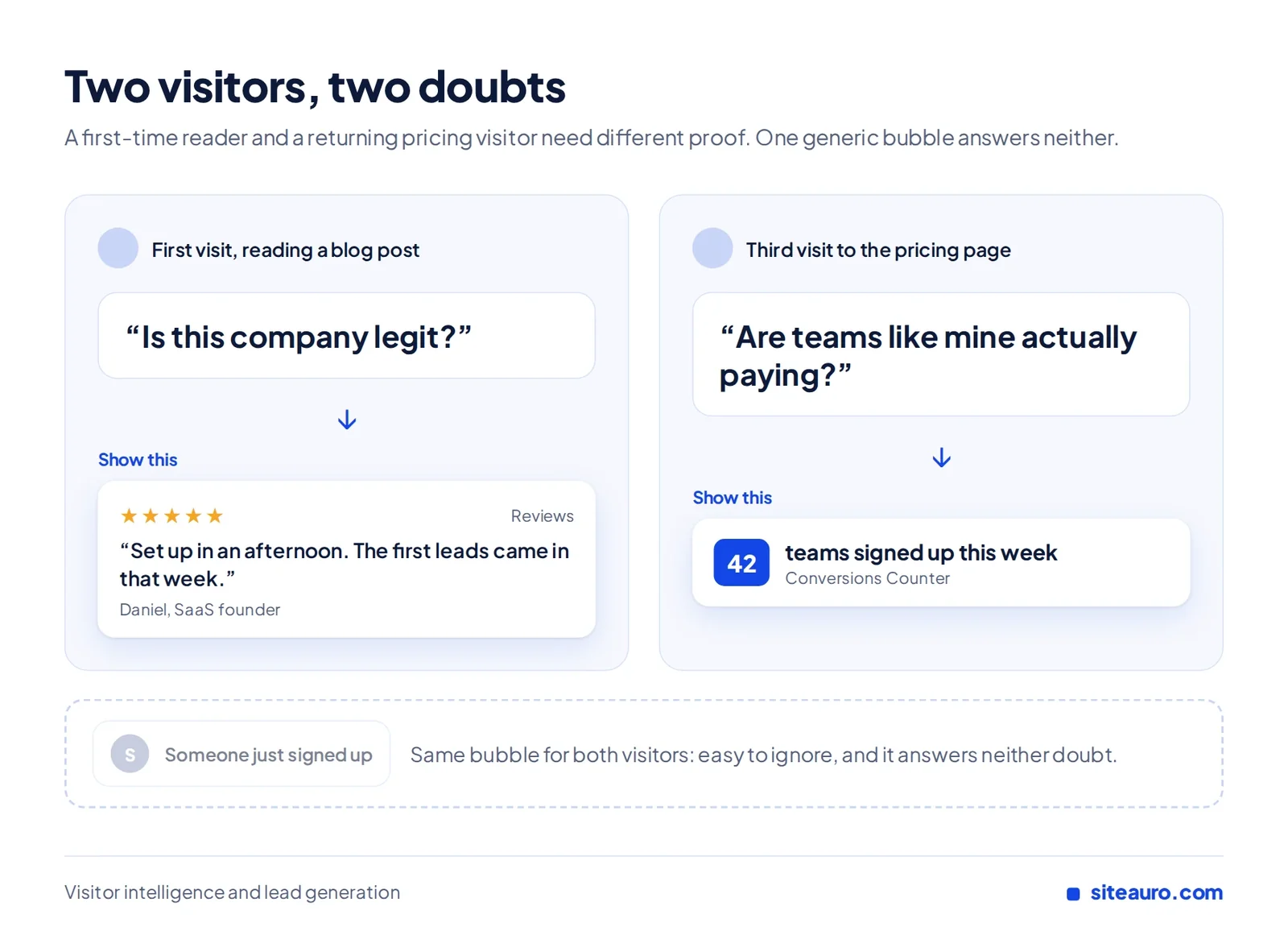
Picture two people on the same SaaS website. One is reading a blog post for the first time. They’re wondering, “Is this company legit?”
The other is on the pricing page for the third time this week. They’re wondering, “Are teams like mine actually paying for this?” A “Sarah just signed up” bubble does little for either of them.
The same is true for an SEO agency. A visitor reading case studies wants to know you’ve helped businesses like theirs. A visitor who started your free audit and left needs a reason to come back.
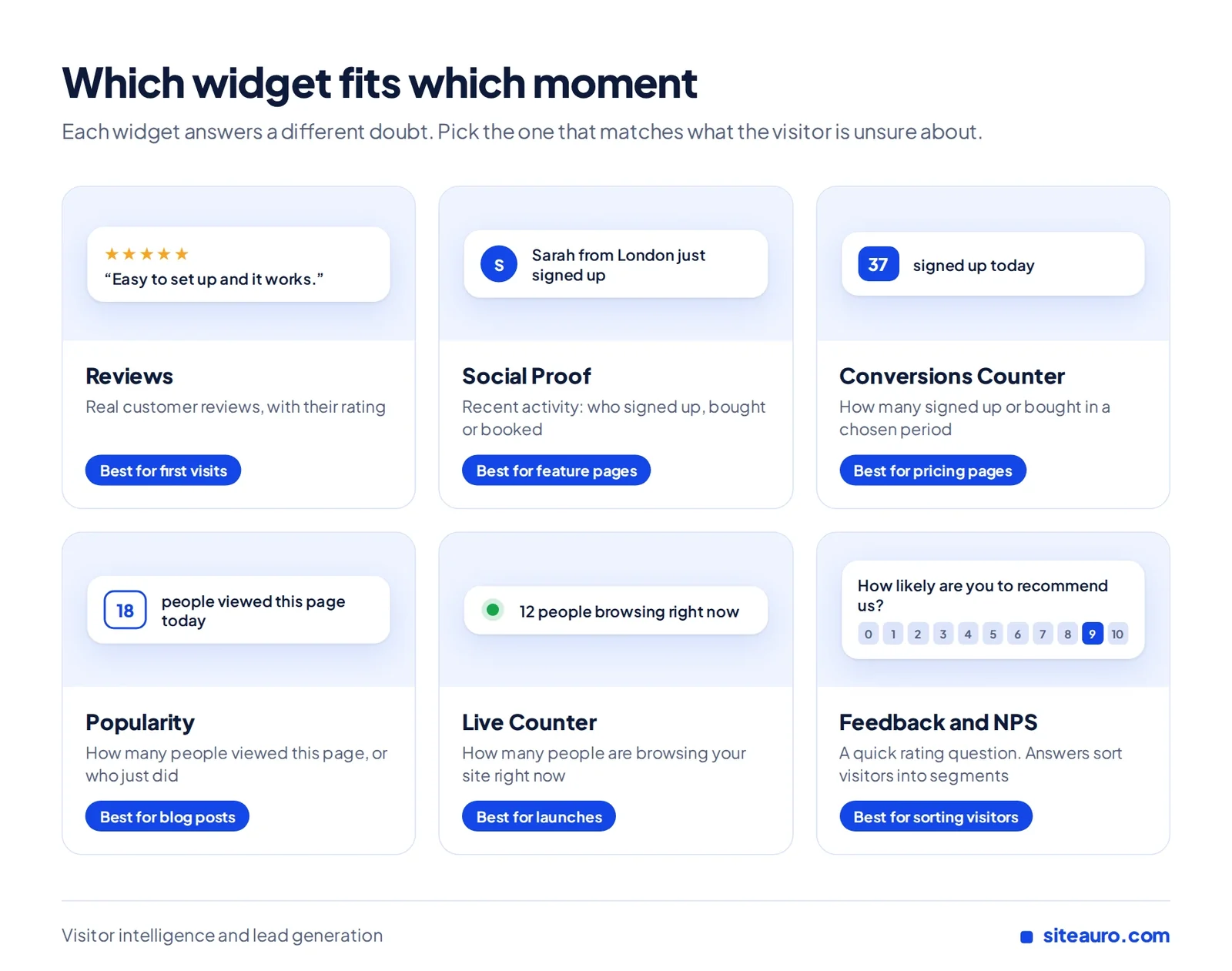
Which Social Proof Widget Fits Which Moment
Each widget answers a different question. Pick the one that matches what the visitor is unsure about.
SiteAuro has 10 widgets: seven floating cards and three full-width bars. These are the ones that matter most for social proof.
| Widget | What it shows | Best moment |
|---|---|---|
| Reviews | Real customer reviews, with their rating | First visits, when trust is low |
| Social Proof | Recent activity from real people: who signed up, bought or booked | Feature pages and mid-funnel pages |
| Conversions Counter | How many people signed up or bought in a chosen period | Pricing and signup pages |
| Popularity | How many people viewed this page, or who just did | Blog posts and content pages |
| Live Counter | How many people are browsing your site right now | Launches, webinars and busy pages |
| Feedback / NPS Survey | A quick rating question | Any point where you want visitors to sort themselves |
Feedback and NPS Survey aren’t proof on their own. But a visitor’s answer can put them into their own segment. More on that below.
How to Match Social Proof Widgets to Visitor Segments
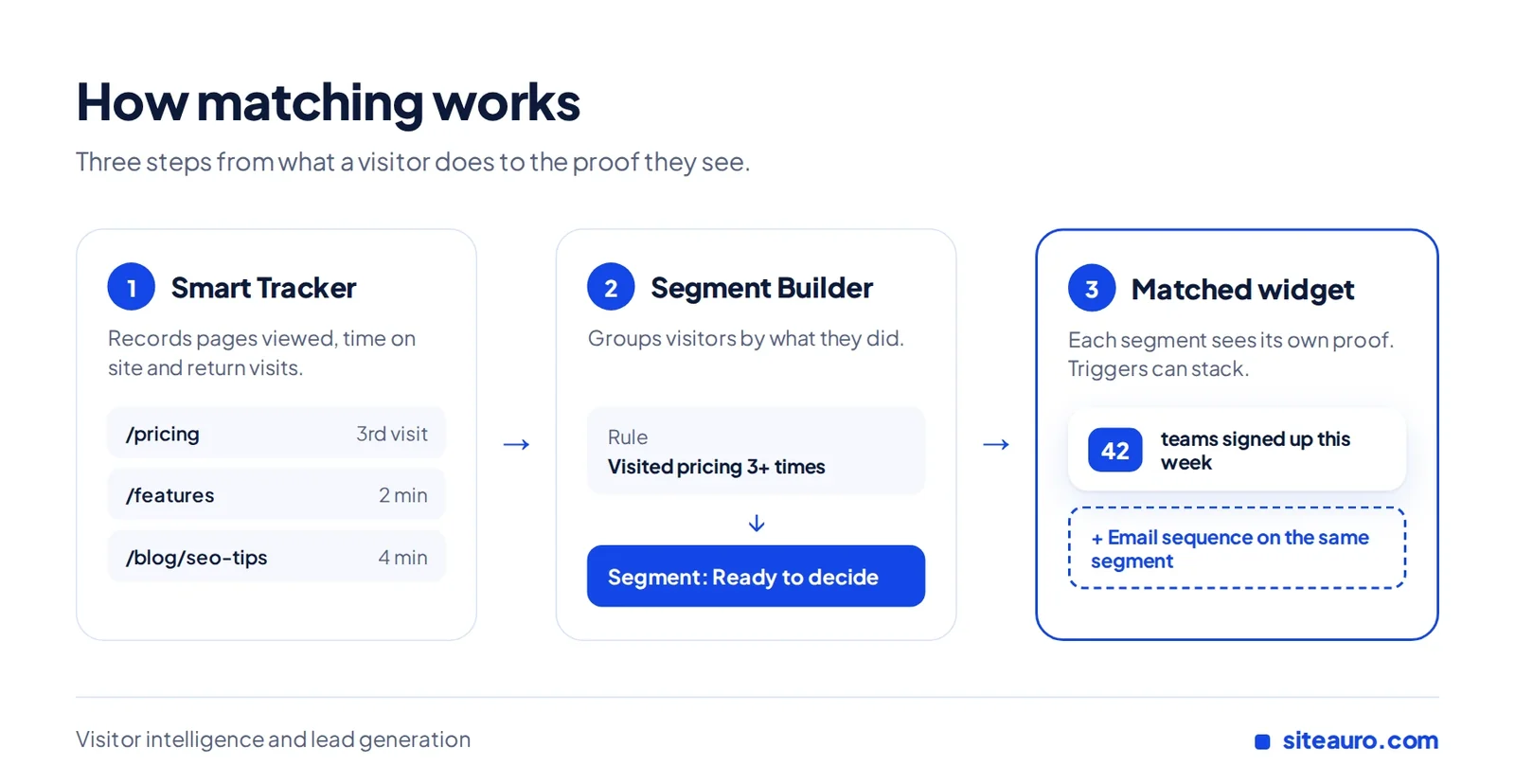
To match proof to visitors, you need to know what each visitor has done. Then you group them and show each group its own widget.
In SiteAuro, this happens in three steps:
- Smart Tracker records what each visitor does: pages viewed, time on site and return visits.
- Segment Builder groups visitors by behavior, like “visited pricing 3+ times” or “abandoned a form.”
- Each segment gets its own widget. You can also stack other triggers on the same segment, like an email sequence.
Social proof for SaaS: three examples
| Visitor | What they see | Why it fits |
|---|---|---|
| First visit, reading the blog | Reviews widget | Builds trust before anything else |
| Third visit to the pricing page | Conversions Counter: “42 teams signed up this week” | Shows others already made this choice |
| Signed up, still on a free trial | Social Proof inside the app: “Priya’s team just upgraded” | Nudges the trial user toward a paid plan |
That last row uses In-App Mode. The same snippet that tracks your marketing site also works inside your logged-in product. We call it “One snippet, two jobs.” For each widget, you choose whether it shows on the website, in the app, or both.
Social proof for SEO agencies: three examples
| Visitor | What they see | Why it fits |
|---|---|---|
| Reading your case studies | Reviews from a client in a similar niche | Shows you’ve done this before |
| Started the free SEO audit, then left | Social Proof: “Mark from Austin just got his SEO audit” | Gives them a reason to come back and finish |
| Back on your services page | Popularity: “18 people viewed this page today” | Shows steady interest in your work |
Let visitors sort themselves with Feedback
Behavior tells you a lot. Sometimes it’s faster to just ask.
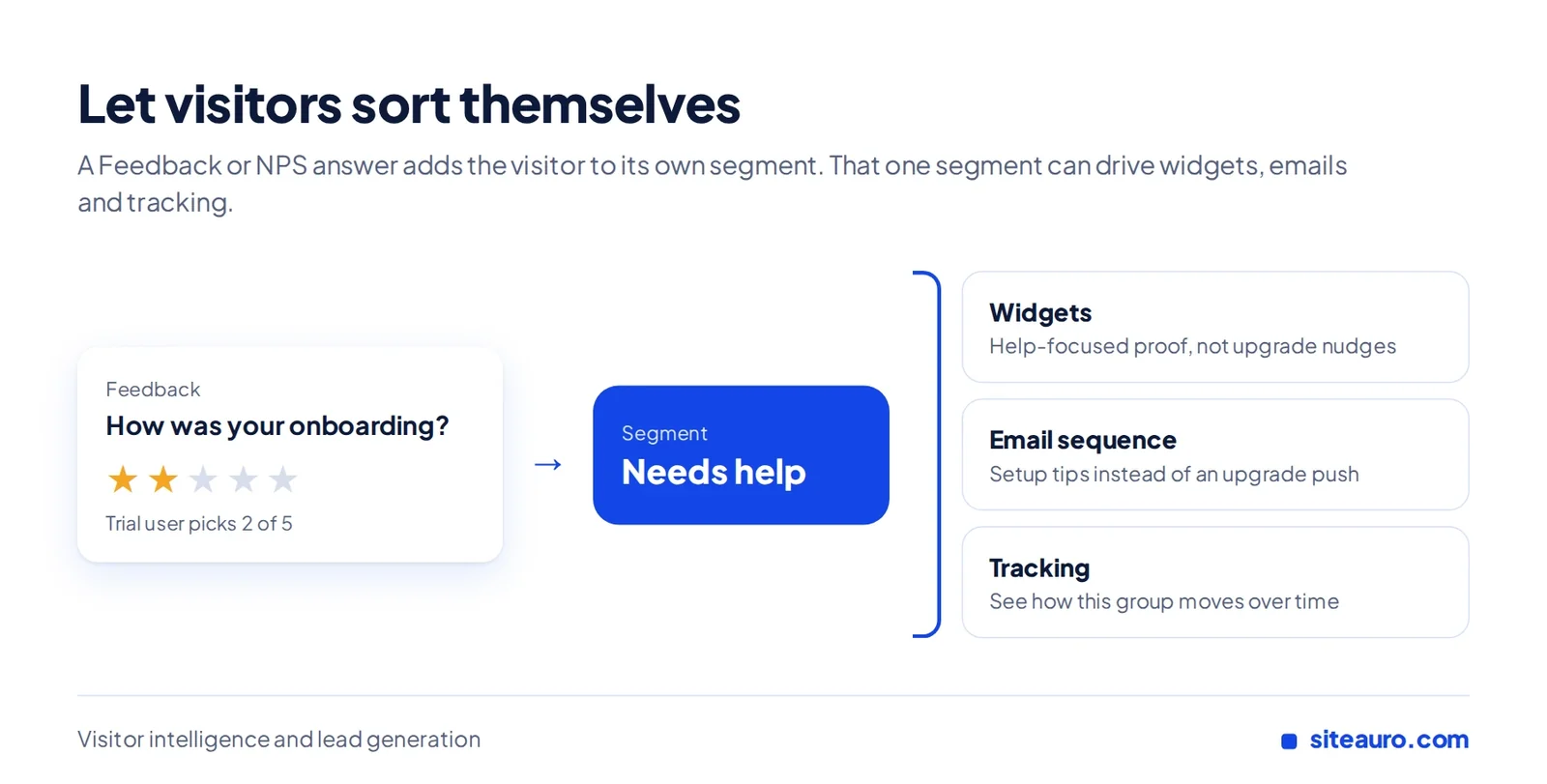
In SiteAuro, a Feedback or NPS Survey answer adds the visitor to its own segment. That segment can then get its own widgets, its own email sequence and its own tracking.
- SaaS example: A trial user rates their onboarding low. They join a “needs help” segment. They get a help-focused email sequence instead of an upgrade push.
- SEO agency example: A visitor rates their current website traffic as poor. They join a “low traffic” segment. They see reviews from clients who grew their traffic, plus a matching email follow-up.
Same message vs. matched message
| Same message for everyone | Matched to the segment | |
|---|---|---|
| Who sees it | Every visitor | Only the group it fits |
| What it says | “Someone just signed up” | Proof that answers that visitor’s doubt |
| Over time | Easy to tune out after a few visits | Changes as the visitor’s behavior changes |
| Follow-up | None | Can connect to an email sequence |
Keep Your Social Proof Real
Social proof only works if people believe it. Use real activity, real reviews and real numbers.
Fake “someone just bought” bubbles are easy to spot. Once a visitor catches one, they start doubting everything else on the page.
The Spiegel study supports this. Ratings between 4.0 and 4.7 beat near-perfect scores. A mix of honest reviews builds more trust than a wall of perfect ones.
A Quick Ecommerce Example
Matched proof works for online stores too. Ecommerce is where SiteAuro is heading next, so here’s a short example.
A first-time shopper on a product page sees that product’s reviews. This is where the Spiegel study found reviews do the most work.
A shopper who comes back to the same product sees the Conversions Counter: “31 people bought this this week.” Same store, same widgets, a different message for each shopper.
Social Proof Widget FAQs
What is a social proof widget?
A social proof widget is a small card on your website that shows what real people did. That includes recent signups, reviews, purchases or how many people are browsing right now.
Do social proof notifications still work?
Yes, when they’re real and specific. In NextAfter’s test, a signup offer that named how many people subscribed, and who they were, more than tripled signups. Generic messages shown to every visitor are easier to ignore.
Is real-time social proof better than static testimonials?
Neither is better everywhere. They answer different questions. Testimonials build trust with new visitors. Real-time social proof, like a Conversions Counter, shows momentum to visitors who are close to deciding.
Where should testimonials go on a landing page?
Put them close to where visitors decide, like near the signup button or form. It also helps to place one next to any big claim. That way the proof shows up right where doubt starts.
How many widgets should one page show?
Usually one at a time. Several cards at once compete for attention and start to feel like noise. With segments, each visitor sees the one widget that fits them, so you don’t need to stack them.
Does social proof work for SaaS and SEO agencies?
Yes. SaaS visitors want to see that teams like theirs signed up and stayed. SEO agency visitors want proof that you’ve helped businesses like theirs. In both cases, proof works best when it matches the visitor.
Can a feedback answer change what a visitor sees next?
Yes. In SiteAuro, a Feedback or NPS Survey answer adds the visitor to a segment. That segment can get its own widgets, its own email sequence and its own tracking.
Get Your Free Lead Intelligence Map
Enter your website — see exactly how to turn more visitors into leads, and leads into customers.
Get my free mapSources
- NextAfter, “How adding social proof impacts email sign ups” (Experiment #18833): https://www.nextafter.com/experiments/how-adding-social-proof-impacts-email-sign-ups/
- Spiegel Research Center, Northwestern University, “How Online Reviews Influence Sales” (2017): https://spiegel.medill.northwestern.edu/
- MarketingProfs summary of the Spiegel study: https://www.marketingprofs.com/charts/2017/32629/the-measurable-impact-that-reviews-and-ratings-have-on-sales

Karthick, Founder, SiteAuro
Building SaaS for Lead Generation & Conversion.