
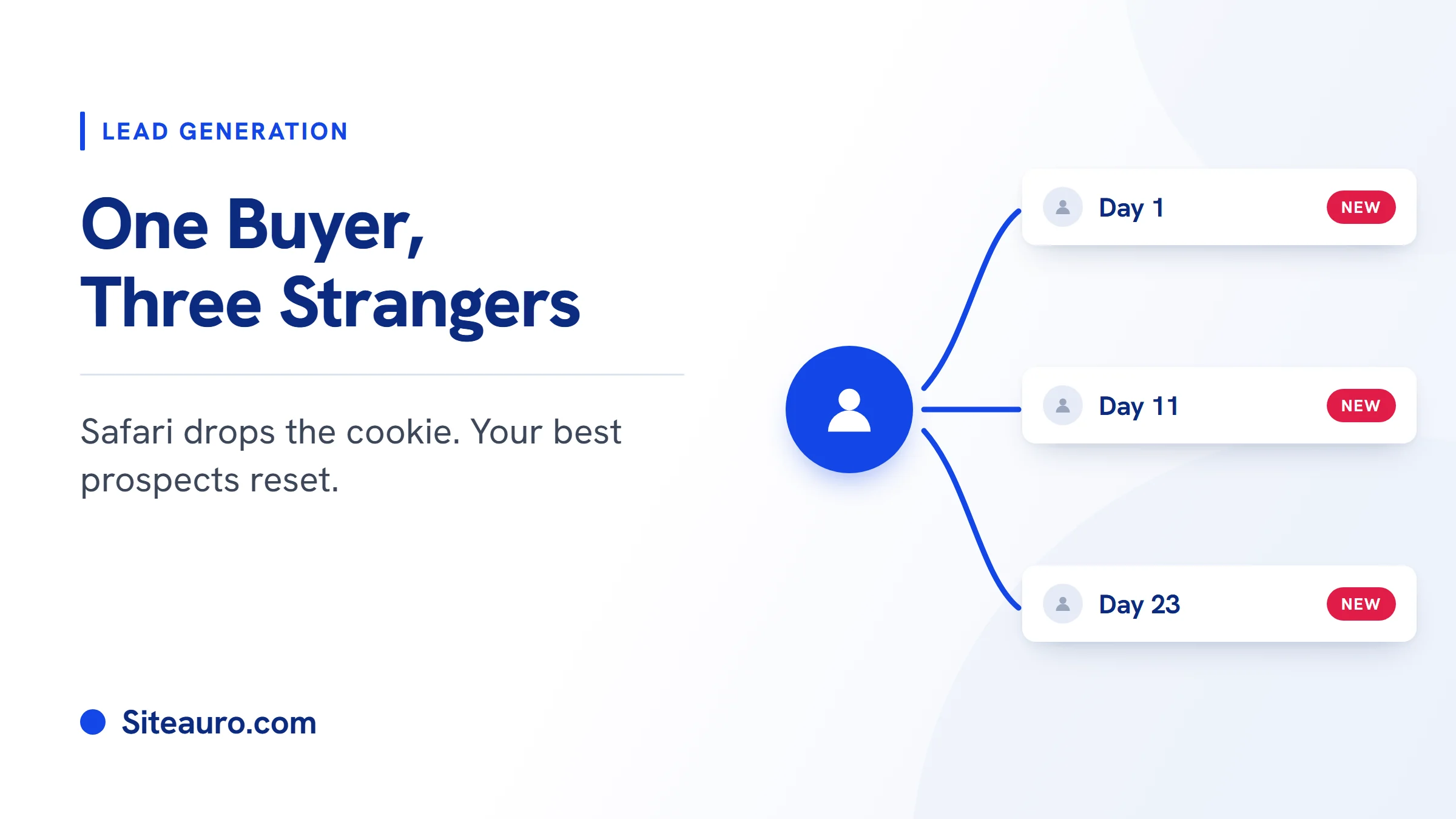
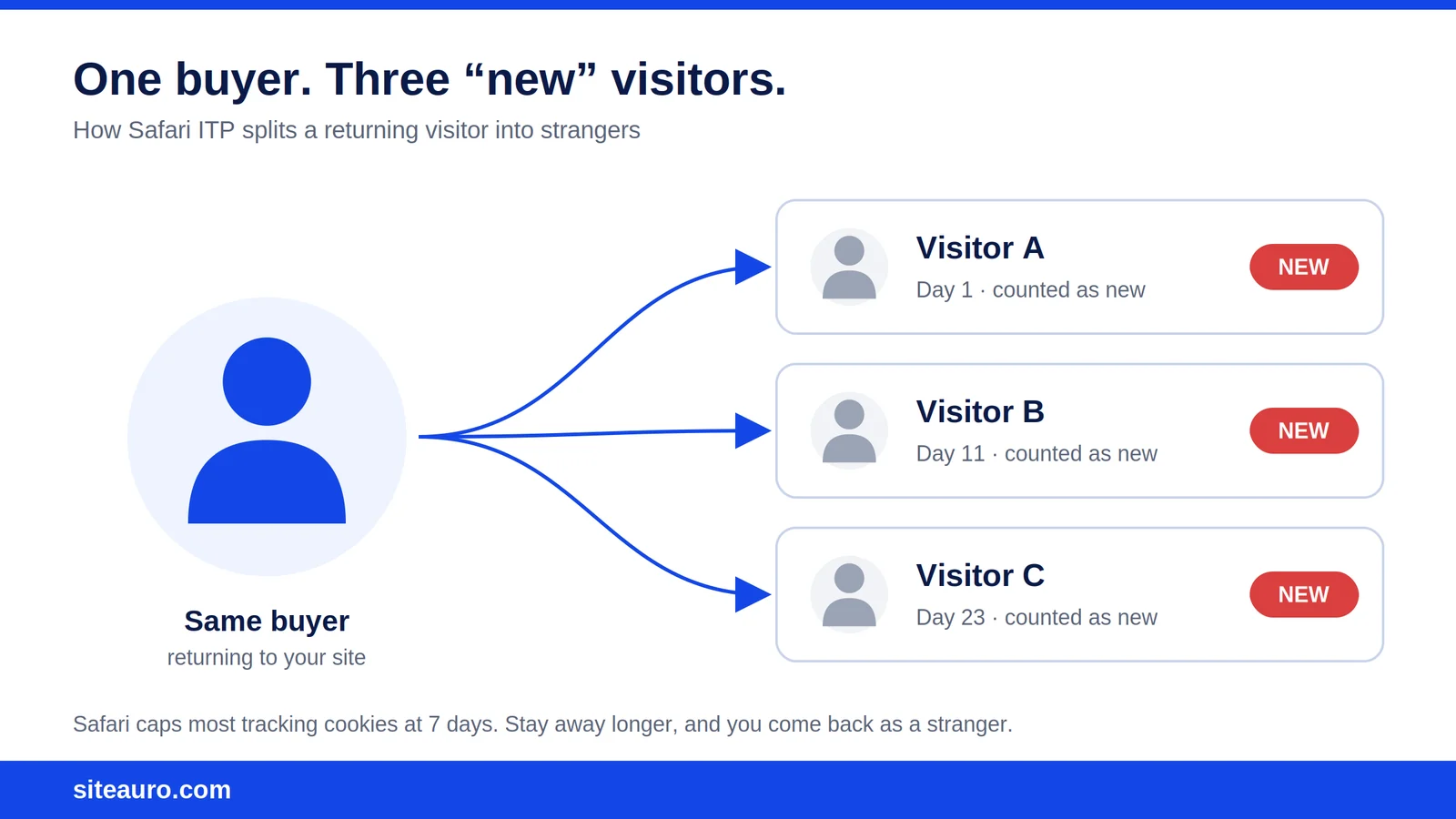
A visitor checks your pricing page on Monday. They come back 10 days later. Then again 12 days after that.
That's a buyer getting close to a decision. But if they use Safari, your tracker may log three different strangers. Safari ITP tracking rules cap how long most cookies last, so anyone who stays away for more than a week can come back as "new."
We build SiteAuro, a visitor intelligence platform that tracks what visitors do and acts on it. So we see this problem from the inside. This post explains what ITP is, what it does to your visitor data and segments, and what actually helps.
What is Safari ITP?
Safari ITP (Intelligent Tracking Prevention) is Apple's built-in privacy feature that limits how websites can track people. It runs by default in Safari on Mac, iPhone, and iPad.
Its main tool is the cookie limit. Cookies are small files your site saves in the browser to remember a visitor. ITP shortens how long many of those cookies can live.
Most cookies set by JavaScript (the way most tracking scripts work) are capped at 7 days in Safari (SegmentStream, Hardal).
How Safari ITP tracking breaks returning-visitor data
Safari ITP tracking breaks returning-visitor data by deleting the cookie that tells your site "I've seen this person before." Once that cookie is gone, the next visit looks like a first visit.
Here's how the main cookie limits work today:
| How the cookie is set | Safari limit | Source |
|---|---|---|
| By JavaScript on your site | 7 days | SegmentStream |
| By a server, through a subdomain that CNAMEs to a third-party | 7 days (since Safari 14) | WebKit |
| By a server whose IP address is far from your site's IP | 7 days (since Safari 16.4) | Stape, iMore |
| By your own server, on an IP close to your site's | No 7-day cap | Stape |
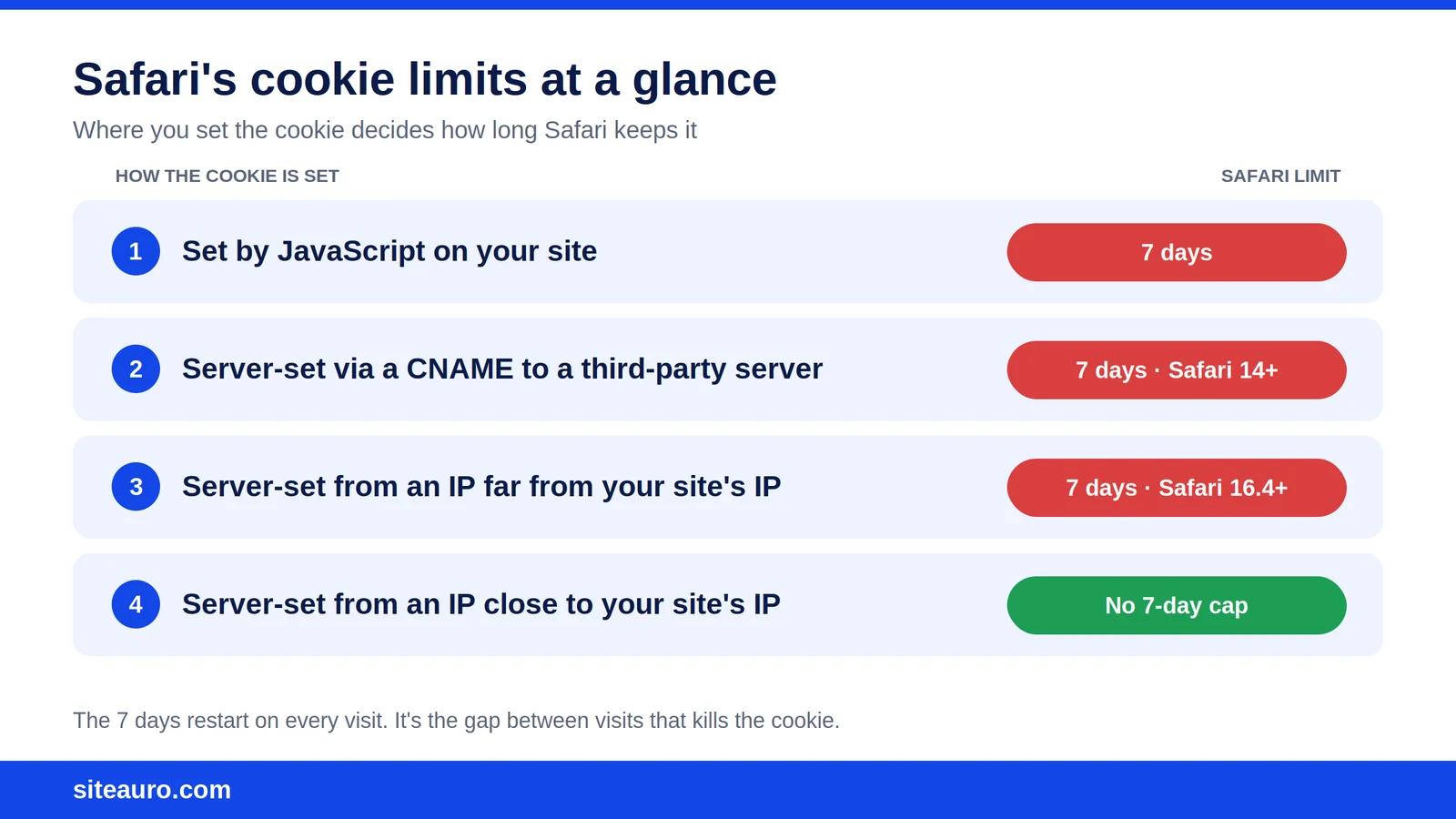
One detail people miss: the 7 days restart on each visit. Someone who comes back every few days stays recognized.
The problem is the gap. If a visitor stays away for more than 7 days, the cookie is gone. That's normal for B2B buyers, who often take weeks to decide.
What it looks like in your visitor logs
In your visitor logs, a Safari buyer who returns after 7+ days shows up as a brand-new row with a new visitor ID. Nothing connects the rows.
SiteAuro's Visitor Logs show every anonymous visitor: where they came from, their device and browser, their location, and how many pages and events they logged. We run SiteAuro on VidTechy, our own YouTube tools product, so this is a screen we look at every day.
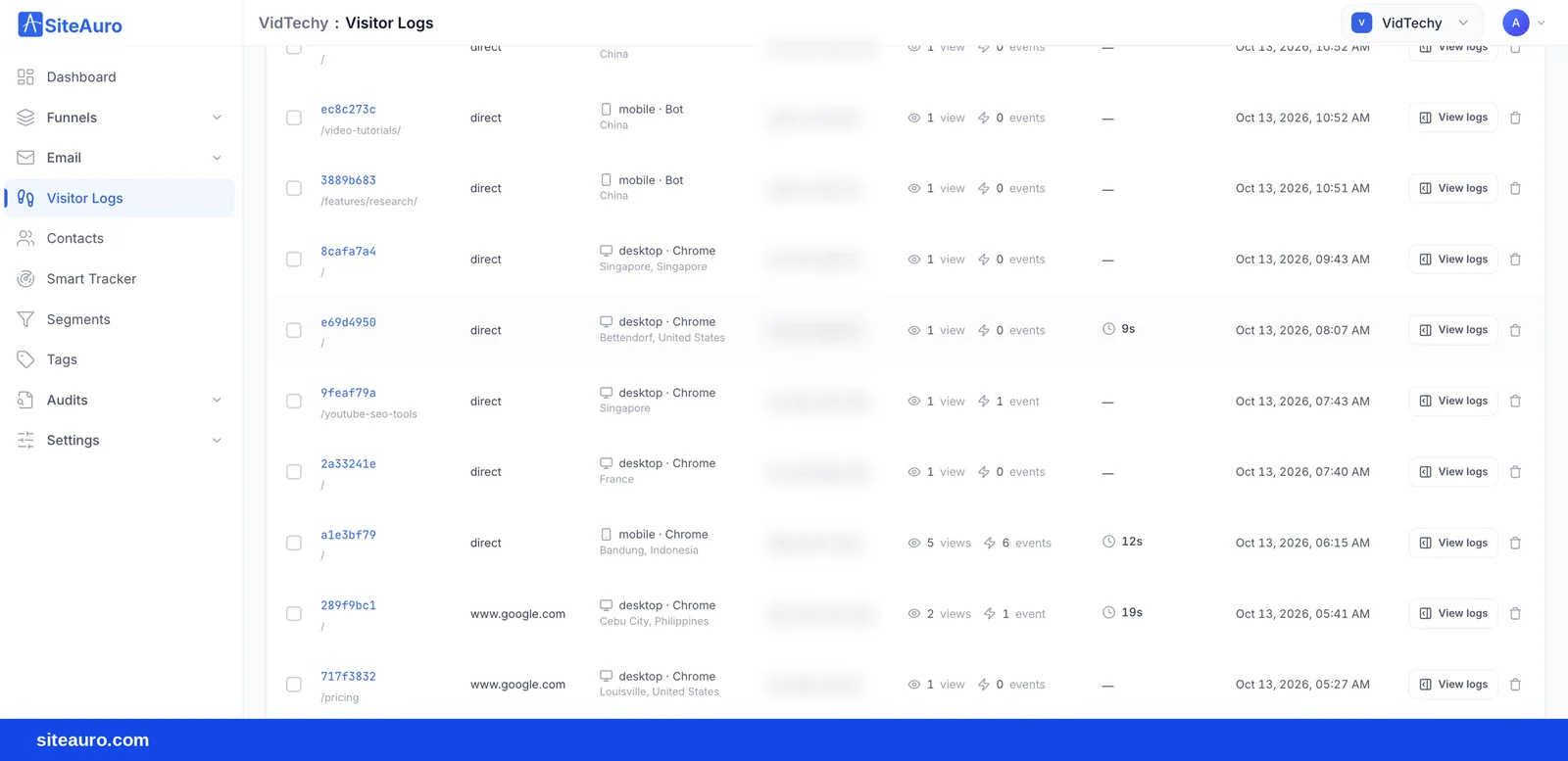
Each row is one browser cookie, not one person. So when Safari drops the cookie, the same buyer becomes a new row. Here's what three pricing visits look like:
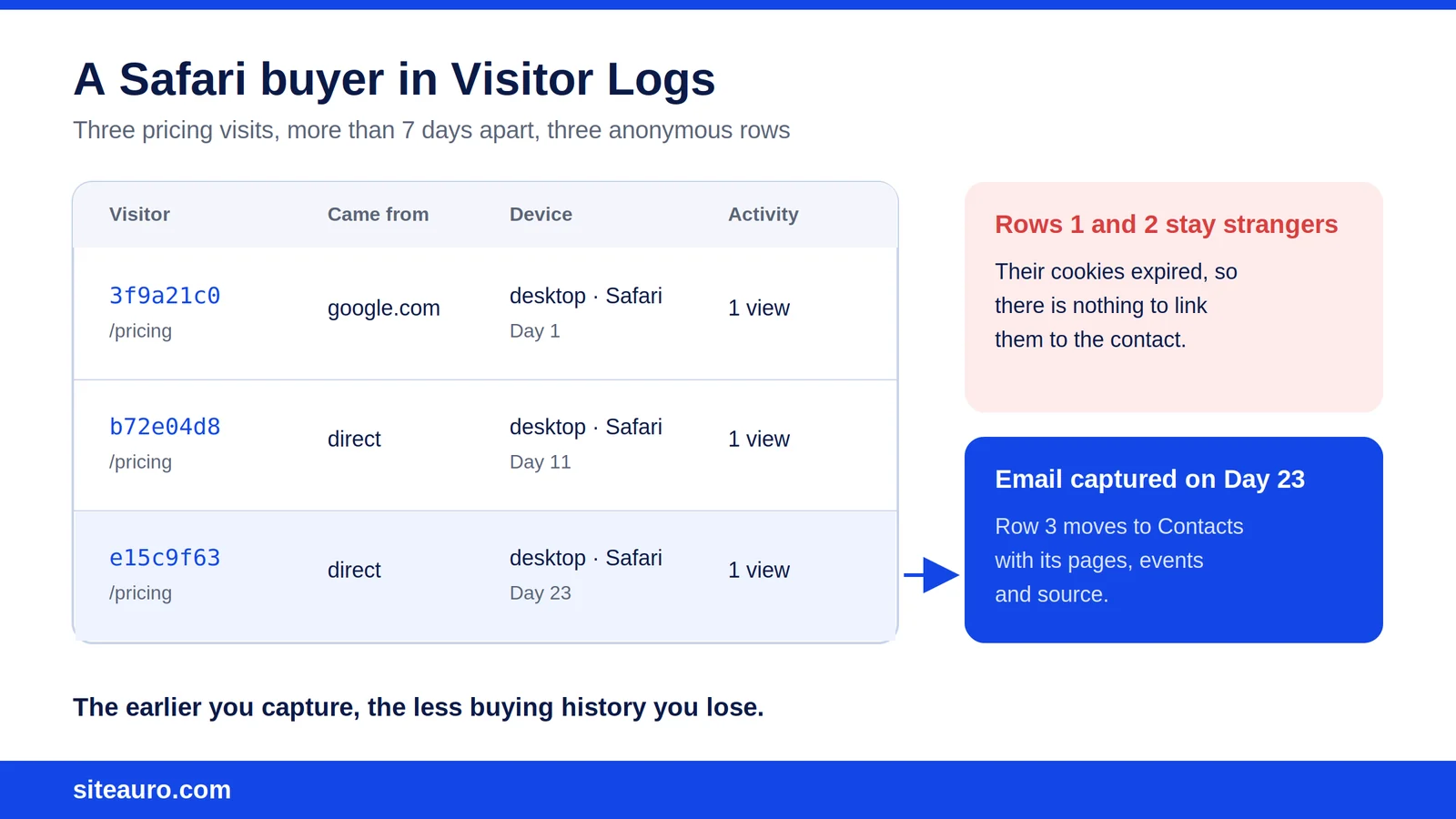
Three rows. Three IDs. One person. And each row only shows one pricing visit.
Why this breaks your segments, not just your analytics
Short cookie life doesn't just mess up a chart. It breaks the rules that decide who gets a follow-up.
In SiteAuro, the Segment Builder groups visitors by behavior. "Visited pricing 3+ times" is one of the clearest buying signals you can build a segment on. Now look at that Safari buyer again:
- Day 1: Visits pricing. Logged as visitor 1.
- Day 11: Cookie expired. Visits pricing. Logged as visitor 2.
- Day 23: Cookie expired again. Visits pricing. Logged as visitor 3.
Each "visitor" has one pricing visit. Nobody hits 3+. The segment stays empty.
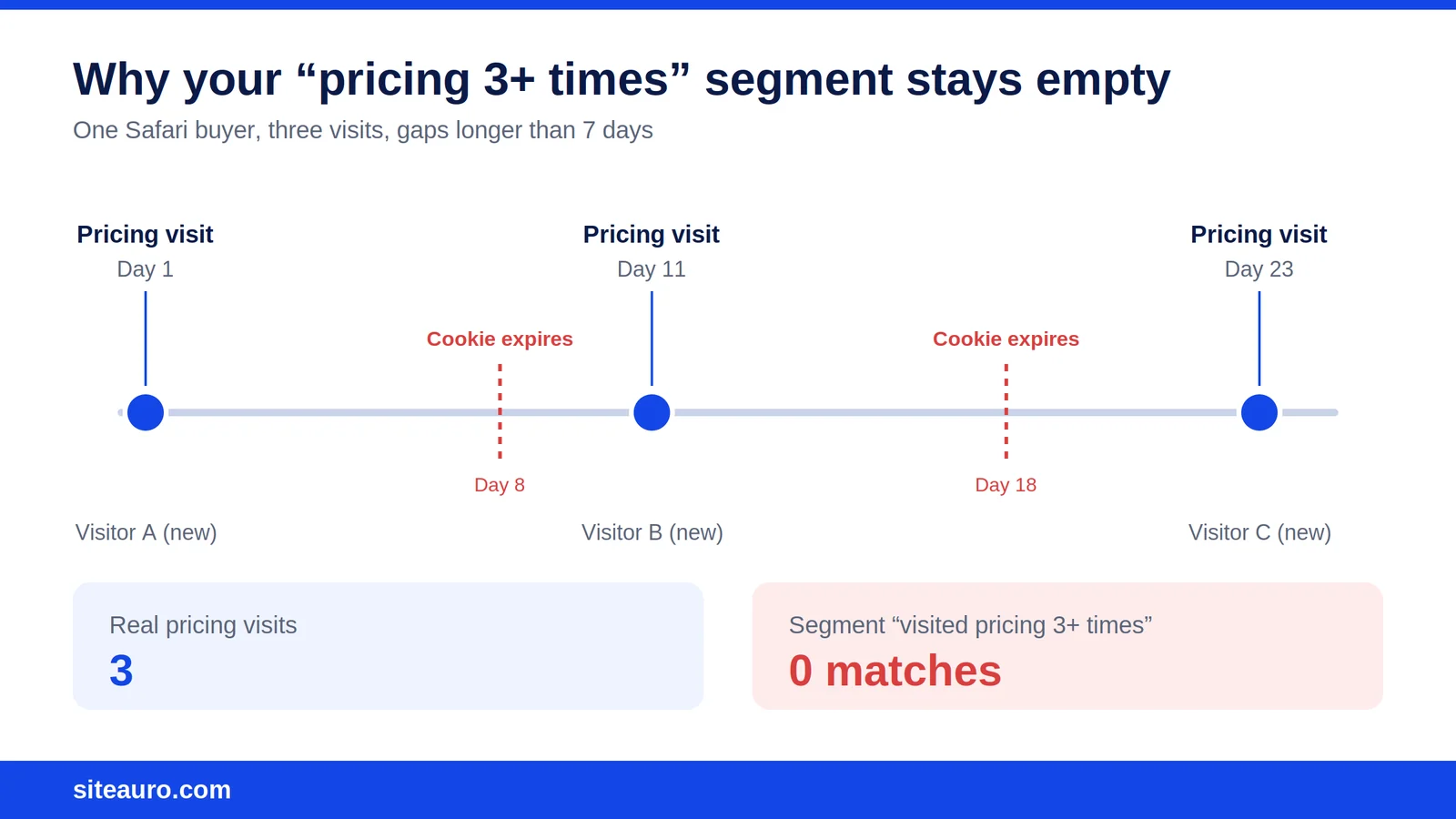
And an empty segment means nothing fires. In SiteAuro, each segment can trigger an email sequence, an interactive flow, a popup, or personalized content. None of them reach this buyer.
In practice, these are your warmest prospects. They keep coming back on their own. And they're the ones a cookie-only setup quietly misses.
For SaaS founders: this hides trial-ready buyers who compare plans over a few weeks.
For SEO agencies: this hides the business owner who reads your case studies three times before reaching out.
Is CNAME or server-side tracking the fix?
Server-side and CNAME tracking help, but they are not a full fix for Safari anymore. Safari closed most of those gaps years ago.
CNAME tracking means a subdomain on your site (like track.yoursite.com) points to the tracking company's server. For a while, this made the cookie look first-party. Then Safari 14 started checking where that subdomain really points. If it leads to a third-party server, the cookie gets the same 7-day cap (WebKit).
Safari 16.4 added an IP check. If the server setting the cookie is on an IP address far from your main site's, the cookie is capped at 7 days, even if it's set by a server (Stape).
So be careful with any tool that promises to "beat" Safari's 7-day cap with a CNAME. That includes ours.
SiteAuro's Smart Tracker runs on your own domain once you connect it, and our server sets the visitor cookie, not JavaScript. That makes it a first-party cookie, not a third-party one. It's the right setup. But we won't promise Safari keeps an anonymous visitor's cookie forever, because Safari decides that.
The real answer is to stop depending on the cookie alone.
The fix that works: capture visitors inside the 7-day window
The most reliable way to track returning visitors is to turn them into known contacts before their cookie expires. A cookie can expire. An email address doesn't.
Think of every Safari visit as starting a 7-day clock. If you learn who the visitor is before it runs out, you keep their history. If you don't, it's gone.
Act on the first strong signal, not the third
Don't wait for a buyer to rack up three visits. Safari may never let you count them.
Build segments that act on a single strong signal instead, like one visit to pricing or a long read of a feature page. Then use that segment to show an interactive flow, a popup, or a landing page that asks for an email in exchange for something useful.
SiteAuro's interactive flows range from a single question to a full multi-step flow. So you can ask for as little or as much as fits the moment.
What happens when a visitor gives you their email
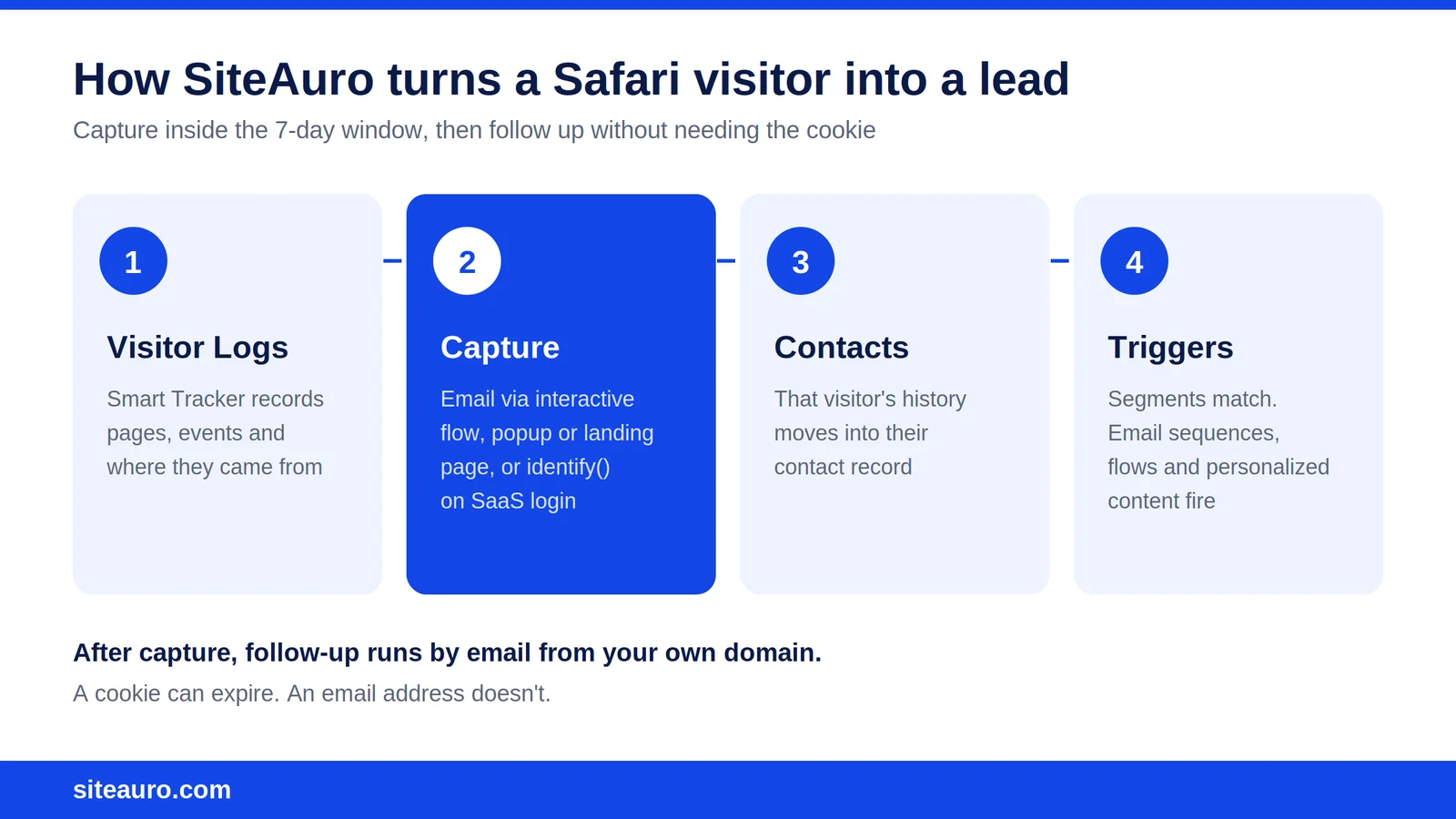
When someone submits their email, they move from Visitor Logs to Contacts. Their pages, events, and source from that browser come with them.
Here's the honest part. Only the history tied to their current cookie moves over. If Safari already dropped an older cookie, those earlier visits stay in Visitor Logs as a stranger. That's exactly why capturing early matters.
After capture, follow-up doesn't need a cookie at all. SiteAuro's email sequences send from your own domain, and they can start on capture or whenever the contact matches a segment. They reach the lead in their inbox, no matter what Safari does to the browser.
For SEO agencies: the audit request is your capture moment. A visitor enters their website URL and email to get a personalized SEO audit under your brand. Ask for it on the first visit, not the third.
For SaaS founders: a lead magnet or report request works the same way before signup. After signup, you have something even better.
For SaaS: link visitors on login with identify()
When a user logs in to your product, calling Siteauro.identify() links their pre-signup activity on that browser to their account.
This is what we mean by "One snippet, two jobs." The same Smart Tracker snippet works on your marketing site and inside your logged-in product. Every login tells SiteAuro who the person is, so the trial user you're nudging toward a paid plan isn't a stranger.
That makes login the strongest identity signal you have. It doesn't expire after 7 days.
What this still won't do
Capture links history from before the email was submitted, on that browser. It doesn't follow someone forever after.
If a known lead comes back in a new browser, or on another device, those visits show up as a new anonymous visitor. They link up again the next time the person submits a form or logs in.
How SiteAuro handles Safari visitors
SiteAuro handles Safari visitors by tracking first-party on your domain and linking visitors to contacts the moment they identify themselves. Here's the full picture:
| What SiteAuro does | What no tracker can promise |
|---|---|
| Tracks on your own domain with a server-set, first-party cookie | That Safari keeps an anonymous cookie past 7 days |
| Logs every visitor's pages, events, source, device and browser in Visitor Logs | That two rows from different cookies are the same person |
| Moves a visitor's history to Contacts when they submit their email | To recover visits from a cookie Safari already deleted |
Links pre-signup activity to an account with identify() on login (SaaS) |
To follow someone across devices without them identifying |
| Sends email sequences from your own domain, no cookie needed |
How to check how much of your traffic uses Safari
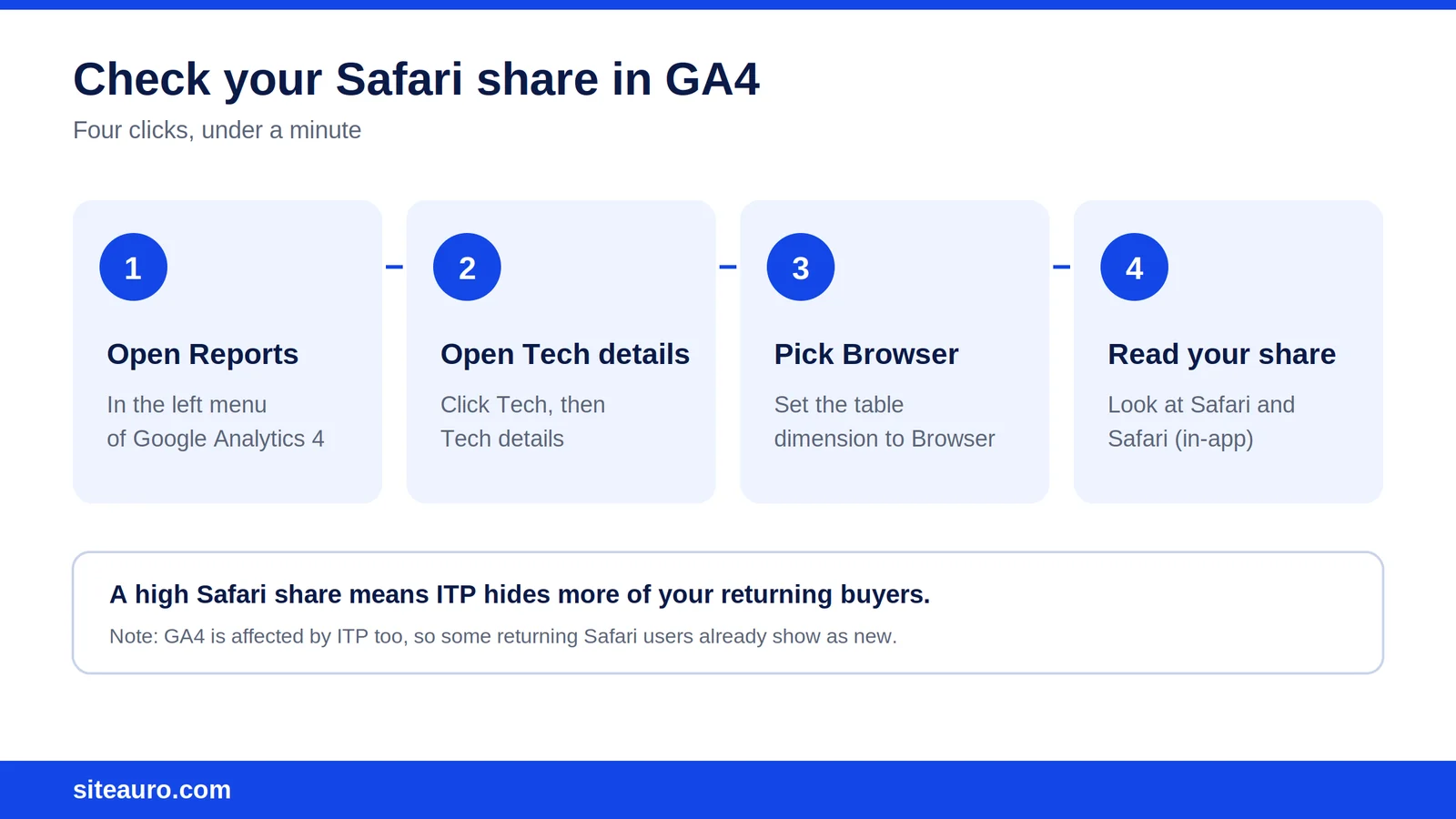
You can find your Safari share in Google Analytics 4 in under a minute:
- Open GA4 and go to Reports.
- Click Tech, then Tech details.
- Set the table dimension to Browser.
- Look at the share for Safari and Safari (in-app).
If your audience skews toward Mac and iPhone users, this number can be large. That's common for startup and B2B audiences.
Keep one thing in mind. GA4 is also affected by ITP, so the numbers you see may already count some returning Safari users as new. In SiteAuro, you can also see each visitor's browser right in Visitor Logs.
Safari ITP FAQ
Does Safari ITP block Google Analytics?
No. Safari ITP doesn't block Google Analytics. It shortens the life of the cookie GA uses to recognize visitors, so some returning Safari visitors are counted as new.
Does server-side tracking bypass ITP?
Not on its own. Since Safari 16.4, cookies set by a server on an IP far from your site's are also capped at 7 days (iMore). Server-side helps only when the server sits close to your site's IP address.
Is CNAME tracking still worth using?
Yes, for keeping tracking on your own domain and the cookie first-party. Just don't treat it as a way around Safari's 7-day limit. Safari 14 and later caps cookies when the CNAME points to a third-party server (WebKit).
How long does a Safari cookie last?
Most tracking cookies last up to 7 days in Safari, counting from the last visit. Each new visit resets the clock.
How do I track returning visitors in Safari reliably?
Get them to identify themselves before their cookie expires. An email capture or a login gives you an identity that doesn't expire with a cookie. In SiteAuro, both link the visitor's activity on that browser to their contact or account.
Can I see which visitors use Safari in SiteAuro?
Yes. Visitor Logs show each visitor's device and browser, along with their source, location, pages, and events.
Will SiteAuro link a Safari visitor's old visits after their cookie expires?
No. Once Safari deletes a cookie, the visits tied to it stay as a separate anonymous visitor. That's why SiteAuro is built around capturing visitors early, not around keeping cookies alive.
The takeaway
Safari ITP tracking quietly splits your best prospects into strangers. The people who return again and again are the ones it hides.
You can't control what Safari does to cookies. You can control how fast you learn who a visitor is. Treat every Safari visit as a 7-day window, and capture inside it.
Get Your Free Lead Intelligence Map
Enter your website — see exactly how to turn more visitors into leads, and leads into customers.
Get My Free MapSources

Karthick, Founder, SiteAuro
Building SaaS for Lead Generation & Conversion.