
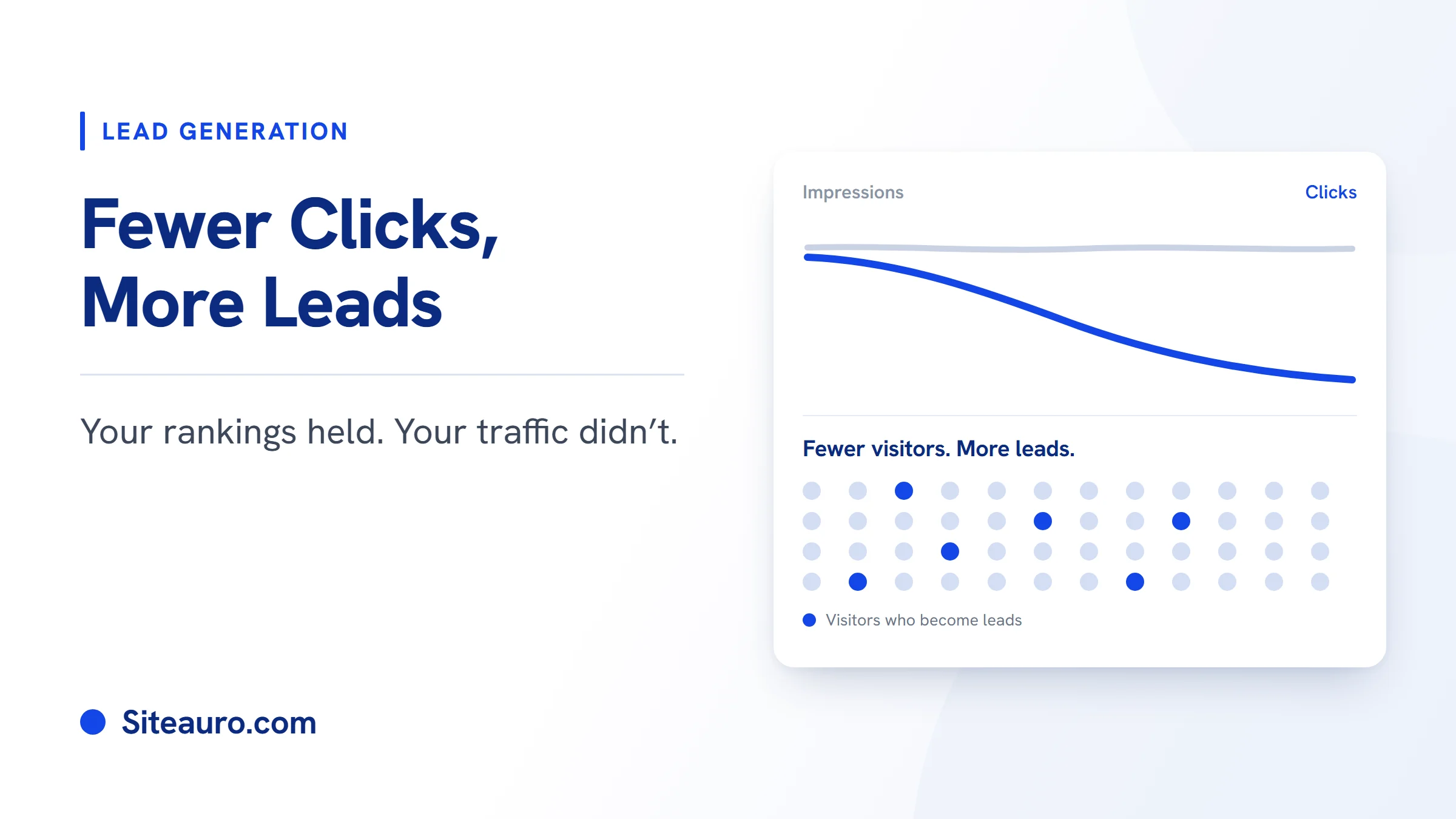
Your rankings held. Your traffic didn't.
If that sounds familiar, you're not alone. Google is sending fewer clicks to websites, even to pages that still rank well. This guide shows you how to get more leads from website traffic you already have, so a smaller audience can still fill your pipeline.
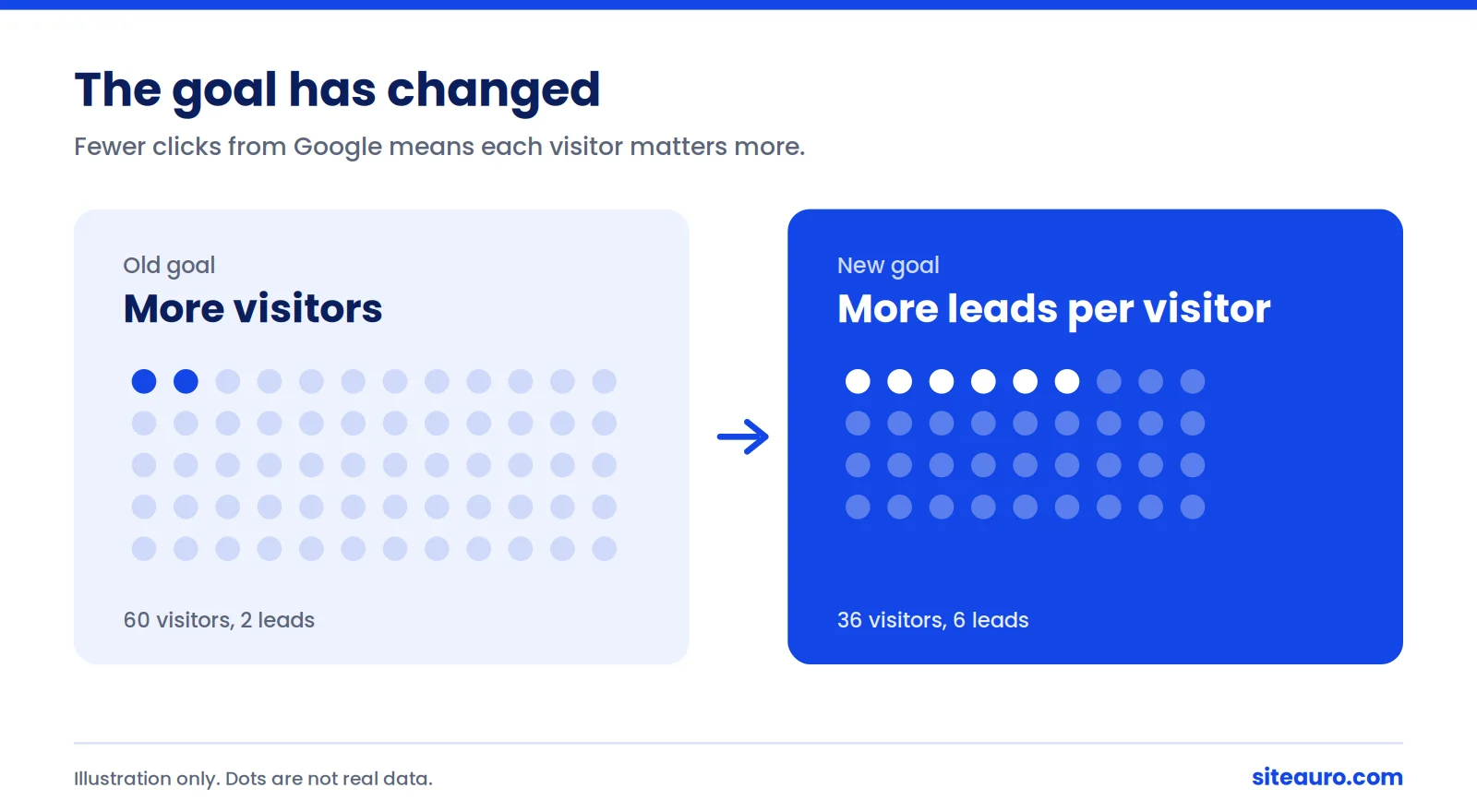
The goal is changing. It used to be "get more visitors." Now it's "get more leads from each visitor."
This shift hits SEO agencies twice. Once on your own website, and again on every client report. Here's what's happening, and a simple plan to deal with it.
What's Happening to Google Clicks
Fewer searches end with a click to a website. Google now answers many questions right on the results page, and AI Overviews have made that far more common.
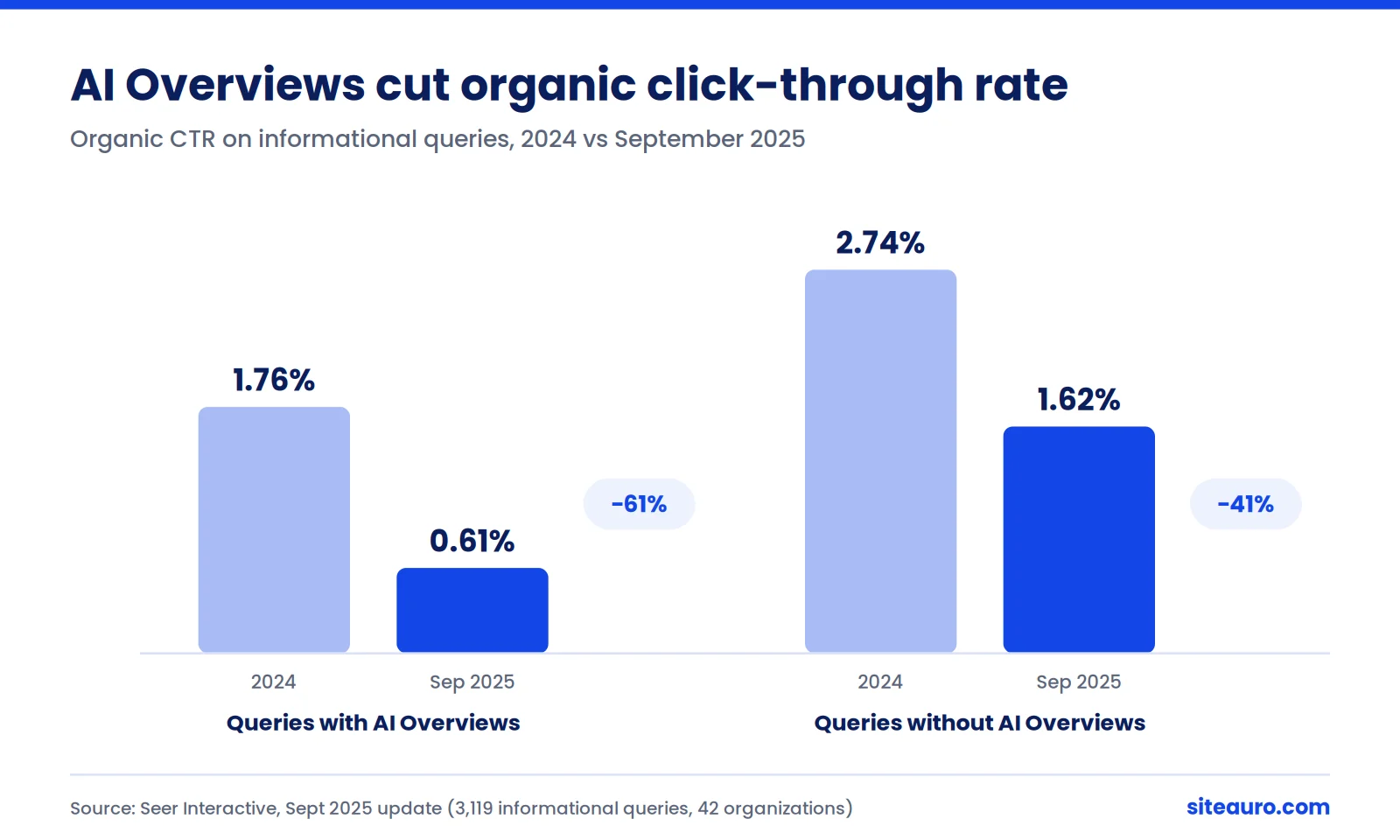
Seer Interactive studied 3,119 informational queries across 42 organizations, from June 2024 to September 2025. When an AI Overview appeared, organic click-through rate fell from 1.76% to 0.61%. That's a drop of about 61%.[1]
Queries without an AI Overview did better, at 1.62%. But they weren't safe either. Their click-through rate still fell 41% year over year.[1]
What Is a Zero-Click Search?
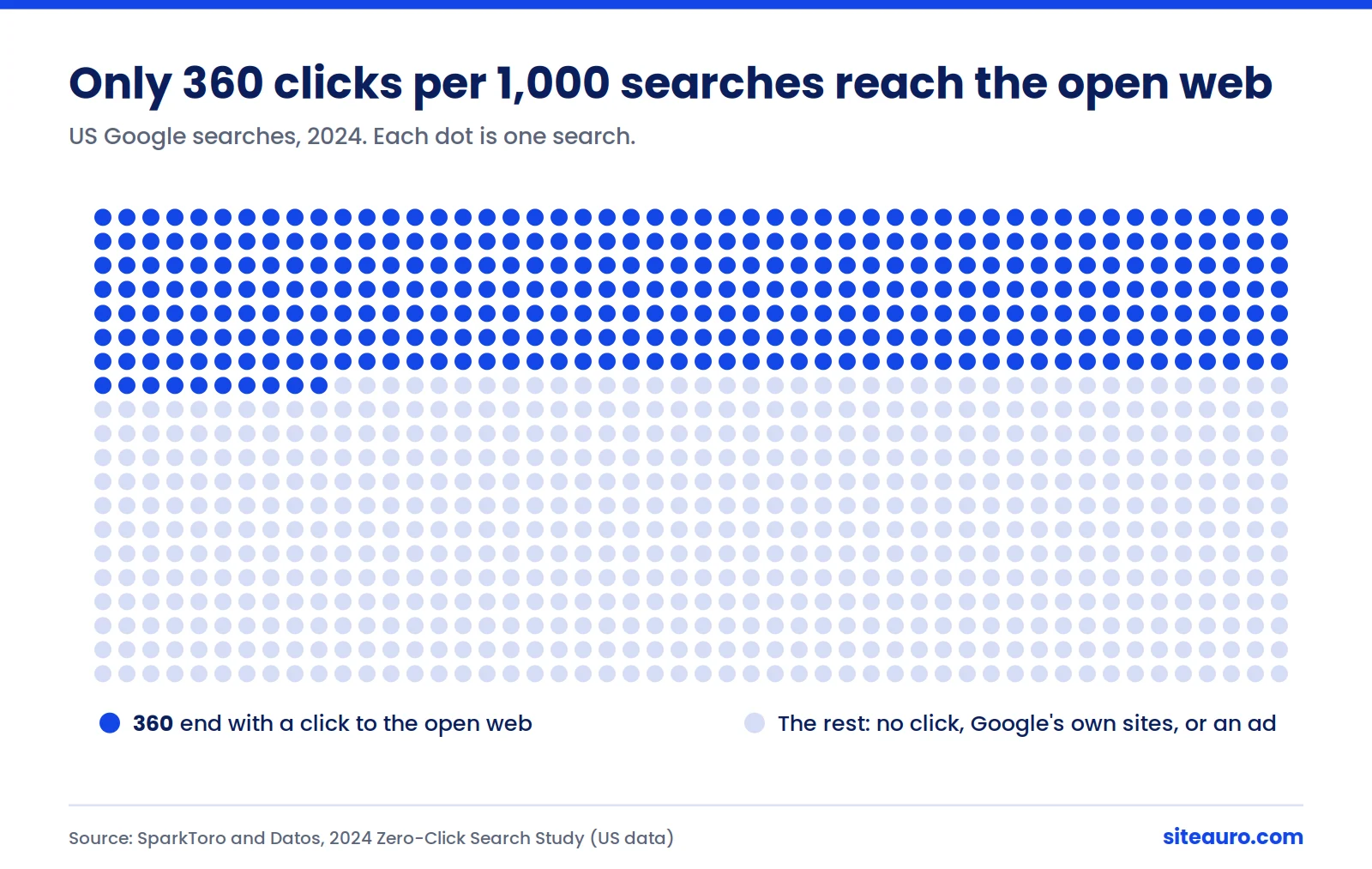
A zero-click search is a search that ends without the person clicking any result. They get their answer on Google, search again, or leave.
SparkToro's 2024 study found that 58.5% of US Google searches ended with zero clicks. For every 1,000 US searches, only 360 clicks went to the open web.[2]
To be fair, Google sees it differently. Its head of Search, Liz Reid, said in August 2025 that total organic clicks stayed fairly stable and that click quality went up.[3] Still, many sites are getting fewer visits from the same rankings.
The takeaway: Traffic is harder to win. So every visitor you do get is worth more.
Why Leads Per Visitor Is the Number to Watch
Leads per visitor is the share of your website visitors who give you their contact details. It's also called your visitor-to-lead conversion rate.
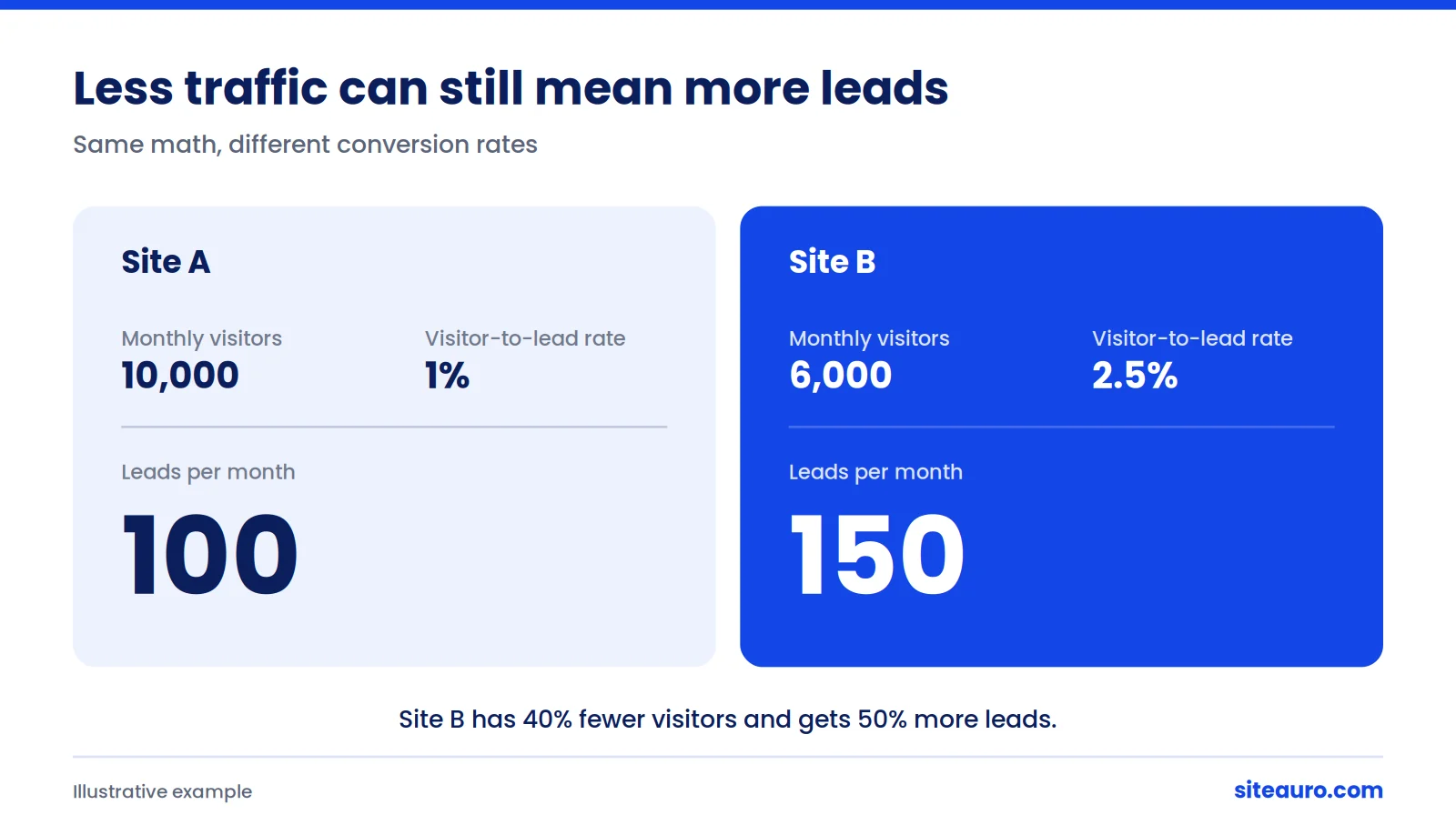
When traffic was easy to grow, you could ignore this number. Now it decides whether your pipeline grows or shrinks. Look at these two sites:
| Site A | Site B | |
|---|---|---|
| Monthly visitors | 10,000 | 6,000 |
| Visitor-to-lead rate | 1% | 2.5% |
| Leads per month | 100 | 150 |
Site B has 40% less traffic. It still gets 50% more leads.
So why do most sites convert so few visitors? Usually, they only offer one way to raise a hand: "Contact us." A first-time visitor reading a blog post isn't ready for a sales call.
We've spent years building software, including SEO software. In practice, we kept seeing the same thing. Sites had real traffic, but gave visitors no good reason to share an email. Fix that, and the math changes.
Step 1: Capture Leads by Giving Visitors a Reason to Stay
The fastest way to capture more leads is to offer something visitors want right now, at the right moment. Here are four ways to do that.
Offer a Free, Branded SEO Audit
For an SEO agency, a free audit is the strongest offer you have. Your visitor wants to know what's wrong with their site. You're the one who can tell them.
Here's how it works in SiteAuro:
- The visitor enters their website URL.
- AI builds a personalized SEO audit for their site.
- The audit is delivered automatically, under your agency's brand.
- You get a warm lead who already knows what needs fixing.
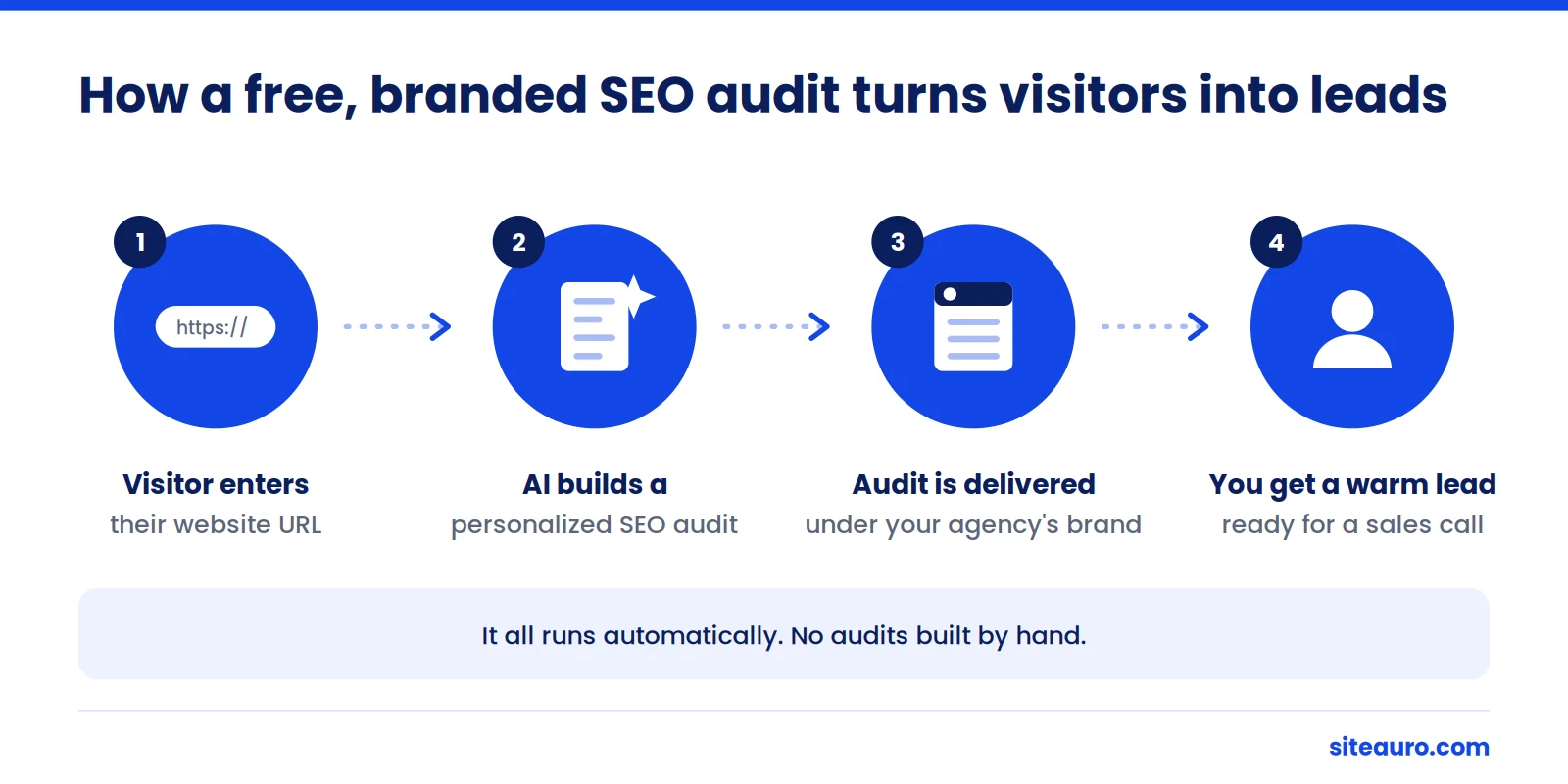
You don't build audits by hand at midnight. The report shows your value before the first call even happens.
Tip: Put the audit offer on pages where readers are already thinking about SEO problems. Guides on ranking drops or technical SEO are a natural fit.
Use Interactive Flows Instead of Generic Forms
An interactive flow is a short, guided set of steps that collects information from a visitor. In SiteAuro, a flow can be a single question or a full multi-step, branching flow you build with drag-and-drop.
Here's a simple example:
What's your biggest SEO problem right now? - My traffic dropped - I'm not ranking - I'm not sure
Each answer can lead somewhere different. "My traffic dropped" might lead to the audit offer. "I'm not sure" might lead to a short checklist.
Questions feel like help, not paperwork. And every answer tells you what the lead actually cares about.
Match Your Landing Page to the Ad
If you run ads, send the click to a dedicated landing page, not your homepage. SiteAuro landing pages support dynamic text replacement. The page copy changes to match the ad the person clicked.
If your ad says "Free technical SEO audit," the page says it too. The visitor knows right away they're in the right place.
Target by Behavior, Not Just by Page
Showing the same offer to everyone wastes your best visitors. A first-time reader and someone comparing agencies need different things.
Smart Tracker records what each visitor does: pages viewed, time on site, and engagement. Segment Builder then groups visitors by that behavior automatically. Tracking uses a first-party cookie set through your own domain, so it keeps working with Safari and Firefox tracking limits.
Here's what that can look like:
| Visitor segment | What to show them |
|---|---|
| First-time blog reader | A one-question flow offering the free audit |
| Visited your pricing page 3+ times | Personalized content inviting them to book a call |
| Read several case studies | A flow focused on results for their type of business |
| Existing lead who comes back to pricing | An email sequence that answers common pricing questions |
Each segment can trigger more than one action at the same time. The options are an email sequence, an interactive flow, a popup or widget, and personalized content.
Step 2: Nurture Leads Into Paying Clients
Most leads won't hire you on day one. So you follow up automatically until they're ready.
Keep Every Lead in One Place
Contacts is your lead dashboard in SiteAuro. Every lead from your audits, flows, and landing pages lands there. Each one has a status, so you can see who's new, who's engaged, and who needs a call.
Send Emails That Feel Personal
Email automation sends your follow-ups for you. A sequence can start the moment someone becomes a lead. It can also start when a lead matches a segment, like coming back to your pricing page.
Emails go out through your own SMTP, from your own domain. They come from you, not a shared sending service. That's why they feel personal, not automated.
You build each sequence on a drag-and-drop canvas.
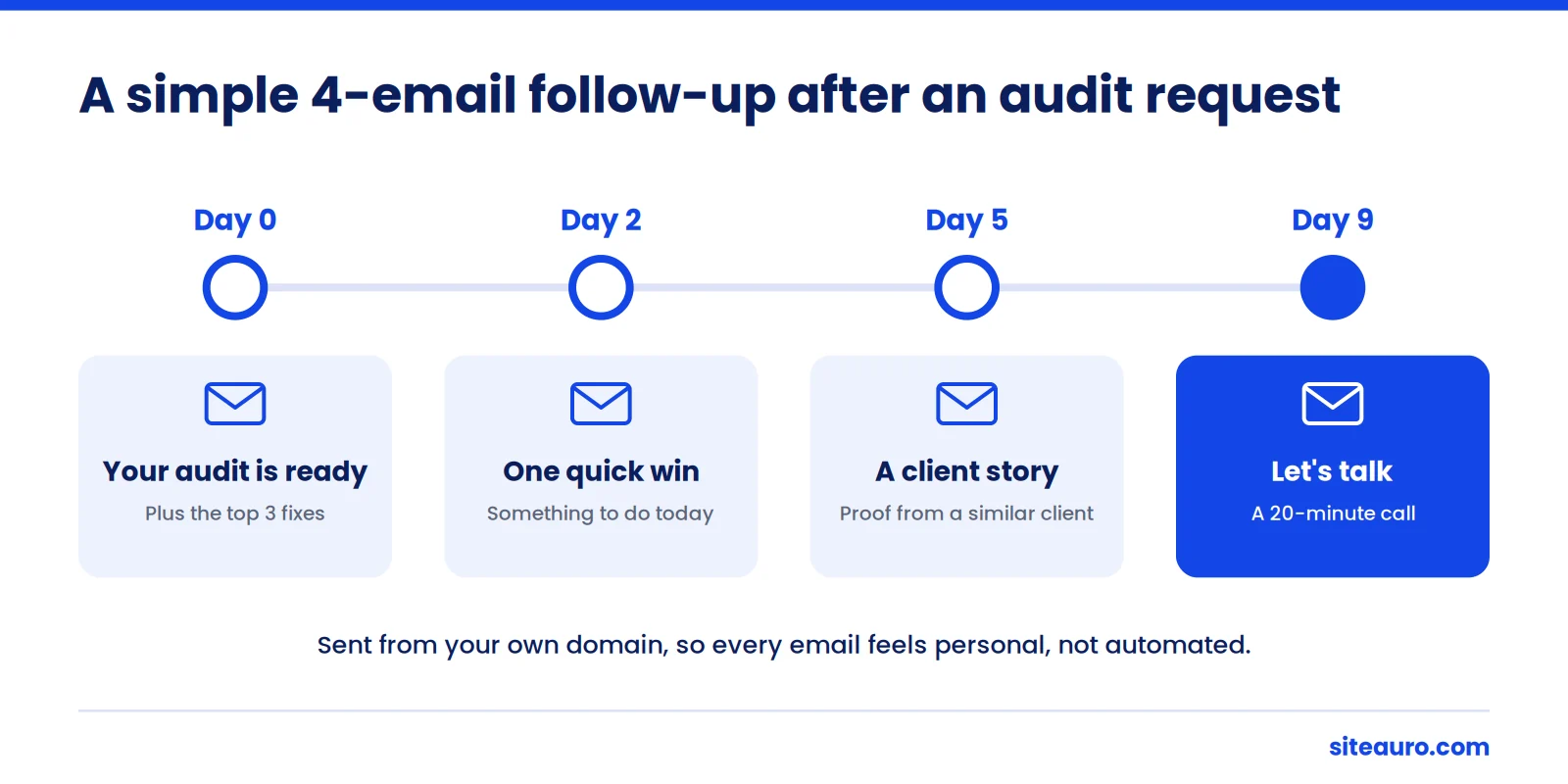
A Simple 4-Email Sequence After an Audit Request
| Day | Goal | |
|---|---|---|
| 0 | "Your audit is ready" plus the top 3 fixes | Deliver value fast |
| 2 | One quick win they can do today | Build trust |
| 5 | A short story from a similar client | Show proof |
| 9 | An offer to walk through the audit on a 20-minute call | Ask for the meeting |
Speed matters here. A well-known MIT and InsideSales study found that contacting a web lead within 5 minutes, instead of 30, made qualifying them 21 times more likely.[4] The study is old, but the lesson still holds. Send the audit right away, and follow up fast.
Connect the Tools You Already Use
Already have a CRM? SiteAuro supports Zapier and Webhook integrations. Your leads can flow straight into the tools your team works in.
How to Explain a Traffic Drop to Your Clients
Show clients the data, explain what changed in search, and move the report from traffic to leads. This conversation is hard. These four steps make it easier.
- Open Google Search Console. Compare impressions and clicks over the last 12 months.
- Look at the gap. If impressions held steady but clicks fell, rankings likely aren't the main problem. Searchers are getting answers on Google itself.
- Check key queries. Search the client's top terms and note which ones now show an AI Overview.
- Change the main metric. Report leads and leads per 1,000 visitors, not just sessions.
Here's a short script you can adapt:
"Your rankings are holding. But Google now shows more answers right on the results page, so fewer people click through. This is happening across the whole industry, not just to you. So we're going to focus on getting more leads from the visitors who do arrive. Here's the number we'll track each month."
This helps your agency too. You stop defending a falling traffic line. You start reporting a number you can actually improve.
A Weekly Checklist to Get More Leads From Website Traffic
Block 30 minutes each week and work through this list. Small, steady changes add up.
- Check leads per 1,000 visitors. Compare it to last week.
- Review your top 5 pages by traffic. Make sure each one has a relevant offer.
- Find pages with high traffic and few leads. Add or improve the flow on those first.
- Test one change. Try a new flow question, headline, or offer.
- Follow up with every new audit lead. Same day at the latest. Faster is better.
- Check your email results. Look at opens and replies, then rewrite your weakest email.
- Review your segments. Is there a large group of visitors who see no offer at all?
Frequently Asked Questions
Is my traffic drop caused by AI Overviews?
Maybe. Check Google Search Console first. If impressions are steady but clicks are down, changes on the results page are a likely cause. If impressions dropped too, look at rankings, technical issues, or algorithm updates before anything else.
What's a good website visitor to lead conversion rate?
It depends on your industry and how you count a lead. First Page Sage benchmarks put the B2B median at roughly 1.9%, ranging from 1.1% for B2B SaaS to 7.4% for legal services.[5] The most useful benchmark is your own number from last month.
Should I stop investing in SEO?
No. SEO still brings in people who are actively looking for help. Seer also found that brands cited in AI Overviews earned 35% more organic clicks than brands that weren't cited.[1] What's changing is what you do after the click.
How fast can a free audit offer generate leads?
It depends on your traffic and where you place the offer. To estimate, multiply the monthly visitors on pages with the offer by your expected conversion rate. Start with your highest-traffic pages that cover SEO problems.
Do I need a big website to make this work?
No. Smaller sites have even more reason to do it. With 2,000 visitors a month, moving from a 1% to a 2% conversion rate means 20 extra leads every month, without one extra visitor.
Get More From Every Visitor
Clicks are harder to win, and that isn't likely to reverse soon. So stop measuring success by traffic alone. Start measuring leads per visitor.
Capture with offers people want. Nurture with emails that feel personal. Measure every week.
Get Your Free Lead Intelligence Map
Enter your website and get a personalized report showing exactly how to turn more visitors into leads, and leads into customers.
Get my free mapSources
- Seer Interactive, "AIO Impact on Google CTR: September 2025 Update." https://www.seerinteractive.com/insights/aio-impact-on-google-ctr-september-2025-update
- SparkToro and Datos, 2024 Zero-Click Search Study, as reported by Search Engine Land. https://searchengineland.com/google-search-zero-click-study-2024-443869
- Liz Reid statement (August 2025), as summarized by PPC Land. https://ppc.land/zero-click-search/
- MIT and InsideSales Lead Response Management Study (2007), as summarized by SerpSculpt. https://serpsculpt.com/reports/b2b-sales-conversion-rate-by-industry/
- First Page Sage 2026 B2B conversion benchmarks, as summarized by SerpSculpt. https://serpsculpt.com/reports/b2b-sales-conversion-rate-by-industry/

Karthick, Founder, SiteAuro
Building SaaS for Lead Generation & Conversion.