
To convert website visitors into leads, stop showing every visitor the same page. Track what each visitor does. Group visitors by behavior. Then show each group the next step that fits where they are.
That sounds simple. Most SaaS sites still don't do it. A first-time blog reader and a buyer on their third pricing-page visit both get the same "Start free trial" button. One isn't ready yet. The other needs a nudge they never get.
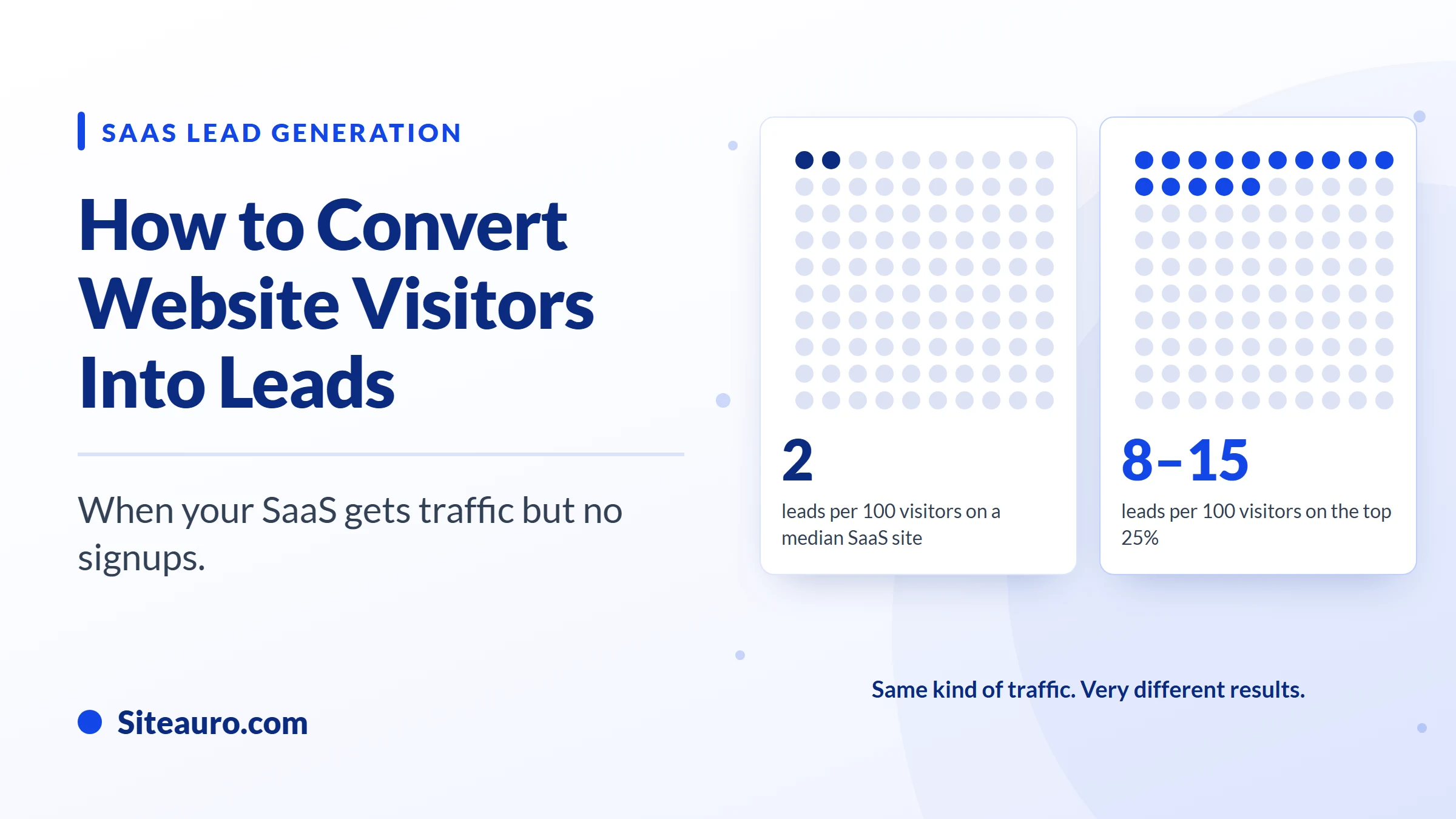
The cost shows up in the numbers. According to SaaSHero's 2026 benchmark roundup, the median SaaS visitor-to-lead rate is 1.4–2.5%. The top quartile reaches 8–15%. That's the widest gap of any stage in the SaaS funnel.
This guide explains the mechanic behind that gap, and how to close it.
What is a good visitor-to-lead conversion rate for SaaS?
A good SaaS visitor-to-lead rate is anything above 2.5%. The top quartile reaches 8–15%.
Visitor-to-lead rate is the share of website visitors who become a lead by sharing their contact details. Your target depends on how you sell and where your traffic comes from.
| How you sell / traffic source | Median | Top quartile |
|---|---|---|
| All SaaS (blended) | 1.4–2.5% | 8–15% |
| Self-serve trial (PLG) | 4–8% | 10–15% |
| Demo request (sales-led) | 1.5–4% | 5–7% |
| SEO traffic | 2.1% | 2.5%+ |
| Paid search (PPC) | 0.7% | 3–5% |
Source: SaaSHero, 2026 SaaS Conversion Benchmarks
If you run a free trial, compare yourself to the self-serve row. That's the bar for most SaaS founders.
Look closely at the paid search row too. The same kind of traffic converts 4 to 7 times better for top performers. SaaSHero links that gap to message match and dedicated landing pages. In other words, it's not the traffic. It's what the visitor sees after the click.
Lead vs. signup: the two paths through your SaaS funnel
A lead and a signup are two different stages. A lead is a visitor who shared contact details, like an email address, but hasn't created an account. A signup is someone who created a trial or free account in your product.
There are two ways a visitor becomes a paying customer:
- Path A: Visitor → Lead → nurtured by email → Signup → Paid user
- Path B: Visitor → Signup → Paid user
Path B is great when it happens. But most visitors aren't ready to sign up on their first visit. If "Sign up" is the only option, they leave. You never hear from them again.
Path A gives those visitors a smaller first step. A free report, a quick tool, or a useful checklist in exchange for an email. Then an email sequence keeps the conversation going until they're ready to sign up.
We've seen this work at Vidtechy, a YouTube growth tool we run with more than 13,000 users. It offers free tools like a YouTube name generator and a description generator, fully free to use. These tools pull in people who aren't shopping for a paid product yet. Many of them become leads and signups because the first step gives value before it asks for anything.
Most SaaS sites only build Path B. That's where a big part of the leak comes from.
Why SaaS visitors leave without signing up
Most SaaS visitors leave because the site treats them all the same. In practice, the problem usually comes down to one of these five patterns.
1. Every visitor sees the same page
A first-time reader and a returning buyer get the same headline, the same offer, and the same button. The page fits nobody well. So most people leave.
2. You ask for a signup before they're ready
A free trial is a big ask for someone who just found you. They have to create an account, learn a new tool, and maybe connect their data. Without a smaller first step, early-stage visitors have nowhere to go.
3. Ad clicks land on a page that doesn't match the ad
Someone clicks an ad about one problem. They land on a homepage about five other things. That mismatch is a big reason paid traffic converts at just a 0.7% median, according to SaaSHero.
4. High-intent signals go unnoticed
A visitor who checks your pricing page three times is telling you something. Most sites ignore it. That's a missed chance, because warm visitors convert far better than cold ones. SaaSHero's roundup shows retargeted visitors convert demo requests at 8.1%, versus 2.4% from cold traffic.
5. Signups stall after the trial starts
Getting the signup isn't the end. The same roundup notes that users who don't reach a product's core value within 72 hours rarely convert. If you stop tracking at signup, you can't see who's stuck.
How to convert website visitors into leads: track, segment, trigger
The fix is a three-step mechanic: track what visitors do, group them by behavior, and trigger the right next step for each group. Each step feeds the next one.
This is how SiteAuro works, but the logic applies no matter what tools you use.
Step 1: Track what each visitor does
Behavior tracking records what each visitor does on your site. SiteAuro's Smart Tracker records pages viewed, time on site, engagement, and intent signals like repeat pricing-page visits.
It uses a first-party cookie, set through a CNAME record that points to SiteAuro's edge server. That means it keeps working even with Safari and Firefox tracking limits.
Step 2: Group visitors into segments
A segment is a group of visitors who did the same thing. SiteAuro's Segment Builder groups visitors automatically based on their behavior.
For example, "visited the pricing page 3+ times" is one segment. "Abandoned a form" is another. A visitor moves into a segment as soon as their behavior matches.
Step 3: Trigger the right next step
Each segment can trigger one or more actions:
- Show an interactive flow. An interactive flow is a guided experience on your site. It can be a single question or a full multi-step flow with branching, built in a drag-and-drop editor.
- Start an email sequence. Emails send through your own SMTP, from your own domain. So they feel personal, not automated.
- Show a widget. For example, social proof, reviews, a live conversion counter, or a quick survey.
- Personalize content. Change what's on the page based on who's looking.
Triggers can stack. One segment can start an email sequence and show an interactive flow at the same time.
Segment examples you can copy
The best segments match a clear behavior to a clear next step. Here are five that work for most SaaS sites.
| Segment | What it signals | What to show |
|---|---|---|
| Visited pricing page 3+ times | Close to buying, but has a question | An interactive flow that asks what's holding them back, then shows a comparison or demo option |
| Read 3+ blog posts, no signup | Researching the problem | A free report or tool in exchange for an email (Path A) |
| Clicked a specific ad | Expects the ad's message | A landing page whose copy matches the ad |
| Started a form but didn't finish | Interested but hesitating | A short follow-up email sequence |
| Returning visitor, not signed up | Needs proof before trusting you | A social proof or reviews widget |
The ad segment deserves a closer look. SiteAuro's dedicated landing pages support dynamic text replacement. The page copy changes to match whichever ad the visitor clicked. That's the message match SaaSHero points to as the gap between a 0.7% and a 3–5% paid search rate.
Start with one or two segments. The pricing-page segment is usually the fastest win, because those visitors are already close.
Don't stop tracking at signup: one snippet, two jobs
A signup is not the finish line. You still need that user to reach value and upgrade. So the same tracking that works before signup should keep working after it.
We call this "one snippet, two jobs." The SiteAuro snippet on your marketing site also works inside your logged-in product. Here's how it works:
- Place the same snippet inside your app.
- Call
Siteauro.identify()when a user logs in. - SiteAuro links that user's pre-signup activity to their account.
Now you know which pages someone read before signing up, and what they do after. A display setting (website, in-app, or both) controls where each flow or widget shows up.
That opens up onboarding flows, trial nudge emails, and upgrade prompts, all based on real behavior. SaaSHero suggests testing in-app upgrade prompts at usage-limit moments when trial conversion sits around the median.
Here's a real example from Vidtechy. After signing up, users need to add their YouTube channel. Without it, the product can't do its job for them. About 20 of every 100 signups don't add their channel.
On a basic dashboard, those 20 look like healthy signups. With post-signup tracking, they become a segment we can act on. We follow up with emails, in-app notifications, and repeat reminders until they connect.
FAQ: converting SaaS website visitors into leads
What is a good visitor-to-lead rate for a SaaS website?
Above 2.5% beats the median for SaaS overall. For self-serve trial products, the median is higher, at 4–8%, and the top quartile reaches 10–15%, according to SaaSHero.
What's the difference between a lead and a signup?
A lead has shared contact details but hasn't created an account. A signup has created a trial or free account. Leads usually become signups through an email nurture sequence.
Why do visitors check my pricing page but not sign up?
They're interested, but something is holding them back. It could be price, fit, or a missing feature. A short interactive flow that asks what's stopping them can turn that visit into a lead, and tell you what to fix.
Does behavior tracking still work with Safari's tracking limits?
Yes, when it uses a first-party cookie. SiteAuro sets its cookie through a CNAME record pointing to its edge server, so it keeps working with Safari and Firefox tracking restrictions.
Is an interactive flow just a popup?
No. A popup shows one static message. An interactive flow can be a single question, or a multi-step flow that branches based on each answer. It's built to guide visitors, not just interrupt them.
Can I track users after they sign up?
Yes. With In-App Mode, the same snippet runs inside your product. Calling Siteauro.identify() at login links each user's pre-signup and post-signup activity.
Traffic isn't usually the problem. Treating every visitor the same is. Track behavior, group visitors, and show each group the right next step, before and after signup.
Get Your Free Lead Intelligence Map
Enter your website — see exactly how to turn more visitors into leads, and leads into customers.
Get My Free Map
Karthick, Founder, SiteAuro
Building SaaS for Lead Generation & Conversion.